






Stan464
Members
-
Joined
-
Last visited
-
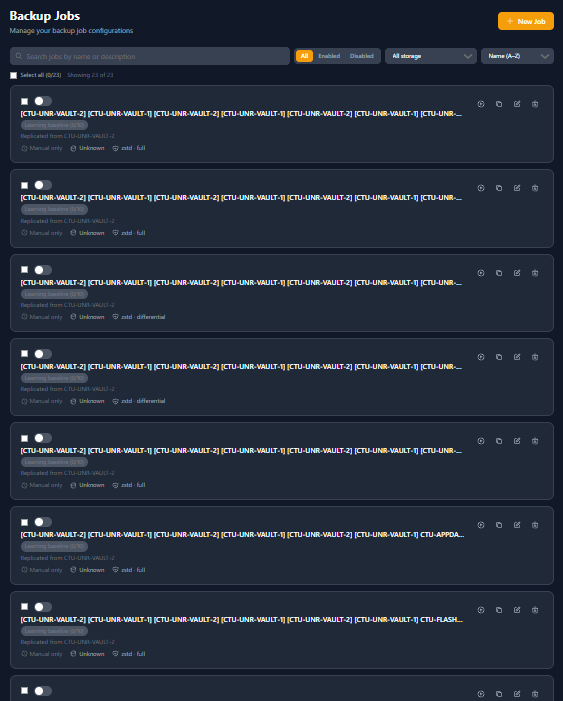
Hey Panic! hope you are well. Unsure if you are floating about at the moment, really low pain point but clearly my lack of understanding is more likely. I have 2 UnRAID Servers pointing at each other for the Sync thing? (Replication) but it may be bouncing Jobs back and forth causing an odd loop. anything I need to-do to fix? Loving the Platform still and its doing what I need and as expected. Thanks again <3.
-
Couldn't care less if it was Hairy bumhole coded, the shit fucks and works fantastic. Had to do a restore earlier for a config file I messed up, worked as required 😂😭
-
Hi Panic, Just used your Restore Config System / Option and it worked fantastic! So far, no majors and continuing to enjoy the Platform,. Thanks!
-
vm_backup_info.txt
-
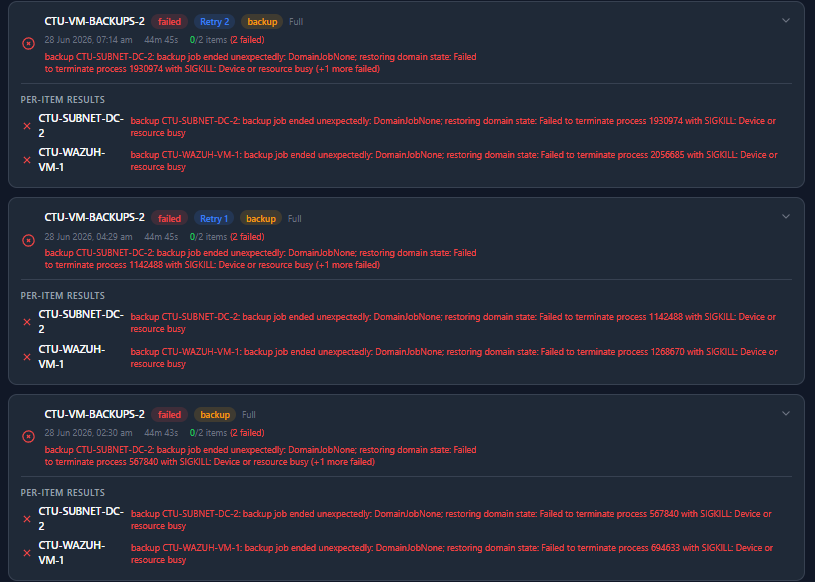
Hey PanicMechanic! hope you are well. See updates along the way are nailing the issues / adding improvements. Small Q. seems no matter what I try here, Cold, Live, etc seems the VM Backups are failing with the same error very time. Any clues to why?
-
Using this now as we speak! very handy, thanks!
-
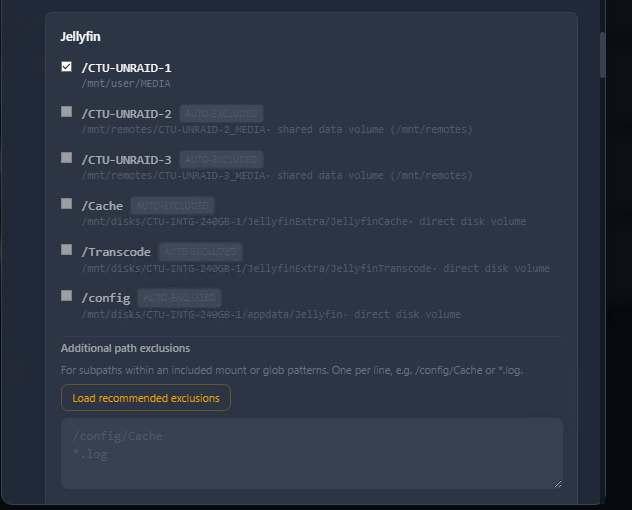
Hey PanicMechanic! Just seen you have added the Easy Tickboxes which is fantastic, thanks! 1 Small Question/Issue, it seems some of my Containers, the Tickbox to "Exclude?" is greyed out and shows as Auto Exclude, so this may be just me being stupid, is this a "put a Tick in the Box" if you want to backup that Path/Data or is this a "Tick the box" to Exclude the Data/Path from the Backup? Also as above, some boxes cant be modified? Image is 1 Example (bunch of others are similar). I wish to keep "Config" but exclude "UNR1, UNR2, UNR3" as an example/ again, thanks for the Super awesome work!
-
Yesssss! that would work perfectly !
-
Firstly. Out the gate. Holy sh*t does this Plugin look fantastic, the UI is fantastic too and the features! just want to put that out there! - refreshing to Install, and just have something that feels natural to configure with "The Right Options" for the users. Now, I'm only gripes so far is that it isn't great backing up Docker Containers. there isn't a real easy way of excl Mount Points via Dockers. what i mean is. Sonarr as the obvious /config but it also looks at my Media Collection, upon Backing up, it will try and pull ALL MY DATA into the Backup too. There is sadly no easy way of Stopping a Backup once its started other than Killing the Vault Process. which isnt ideal. With the likes of Easy Backup Plugin, there is a way of Unticking/Ticking per Docker what you DONT want to have Backed up. which worked great. Sadly, Vault requires a Manual "Per Docker" Excl per Folder which is a slow process if you have Many Dockers. So far, so good overall though and thanks so so much for creating something that is 1) Nice to look at. 2) Easy to Configure 3) Feature Rich without overloading the brain 4) Scheduling System 5) List goes on!
-
Oh man, didn't see this reply till now. Sorry dude! Dokan allows you to Mount SMB/NFS Shares as a Physical Drive. (It makes them appear as a physically connected drive) Which of course, allows you to map your Shares and get them backed up.
-
Had issues with mine on one of my Servers and was told to Read: https://docs.unraid.net/unraid-os/release-notes/6.12.4/#fix-for-macvlan-call-traces It should get you what you need.
-
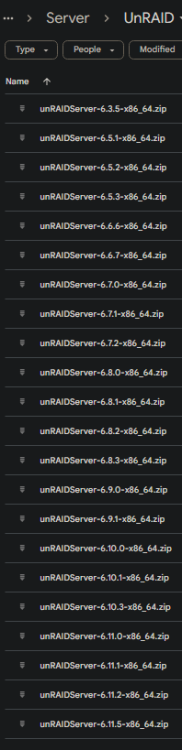
I have a good few of the older Versions. which one do you want?
-
I also have this issue, don't often reboot so not a big deal for me. the Extra Params should do the job.
-
Appreciate the response guys, will re-look at the config. Thanks All! ❤️
-
Would that my Dockers useless as they wouldn't be able to communicate correctly/at all. Bridging is what allows the dockers to use the Host (the Server) to obtain an IP Address, it also allows flow of traffic🤣.


