





alexlq2022
Members
-
Joined
-
Last visited
-
I had the same problem and find the way to fix it. Go to UNRAID docker page, change the view from basic to advanced with the button in the up-right corner, then you will see there is a "force update" for every docker container. Force update letsencrypt and issue is resolved!
-
Thanks! I thought this will be updated via docker container. I successfully upgraded to 15.0.5 now.
-
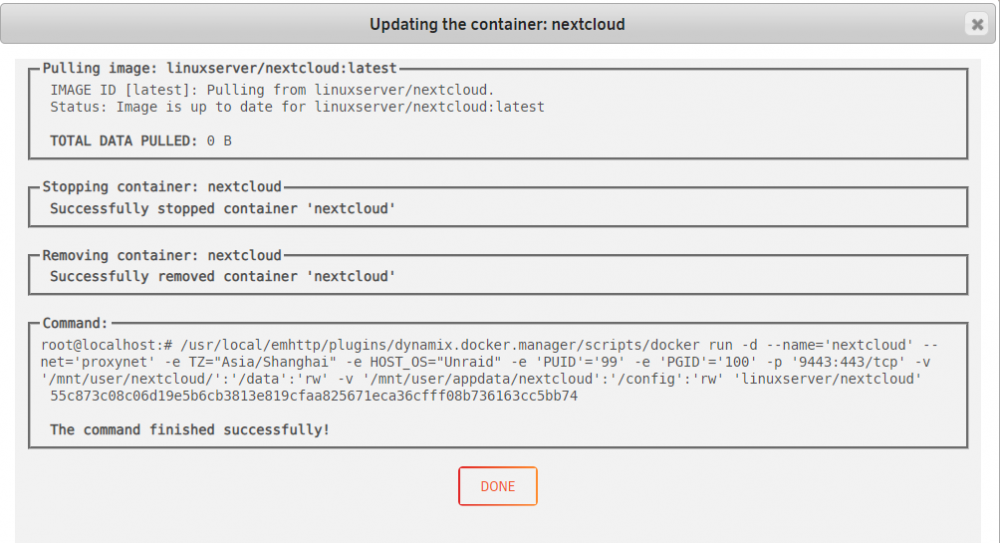
Thanks. I just got the update this evening so this time I tried to use "force update" function in advanced view to update the nextcloud container and the updater said it is up-to-date. So nothing is changed. I am still in 14.0.3 however...
-
Hello, I see people mentioning nextcloud 15.0.5. My docker container recently shows upgrade for this nextcloud a couple of times. But after the upgrade I see I still at 14.0.3. May I know how to upgrade to 15.0.5 as your guys? Thanks!
-
alexlq2022 changed their profile photo
-
I can see about adding pstack to the dev pack. It requires a too many dependencies for here. And most are already in the dev pack. Thanks! Good to know at least we have a plan to add it in the future.
-
Hello, is it possible to add gstack? When I boot my virtual machines it sometimes just hanging on Windows Logo, and qemu-system-x86_64 is using 100% cpu all the time. I think a stack call trace by gstack might help a lot to troubleshoot this kind of issue. Best Regards, Alex

