calypsoSA
Members
-
Joined
-
Last visited
-
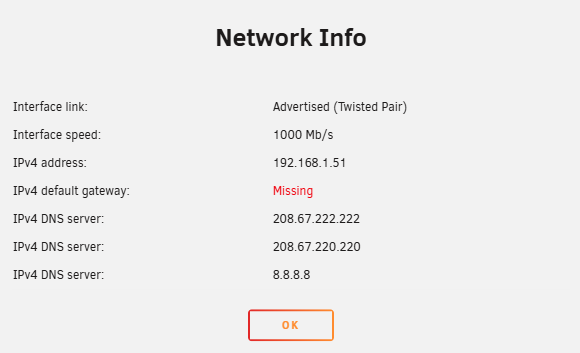
Ok Interesting, this time I could still log into the Unraid interface via the browser in the Windows VM. So got the diagnostics from the machine before needing to reboot it. I have since moved to the PCI Nic, so wait and lets see. One interesting thing i noticed is that that VM cant see the access point 192.168.1.50 (see screenshot) even through after the reboot all the cameras on the LAN are accessible again and internet access restored. Probably has to do with why the App store is not available. (Both PCI and onboard nic) security-diagnostics-20251219-1446.zip
-
Tried all of these except igb. Still failed in the middle of the night. Will go over to the site a little later in the day and try move over to the PCI NIC, I just hope that I have not deleted too much of it trying to simplify the instance.
-
Tried 'ethtool eth0 tx off sg off tso off' it seemed to make it worse. Now only lasting a few minutes after a reboot instead of a few hours. Trace attached, I hope it has all the details. I just get locked down which then makes unraid unavailable. security-diagnostics-20251218-1659.zip
-
OK cool, but would this case the NICs to hang? This isn't a problem on Unraid 6.12.13 or earlier.
-
I tried ethtool -K eth0 tso off in the terminal. Didnt help. Not sure if its normal for there to be no response. All i can do it further try ethtool eth0 tx off sg off tso off
-
Im still really struggling with this, upgraded to 7.2.2. I've removed all reference to eth1 and br1. The VMs all point to br0. The machine starts just fine, it will run for up to around 40 minutes and then network connectivity will drop dead, internal and external, I cant even see the CCTV cameras on the LAN. Anyone got any better ideas? Just so frustrating as the networking works perfectly on 6.12.13. security-diagnostics-20251215-1601.zip
-
Did you come right? Im still struggling with this. And I need to get off Authy.
-
Editing he URL to add playwright worked for me. Thank you
-
Tried this, broke everything. Possibly could have fixed it but the wireless mouse didnt want to work with safe mode as it was allocated to the Windows VM who then couldn't see internet so I couldn't remote in. I think I'm just going to setup eth0 as an additional IP and connect it to the router for the time being. Seems like the best way of going about removing it.
-
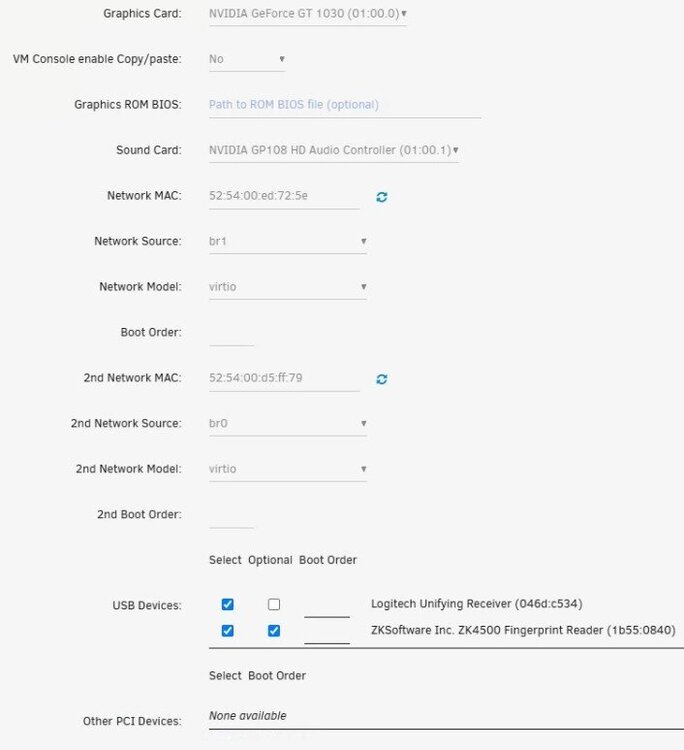
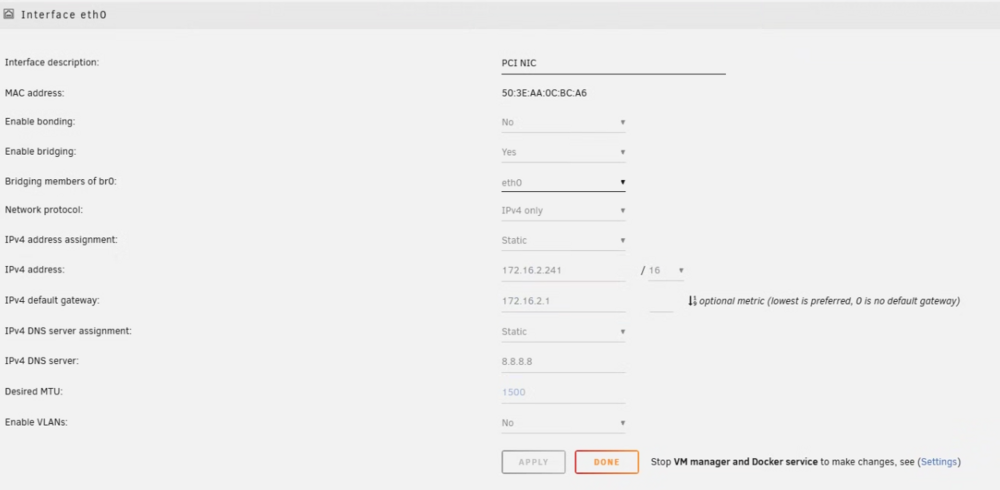
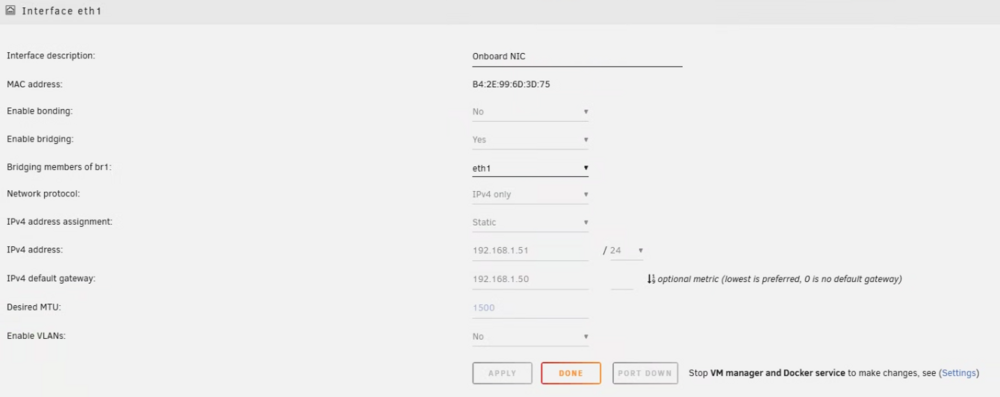
There are 2 NIC's in the machine but one one is in use. The VM's have both br0/1 listed.
-
Hope that someone can help with this issue. Currently on 6.12.13. which works fine apart from the disk speed issues on the windows VM. I upgraded to 6.12.15 which worked fine but i lost all network access. The VM's couldn't see the cameras on the LAN. Rolled back and everything was fine. Tried again when 7.0.0. came around and seeing the same issue, broken networking post update. So rolled back to 6.12.13 again. Not really sure what is causing this or what to do next. Any ideas on how I can update this machine? security-diagnostics-20250201-1355.zip
-
Issue resolved. There is another field under advanced for WebUI. Needed to manually update the port here too.

-
Hi Please move to containers if this is in the incorrect section. I just didn't see an option to start the topic there. I recently started installing Immich as per SpaceInvaderOne's guide. There was a port overlap with SabNZB's so I foolishly changed the SAB port number from 8080 to 8081. Now, no matter what I change the port number to, it takes me to the Unraid main page when i try to access the SabNZB UI. Sonarr and Radarr cant find SabNZBD even though the port specified is correct. While uninstalling and reinstalling SAB will probably work, Im trying to understand what is going on. tower-diagnostics-20250121-1418 (1).zip

-
Thanks for the info. That means I need to solve the Realtek issues. I have no plugin but someone am still seeing the problem. Will investigate further.
-
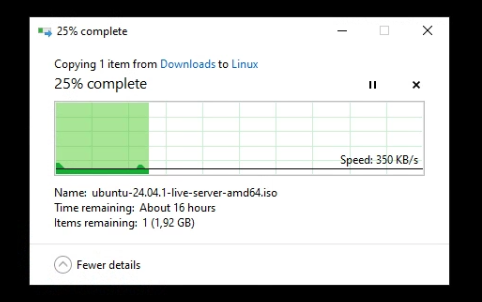
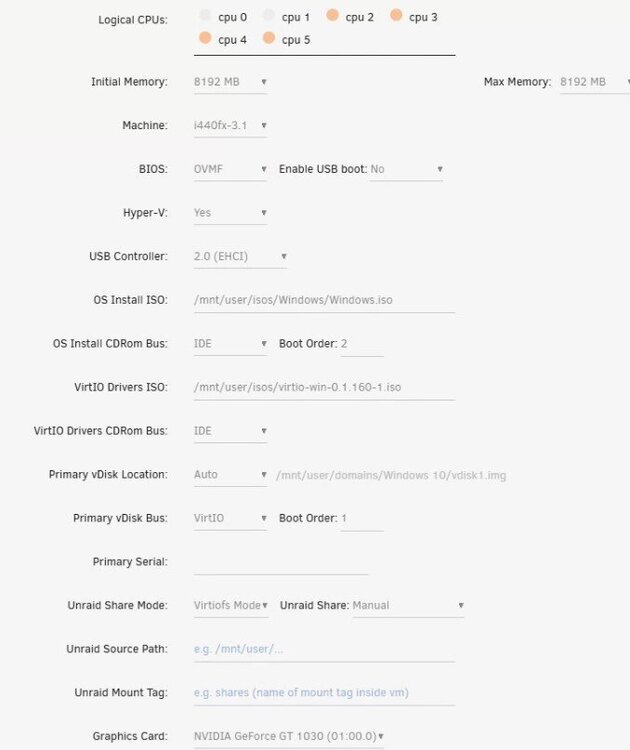
So I have a machine where the Windows VM is the "front end" of the machine and used to maintain, administer and access the Unraid UI. I needed to update another Ubuntu VM on the machine so I used the Windows VM to download it and then i tried to put it into the ISO's share (ssd cache --> array) thats been mapped to the Windows VM. The performance is terrible though, max 355kb/s it says a day to copy the file over. This is not the only share that is having terrible performance when trying to write to the array (no cache). It never used to always be like this, so I'm thinking that possibly an update has left it in this broken state. Currently running 6.12.13, i did try .14 but that left the network cards in a broken state, this I will try resolve later. Any idea why the performance is bad? The Windows VM has 50GB allocated with 10GB free, the array (1 disk) has plenty of space and SMART shows no issues on both the SSD's or HDD. security-diagnostics-20250111-0745.zip