mathieuNls
Members
-
Joined
-
Last visited
-
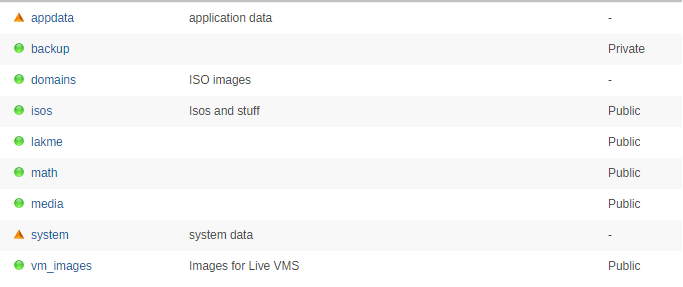
Hi, I used to be able to access the \\TOWER smb shares from my w10 vm (16273 build) but it doesn't work anymore. I've tried to put shares on 'secure' but the same error appears. I've tried various solutions such as https://serverfault.com/questions/720332/cannot-connect-to-linux-samba-share-from-windows-10 and http://getadmx.com/?Category=Windows_10_2016&Policy=Microsoft.Policies.LanmanWorkstation%3A%3APol_EnableInsecureGuestLogons to no avail. Any ideas ? Thanks, M.


-
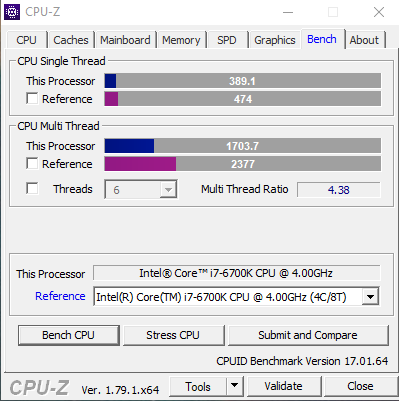
Hi, I've followed most of the advice on this entry and still falling short of native performances by 16% for an i7-6700k without OC. For CPU Single Thread I score 393 (average of three tests with nothing else running) while the reference for my processor is 474 according to CPU-Z. The CPU multi-thread test is irrelevant as not all the cores are linked to the VM. Do any of you achieve to have more negligible losses (~5%)? My config: name>Windows 10</name> <uuid>d560712f-74e7-e728-d16e-7f42e6209349</uuid> <metadata> <vmtemplate xmlns="unraid" name="Windows 10" icon="windows.png" os="windows10"/> </metadata> <memory unit='KiB'>20971520</memory> <currentMemory unit='KiB'>20971520</currentMemory> <memoryBacking> <nosharepages/> <locked/> </memoryBacking> <vcpu placement='static'>6</vcpu> <cputune> <vcpupin vcpu='0' cpuset='3'/> <vcpupin vcpu='1' cpuset='7'/> <vcpupin vcpu='2' cpuset='2'/> <vcpupin vcpu='3' cpuset='6'/> <vcpupin vcpu='4' cpuset='1'/> <vcpupin vcpu='5' cpuset='5'/> <emulatorpin cpuset='0,4'/> </cputune> <resource> <partition>/machine</partition> </resource> <os> <type arch='x86_64' machine='pc-i440fx-2.5'>hvm</type> <loader readonly='yes' type='pflash'>/usr/share/qemu/ovmf-x64/OVMF_CODE-pure-efi.fd</loader> <nvram>/etc/libvirt/qemu/nvram/d560712f-74e7-e728-d16e-7f42e6209349_VARS-pure-efi.fd</nvram> </os> <features> <acpi/> <apic/> <hyperv> <relaxed state='on'/> <vapic state='on'/> <spinlocks state='on' retries='8191'/> <vendor id='none'/> </hyperv> </features> <cpu mode='host-passthrough'> <topology sockets='1' cores='3' threads='2'/> </cpu> <clock offset='localtime'> <timer name='hypervclock' present='yes'/> <timer name='hpet' present='no'/> </clock>