






nicecube
Members
-
Joined
-
Last visited
-
OK thanks for the confirmation, i ll buy BPN-SAS2-846EL1 !
-
Hi everyone, I've recently rebuilt my Unraid server and I'm having trouble detecting some of my 10TB drives. Here's my hardware setup: Chassis: Supermicro 24 Bays Backplane: BPN-SAS-846EL1 Motherboard: Supermicro H11DSI HBA cards: - 1x LSI SAS 9223-8i - 2x LSI SAS 9240-8i Note: The motherboard also has two onboard SFF-8087 ports The issue When I connect my backplane using 1x 9240-8i with two SFF-8087 cables, all drives are detected except three 10TB drives. When I connect the backplane to the 9223-8i, no drives are detected at all. When I use a direct SFF-8087 to SATA breakout cable on the 9223-8i, my 10TB drives are detected. When I connect the two onboard SFF-8087 ports from the motherboard to the backplane, no drives are detected either. Additional context Before using the backplane, I was running all three HBAs with SFF-8087 to SATA breakout cables, using multiple SATA power adapters. In that setup, all drives (including the 10TB ones) worked perfectly. I switched to the backplane to simplify cabling and airflow, and I really don’t want to go back to that spaghetti mess of breakout cables and daisy-chained power adapters unless I absolutely have to 😩 My questions Could this be related to the firmware on the backplane? (Is it even upgradable?) Would flashing the latest IT-mode firmware on the HBAs help? If I replace the backplane with a BPN-SAS2-846EL1 Rev 1.11A (6Gbps), can anyone confirm it will solve my compatibility issues with the 10TB drives? Any ideas or suggestions are greatly appreciated. I'm trying to get this server production-ready without throwing more hardware at the wall until something sticks. Thanks!
.thumb.jpg.b58e4c54998aea41c832a3910b0dd1cb.jpg)
.thumb.jpg.06e4703ba4107983e793d9995d8b9baf.jpg)
-
I would like to buy a USB PCIe card but I don't have any available ports on my motherboard. I have a built in micro SD card reader on the mb, do you think I could use that? Does it share the same USB bus?
-
It would make sense because my UPS is also connected via USB and I often get messages that it's losing communication. Could I update the USB drivers of Unraid?
-
Hello, I changed my server about 3 months ago, and since then I've always had problems with my boot USB key. I've changed it 3 times since, so the problem is not with the USB keys. This morning I reformatted my key twice and after 2 hours my web interface no longer responds and I have a message that my key is corrupted. When I plug it into my PC, I get a message saying that my key needs to be checked. I've tried all the USB ports and even bought a header to connect directly to my motherboard. I did a 24-hour test of my RAM and had 4 complete passes. I have no more ideas about the origin of the problem, does anyone have an idea? I have included the diagnostic file in the post. tower-diagnostics-20231213-1255.zip


-
Hi, i was able to take an old backup of my config and copy the new unraid key file, everything is working now thank you vm :)- Have a nice day !
-
Hi, i restarted my server and my disk 7 is disabled / content emulated. The smart look ok how can i fix it ? tower-diagnostics-20231124-0912.zip
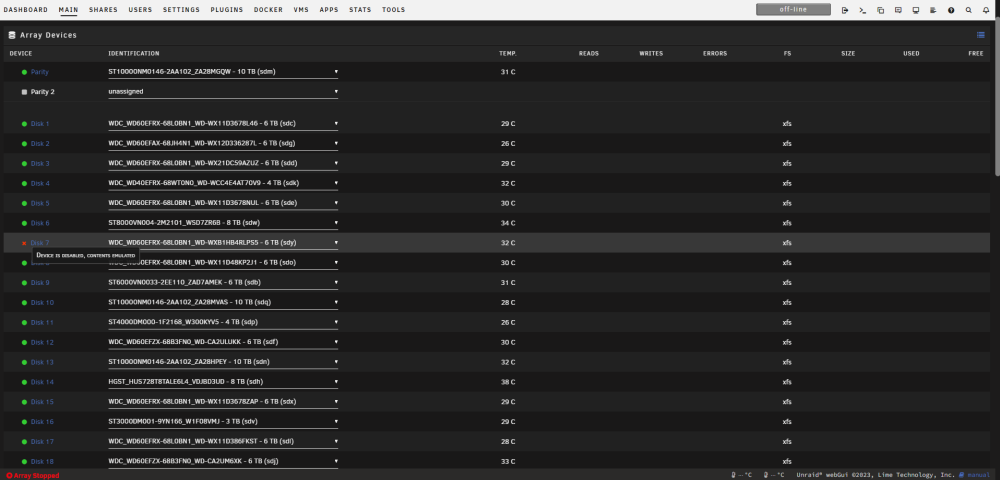
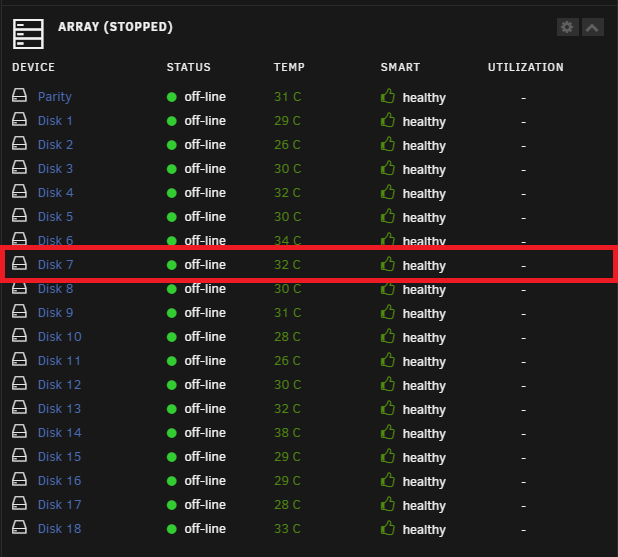
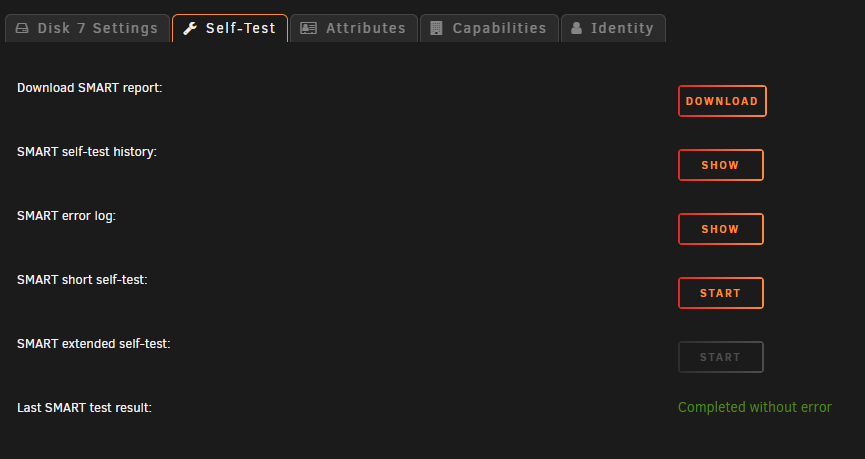
-
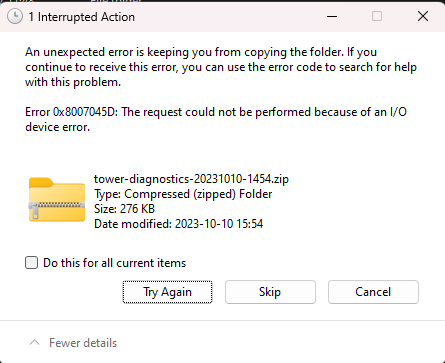
Ok so my key is dead, i want to replace it but i got this error, could you help me
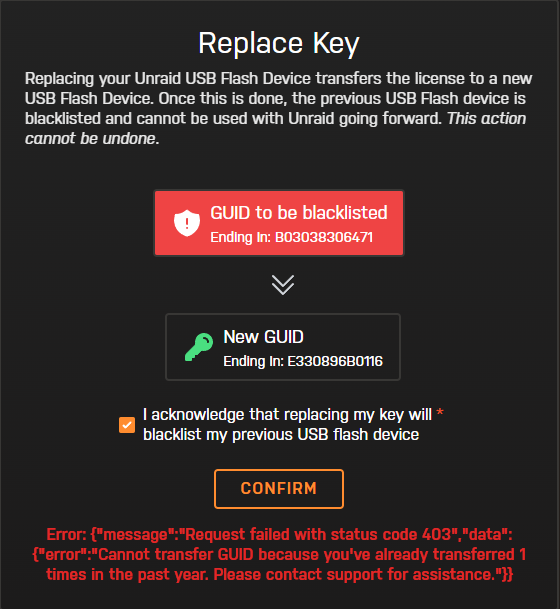
-
Ok thanks i ll try to copy all the bz file to the key Edit: When i try to do a backup of all the files on the usbdrive i got a lot of errors
-
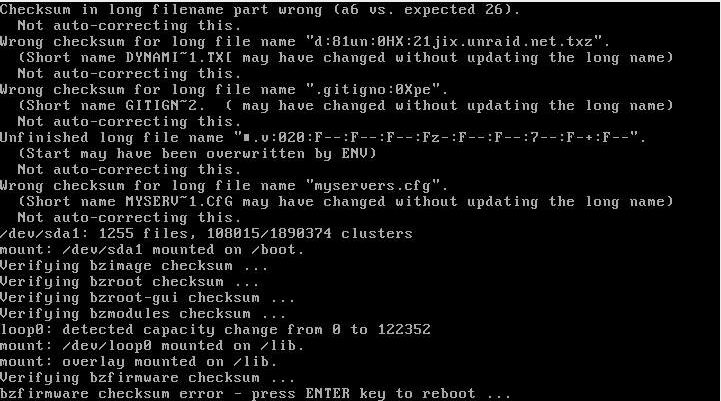
My server crashed today and when I try to start it I get this error bzfirmware checksum error - press ENTER key to reboot ... Edit1: I have the same error if i try in safemode
-
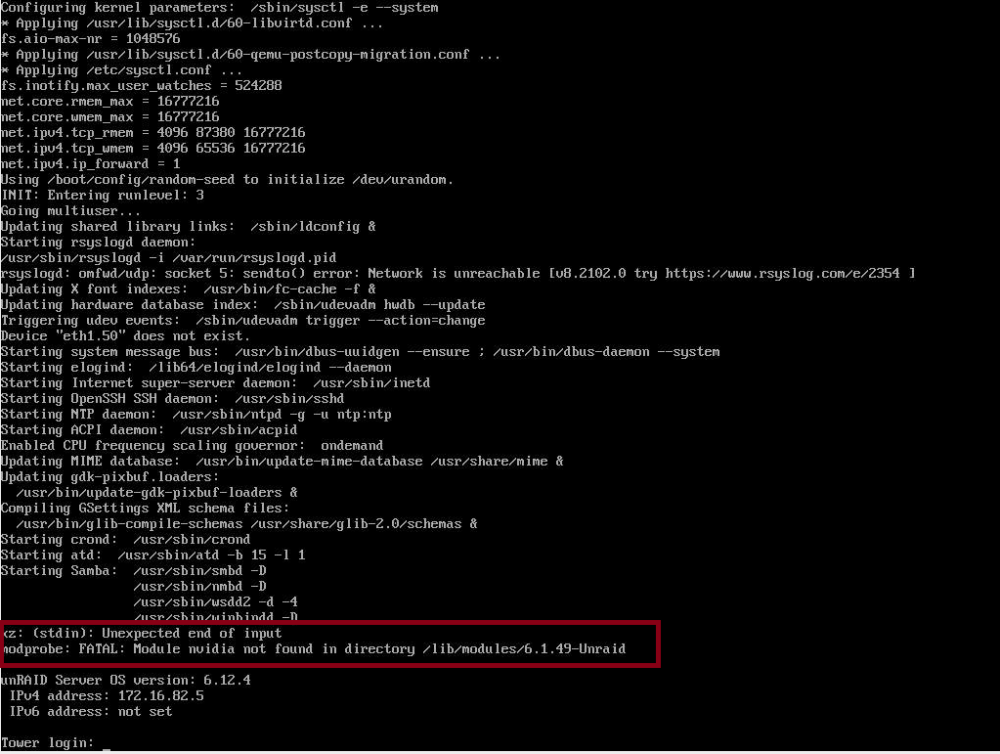
Got this after a normal reboot modprobe: FATAL : Module nvidia not found in directory /lib/module/6.1.49-Unraid Edit: I uninstalled several plugins and downgraded the Nvidia plugin. After restarting, I no longer see nvidia error in the log, but the Dashboard still isn't loading. Edit: I found the probem, the GuiStatistic plugin is causing issue, after removing it the dashboard is loading
-
I started in Safemode GUI with no plugins, and the dashboard is working. Could it be a plugin that's causing the bug, and how can I identify it?
-
Hello Unraid Community, I'm seeking assistance with a critical issue I'm facing with my Unraid server. Initially, the problem started with just the dashboard ceasing to respond, while all other tabs were functioning normally. However, this morning, the entire GUI became unresponsive. Detailed Issue Description: Initial Problem: Unraid dashboard stopped responding, but other tabs were still operational. Subsequent Issue: The entire GUI failed to respond as of this morning. Troubleshooting Attempted: Accessed the server via SSH to attempt a restart. Forced to perform a hard reset as the restart through SSH did not resolve the issue. Current Status: The problem remains unresolved even after the hard reset. I am concerned about the sudden escalation of this issue and am unsure of the next steps to take. Could anyone provide guidance on how to diagnose and fix this problem? Any insights into what might be causing this sudden failure of the GUI would be greatly appreciated. Thank you very much in advance for your assistance and suggestions. tower-diagnostics-20231119-0631.zip
-
Hello, I lost a disk last night, I want to shut down my server to replace it but the array won't turn off and nothing is happening in the logs. I don't want to force it to shut down and lose my currently valid parity. Can you guide me through shutting down my server correctly so I don't lose my parity in order to replace my disk tower-diagnostics-20231006-0946.zip
-
I found the solution on the forum umount /var/lib/docker

.jpg.e6fc4e96801e6ae3991cca8ec4bfe912.jpg)
.jpg.a4d38da32c0bad81fe5db62807b46d96.jpg)




