





milanp
Members
-
Joined
-
Last visited
Everything posted by milanp
-
Many thanks for the swift reply. I just need two more confirmations. By enabling discard in the VMs, You mean to put something like this in each vm: <disk type='file' device='disk'> <driver name='qemu' type='raw' cache='writeback' discard='unmap'/> Hopefully this solves my problem.... Are there any limitations using the discard option with using different controler type buses i.e. sata,VirtIO ? Do I have to move the images, even if I put the discard option in the .xml, or it is enough to stop the vms, ,put the discard in the .xml and restarting the vms should reclaim the space?
-
Ok, it seems that btrfs is growing by it own. There are more than 20 linux vm's on this server, I don't use snapshots, and it's too much hasle to run defrag on each of them. So if I move the vdisk's elsewhere, and copy each of them back with cp --sparse=always, do I have to do this operation once in a while ?
-
This is the output: Overall: Device size: 3.64TiB Device allocated: 3.57TiB Device unallocated: 71.91GiB Device missing: 0.00B Device slack: 0.00B Used: 3.56TiB Free (estimated): 39.70GiB (min: 39.70GiB) Free (statfs, df): 39.69GiB Data ratio: 2.00 Metadata ratio: 2.00 Global reserve: 512.00MiB (used: 0.00B) Multiple profiles: no Data Metadata System Id Path RAID1 RAID1 RAID1 Unallocated Total Slack -- --------- ------- -------- --------- ----------- ------- ----- 1 /dev/sdd1 1.78TiB 4.00GiB 32.00MiB 35.95GiB 1.82TiB - 2 /dev/sdb1 1.78TiB 4.00GiB 32.00MiB 35.95GiB 1.82TiB - -- --------- ------- -------- --------- ----------- ------- ----- Total 1.78TiB 4.00GiB 32.00MiB 71.91GiB 3.64TiB 0.00B Used 1.78TiB 2.49GiB 320.00KiB I cannot find where I am missing the space, I only need the cache drive for vm's.
-
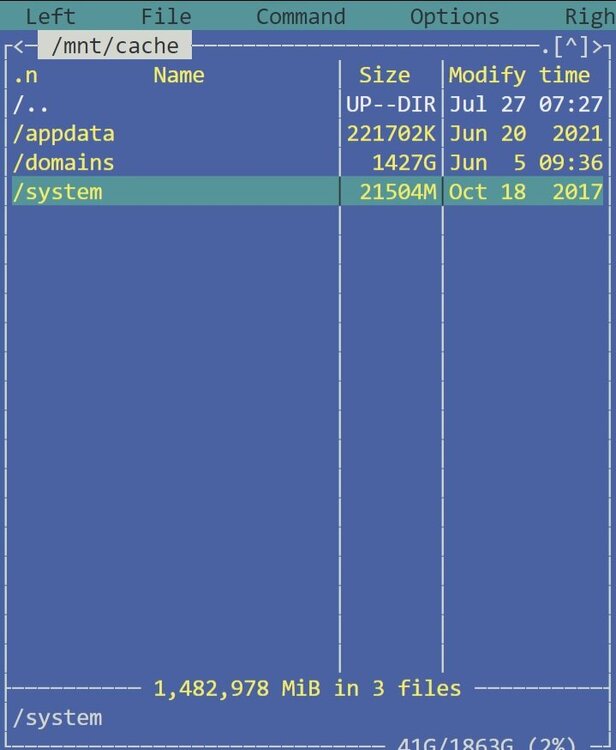
I have been using unraid(4 active hosts) for more than 6-7 years, and had no problems when using xfs for cache. On one of the hosts,which we use as a test platform in our company,I added a second cache drive(same size,same type as the first one). The requirements for using raid1 was to convert the filesystem to btrfs. I managed to create the raid1 cache pool, and everything works as intended. However, when checking the free size from unraid, main, under pool devices, unraid shows 42.6GB free. If I go to console, start mc, and use command,show directory sizes, the /mnt/cache shows 1448GB out of 1838GB is used. We use this node only as a virtualization platform, so nothing is used for storage (just a few backups). We only have shares for appdata,domains and isos. How can I reclaim the missing space without ruining anything ?

-
Does this apfs-patched.efi work with Mojave ? Where to get it?
-
I have exactly the same functionality working, emby with tvheadend plugin. Two things are essential: 1. To have user defined in tvheadend (you can add a password to the user in configuration->users->passwords) 2. You have to add the ports for tvheadend to the emby docker (default 9981 and 9982)
-
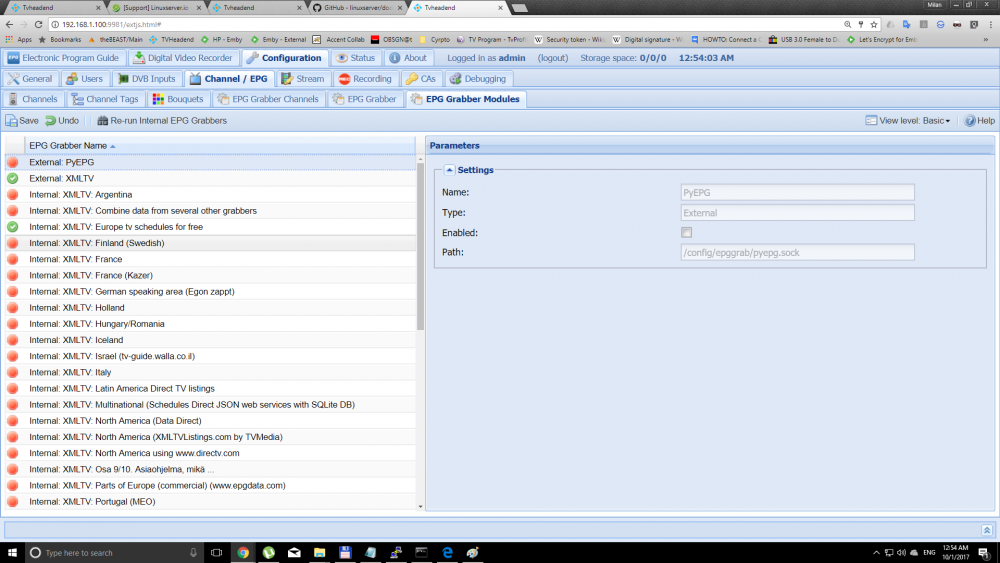
I already read the wiki, and read it several times. And instructions were the same as with any tvheadend , but the list of grabbers is much bigger,it seems that I could not see the grabber I needed, and I was 100% sure that Internal: XMLTV (tv_grab_file) is not on the list anymore.(Wondered why ?,thought I have to learn something new?) FINALLY FOUND THE GRABBER IN THE BOTTOM PART OF THE LIST ,SET EVERYTHING AS USUAL,AND IT WORKS. Thank you.
-
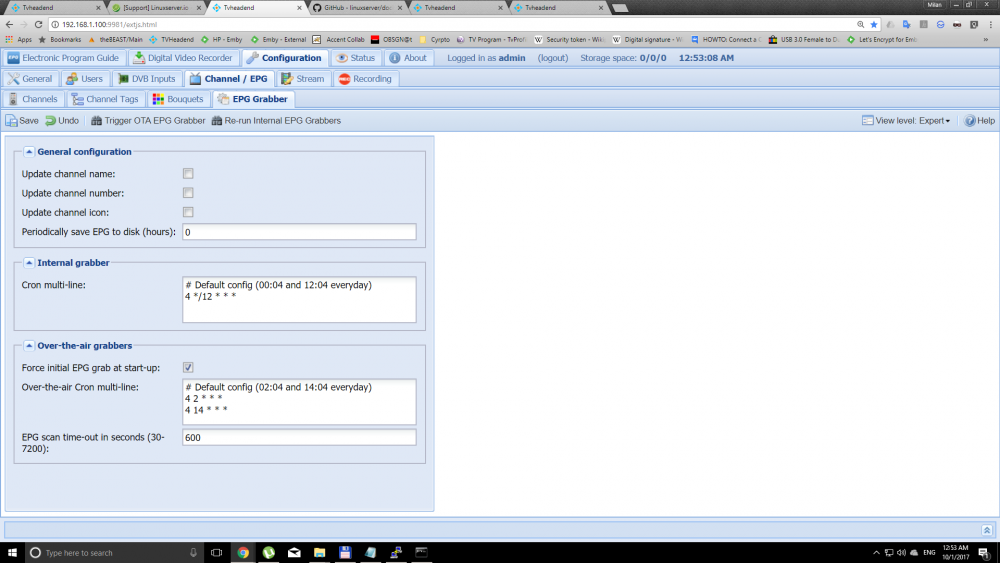
I am also confused. I run two tvheadend servers in parallel, one on libreelec, and one on Unraid. After going to the web interface of the libreelec tvheadend server, strangely the tab with epg-grabber modules appeared. Seems something was wrong with the browser. I could run the grabbers from Anyways, I enabled the external xmltv grabbers from EPG Grabber tab->rerun internal tv-grabbers. On my libreelec tvheadend I run two grabbers: - External XMLTV - Internal: XMLTV (tv_grab_file).... This one is missing in the docker tvheadend configuration. And I just wget my tvguide.xml half and hour before the schedule of tvheadends schedule and I have never had a problem. I am completely new to dockers, and I am lost. Below are screenshots of my previous strange situtaion, first one without the EPG Grabber tab, second one with it, same machine, same adress, same server.
-
Complete newbie to unraid. I installed 6.3.5 with TVHeadend docker and DVB Edition with drivers for Digital Devices (DVB-C tuners). Everything works expect I cannot find a way to import my file with tvguide. Under Configuration->Channel/EPG->Epg grabber modules, nothing is listed. The guide from DVB Grabber works, and some of the channels have program info. I tried to put my tvguide.xml in .xml folder, also epggrab, and manually rerun internal tv grabbers but no info from the file is shown. The same file works perfectly on Libreelec with TVHeadend plugin. Please help.


