





UnInfamous
Members
-
Joined
-
Last visited
-
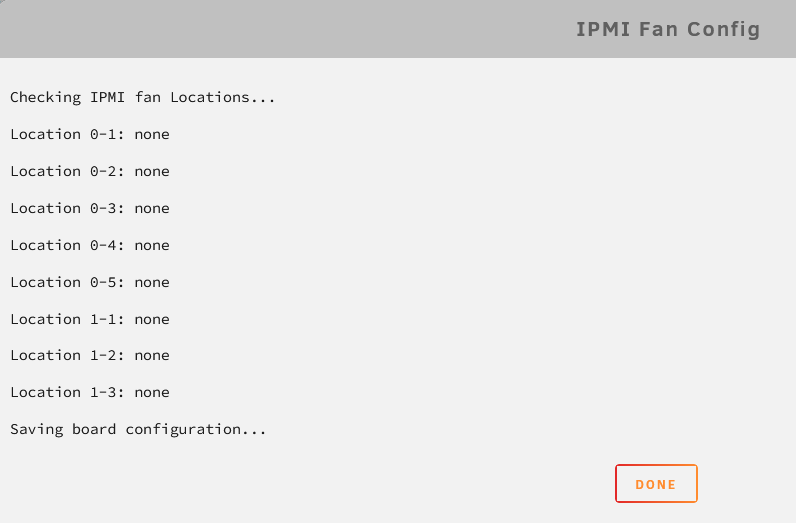
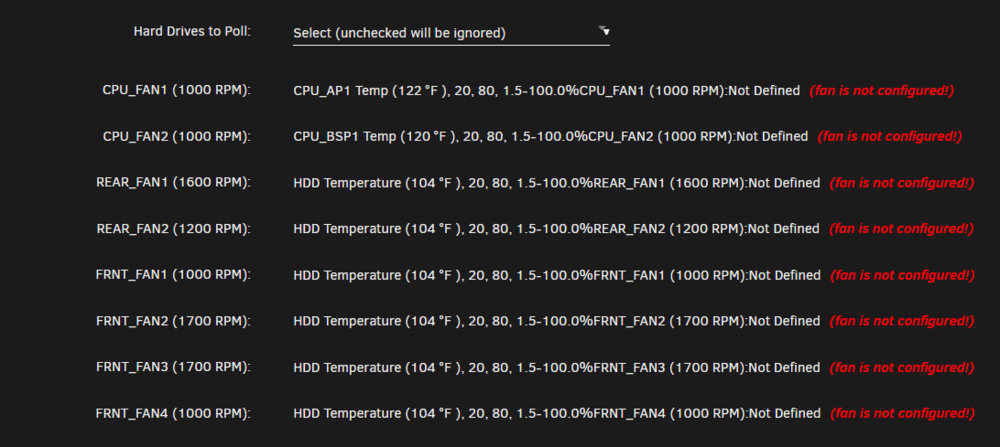
I would also like to know why mine aren't working. It's been this way for months, probably more than a year.
-
Can we get Rustdesk updated from 1.3.1 to the current 1.4.1? Please and thank you!
-
Same question and experience I have: Nothing I seem to do changes the "(fan is not configured!)" error:
-
This template was removed for some reason. If you look at Spants' templates by way of pulling up his user in CA, Pi-Hole isn't listed anymore.
-
Anyone have any thoughts on this?
-
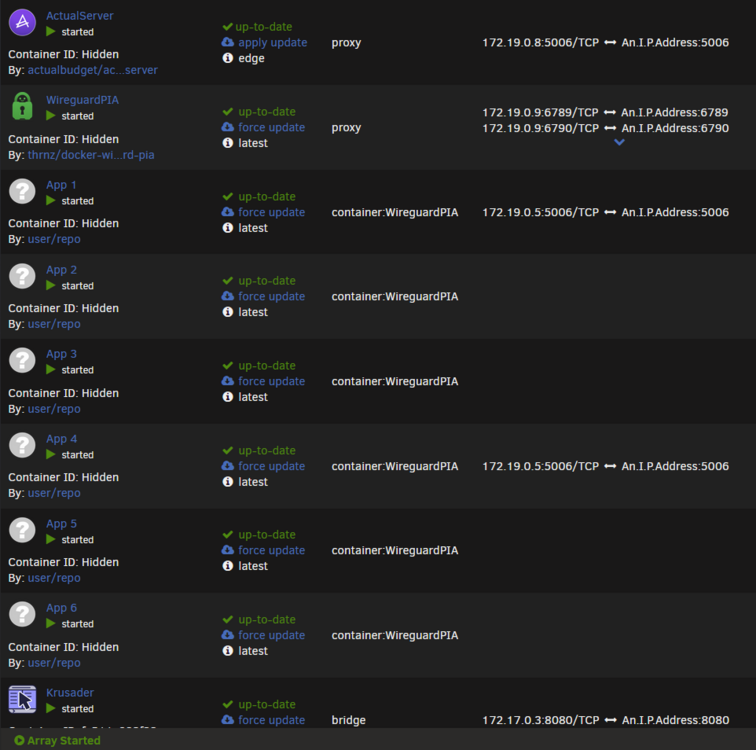
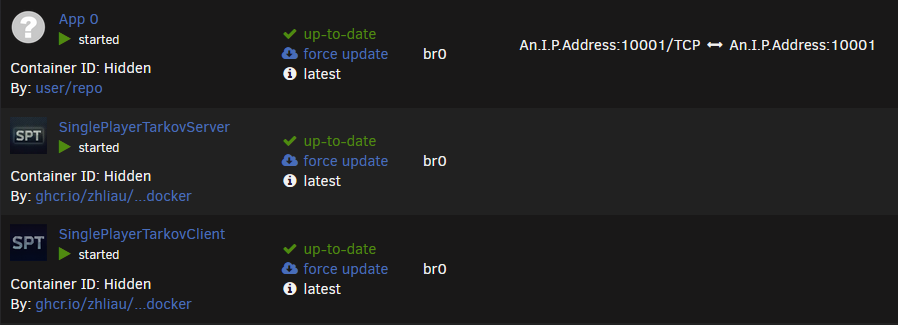
I have the same issue. Either shows with a port from the bridge network (could be WiregaurdPIA, could be another container's port), or show up blank. In the following screenshot, it shows up as a port that's above I don't think it's related, but I also have a couple containers using a macvlan network that won't ever show port mappings, where another container I've had in Docker for years, does always show. Just so people aren't focusing at the wrong thing, I've modified some of the HTML on some of my containers for privacy.
-
Unraid version: 6.12.10 Still the Icarus template. Correct, it's on the latest you uploaded five days ago (0aeb16896c2f).
-
I followed the steps laid out, and for some reason it's still failing to get the sever going (i.e. looping). Stopped again on the following, requiring to restart the container (was stalled there for a few days): {"log":"Downloading https://web.archive.org/web/20210414165612/https://download.visualstudio.microsoft.com/download/pr/85d47aa9-69ae-4162-8300-e6b7e4bf3cf3/52B196BBE9016488C735E7B41805B651261FFA5D7AA86EB6A1D0095BE83687B2/VC_redist.x64.exe to /serverdata/.cache/winetricks/ucrtbase2019\n","stream":"stdout","time":"2024-07-15T19:39:57.322148731Z"} After restart, seeing the following in the container logs just prior to closing out: {"log":"---Starting Xvfb server---\n","stream":"stdout","time":"2024-07-19T18:55:38.662983828Z"} {"log":"---Server ready---\n","stream":"stdout","time":"2024-07-19T18:55:47.386018169Z"} {"log":"tail: invalid PID: ‘’\n","stream":"stderr","time":"2024-07-19T18:55:49.39939117Z"} {"log":"Terminated\n","stream":"stderr","time":"2024-07-19T18:55:49.402792515Z"}
-
I can't seem to resolve an issue with getting the Icarus server back up. I haven't ran the container in a few months. Then yesterday, updated and haven't been able to get it functioning since. Initially after an update I checked the logs to ensure it got the server up, but it appears to loop the start up sequence and annoyingly closes the log or console window(s) a few seconds after they're opened. This is what seems to cause the loop to happen again. I've tried re-pulling the image to no avail. I've tried a fresh install of the Icarus server to a new location, also to no avail. I have given over an hour and a half for the initial start up process to complete, but seems to stall at various stages (each time giving it at least fifteen minutes after the initial start). Restarting the container seems to cause it to pick up and continue. On repeat fresh install, first stops at the following (waited for two hours): Downloading https://web.archive.org/web/20210414165612/https://download.visualstudio.microsoft.com/download/pr/85d47aa9-69ae-4162-8300-e6b7e4bf3cf3/52B196BBE9016488C735E7B41805B651261FFA5D7AA86EB6A1D0095BE83687B2/VC_redist.x64.exe to /serverdata/.cache/winetricks/ucrtbase2019 Post container restart I see the following in the log: ---Starting Xvfb server--- ---Server ready--- ---Start Server--- tail: cannot open '/serverdata/serverfiles/Icarus/Saved/Logs/Icarus.log' for reading: No such file or directory tail: no files remaining tail: invalid PID: ‘’ /opt/scripts/start-watchdog.sh: line 6: kill: `': not a pid or valid job spec There is also an error I noticed during the first fresh install about not having permissions to run a script. Any assistance is appreciated as well! IcarusServer_log.txt
-
Only on the app marketplace. I've attempted all over the UI and this is the only place I can find it where there wasn't something crucial that needed to be finished before releasing control back to the user. Is there a reason behind disabling UI in this way? It would reason that being able to access what is desired quickly and efficiently to be paramount while things like async loading of recently added apps to a marketplace to be supplementary.
-
I suppose I'm confused as that is not my experience on any other page. If I go from Settings > Docker > Settings, I'm able to click back to Settings before the Docker tab has completed its page load.
-
@Squid Do you have a place for CA bug reports / feature requests?
-
Great addition to Unraid. Night and day from where it was when I was first using Unraid. A bit of feedback I'd like to see. Over the past year since an update, there is now the HTML `<div class="spinnerBackground" style="display: block;"></div>` just after page load until Recently Added has finished loading. This prevents from selecting other Unraid tabs (e.g. selecting another tab instead of waiting for the load to complete, jump straight to Pinned Apps, or start searching for an app I'm looking for). Please either change the block to `none` on page load, or specify the area to that of just the Recently Added div. Thank you in advance.
-
I'm affected by this same thing. @rockbox948, have you found a resolution? I also have the same experience that this only affects Firefox on a single computer.Already tried clearing cache and cookies, as well as making sure the browser is up-to-date.
-
Wanted to follow up on this.


