





sdcp73
Members
-
Joined
-
Last visited
Everything posted by sdcp73
-
Thank you, I must have missed those posts. Plex official was the only thing that got it working. I appreciate your help!
-
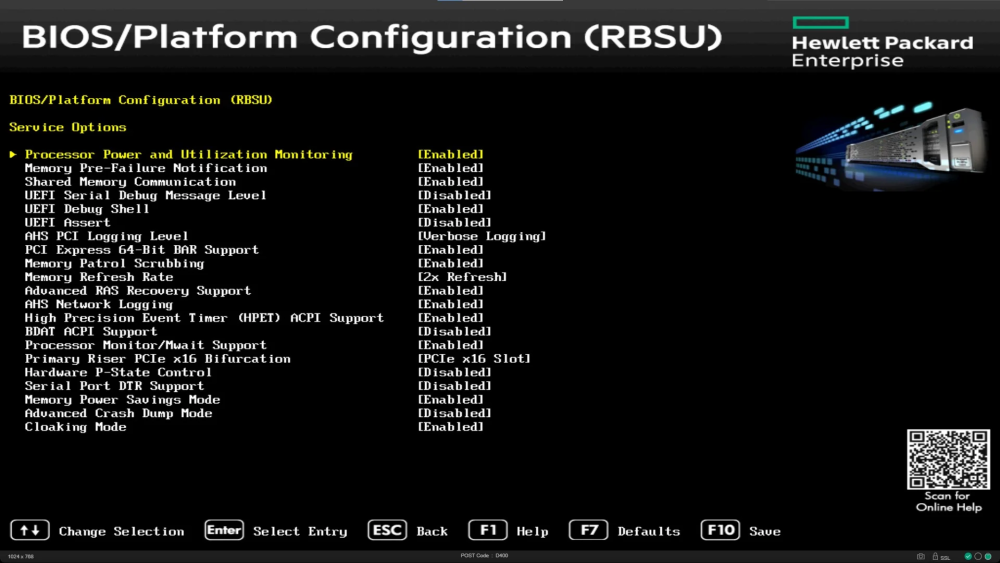
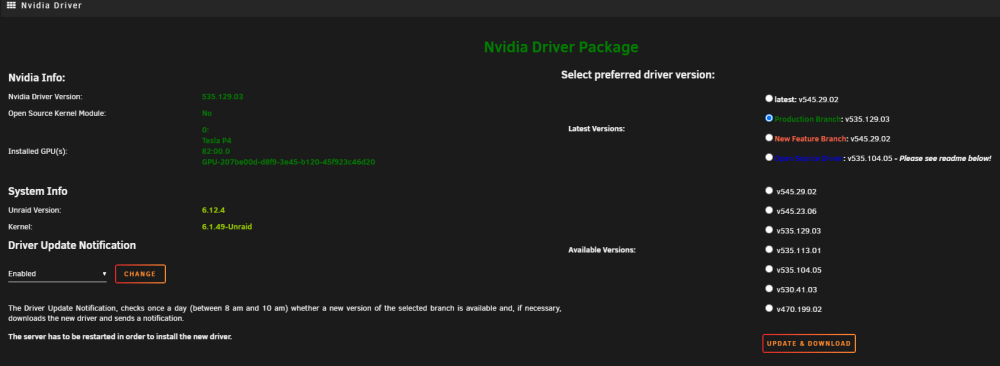
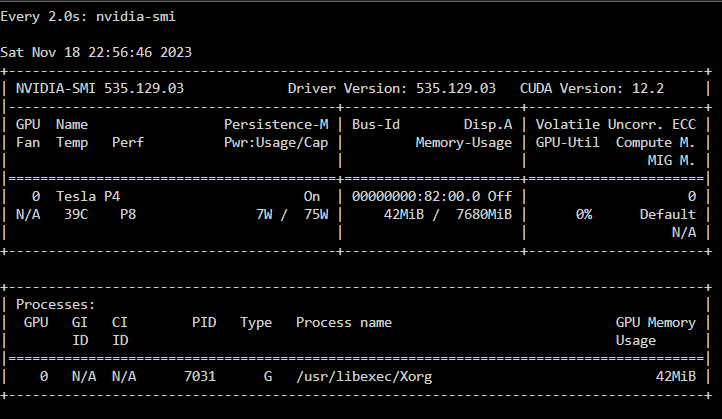
I recently installed a Tesla P4 from eBay (fake?) and have attempted to pass through to plex docker. Best I can tell everything is good but the card is not showing as a transcode option and it isn't showing in watch nvidia-smi as being utilized, P8. I've been reading the past few evenings through all kinds of posts and have made no progress. HPE DL360 Gen9 Installed in slot 3 (x16) Latest HP Bios P89 v3.30 (09/21/2023) 64bit BAR support enabled -I couldn't find anything about 4g Unraid 6.12.4 Nvidia Driver Installed (535.129.03) -Shows Tesla P4 as Installed GPU persistenced in go file -I couldn't find exactly how to do this other than adding 'nvidia-persistenced' to the last line of go file at boot\config\go unraid booted in normal and gui mode LSIO docker image --runtime=nvidia NVIDIA_DRIVER_CAPABILITIES all NVIDIA_VISIBLE_DEVICES matches UUID from nvidia Driver I hope this is enough information to help out. The only thing I haven't tried is switching the card to slot 1. I don't know how to do that since my cache pool is sitting on slot one on two bifurcated nvme drives. Bios only allows bifurcation on slot one, but it's also showing the card in slot 3 at x16. Diags and screens attached. The bios screen is example I pulled and not my exact settings. Thanks in advance. mikey-diagnostics-20231118-2250.zip
-
Thank you. It still won't let me type a space. It will let me paste the path in with spaces though.
-
I am trying to add my Plex/metadata folder to the excluded folders list but I can't add paths with spaces. So as far as I can get is up to 'Application Support'. I see in a much earlier post that it should allow this. I have tried in chrome, IE, and edge. Have I missed the solution to this? On 6.8.2 and 2019.10.27. Thanks!



