





righardt.marais
Members
-
Joined
-
Last visited
-
If you did not make a backup and the stick failed... now with a new stick installed its picking up the drives and apps. But doing a update on the apps gives "Configuration not found. Was this container created using this plugin?" What do you need to backup / write down, to be able to get back to a state where the app update works again. I can get to the application settings inside the app, not the "edit settings" in unraid though. Guess I will be setting up backups going forward.
-
Skitals you still gonna wait for RC of 6.9 for a Navi recompile. Can we not speak nicely to them to include your fixes so we get updates as they come along. Surely they can understand our dilemma with the AMD Navi GPU passthrough. Thanks
-
Skitals would you be able to {compile the latest kernel} = {magic} with the patches again for us soon ? Thanks
-
Bud, love it! My machine is working as its supposed to now with the navi patch worked in. I have however had a few hangs...where the machine would hang and then the screen would turn black....I would then have to force stop the VM and I even had a few hard reset on the box. I have now received a notice that my version of unraid is not secure and I need to update urgently to the latest version - security reasons. Would you be able to work this patch into the latest version for us ? tx
-
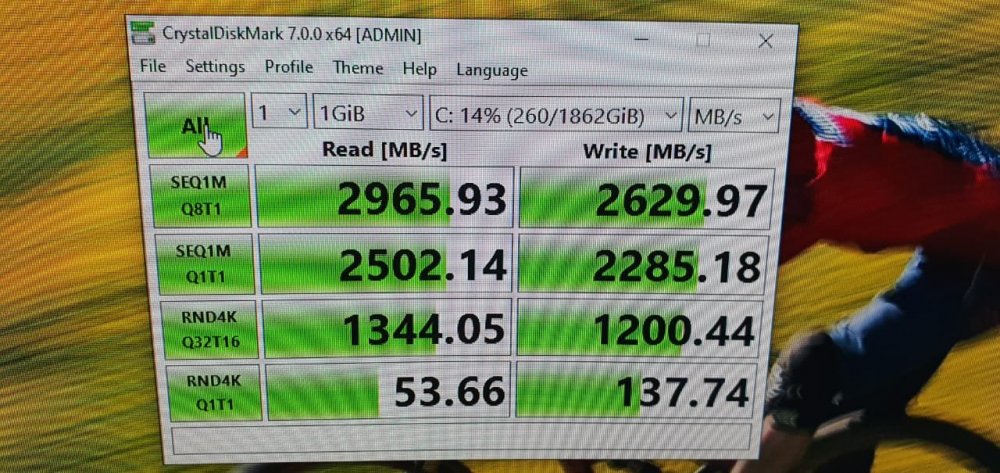
My unraid was on 6.8.1 already and decided to downgrade to the rc5 to see if all works for me. I renamed my bz* files - copied in the rc5 bz* files - copied in the Skitals bz* kernel files. I was forced to Delete VM and recreate new VM, as when I tried to pass through one of the USB devices listed inside Form view - Error about not understanding the "Vendor" of a PCI device. The recreate of the VM and then passing through the device and also passing through the nvme bare metal with the HostDev method in XML view worked perfect. Afterwards I used the VFIO-pci-config tool to create the config file for passing the USB controller through BIND=08:00.0 08.00.1 08.00.3 05.00.0 07.00.0 0f.00.4 I have a extra USB controller card to pass to my VM. And the AMD Navi bug......Working now perfectly. On this note - could Limetech not build this is with a flag to enable if you have a AMD x5700 XT card and experiencing this reset issue....so it becomes mainstream. I am worried that we might get stuck on older builds and having to burden Skitals with rebuild requests of the kernel. Cudos to Skitals for making the fix for us - love it !!!! thanks CrystalDiskMark image included of Win10 VM nvme baremetal....not sure if its good or not. Could not get a driver to replace the redhat one so still on virtualised driver.
-
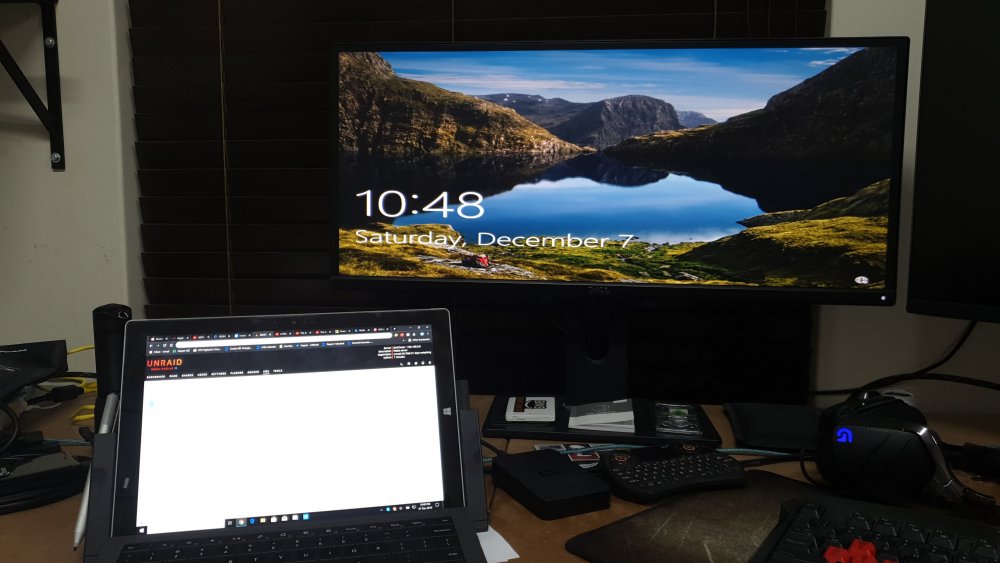
Will give it a try in the morning, thanks for helping. Edit: Hi Skitals I have created everything brand new, new Unraid image download(latest rc9) cleaned the drives and followed your steps to the T. One thing I did notice that I did wrong previously was that I updated the video card drivers with the Virtio drivers as I would for normal VM operation. After I "did not do the driver update for video card" - it passed the card "once". I did not have keyboard mouse passed so I could not get the VM stopped - Force stopped it. After rebooting the Unraid system for good measure - and passing keyboard - nothing, no card passed to screen. I have tried different output methods (hdmi, DP) as I thought it had something to do with output method used as I used hdmi initially and after getting excited moved my case to its final resting space (not my desk) and used the DP on my 49" Samsung screen. I have seen others complain about the AMD cards and Unraid not working nicely. As a last resort I am going to start over again and just try using a Nvidia card I borrowed from work. Just to see what happens. I am so disappointed in the unsuccessful marriage between AMD 5700XT and Unraid - between AMD reset bug and not even working like mine. If there is anyone out there who has the hardware I have and successfully got Unraid to work with X5700XT / Aorus mobo with pass through graphics....please shout. Maybe one of the reviewers who gets hardware could do a POC for us.
-
Hi Hi Sleepyme I initially tried the i440fv machine when you create the VM as it comes as the standard config but this did not work for my setup and a friend suggested I use the Q35 machine instead. This also did not work in the end. tx
-
Hi Skitals Yeh we tried the UEFI boot and then changed it back to normal boot. I have added the boot flag video=efifb:off to the non-gui boot config and it also did not work. I would love to get this working as I have UnRaid running my media storage and its awesome ! Tx
-
Hi, I have now unsuccessfully tried for a week to get my gigabyte x5700xt card passed through to a win10 pro vm on my trial unraid. Hardware: GB Aorus Ultra mobo F10 GB x5700xt card 32gb ram 2 x 2tb nvme USB 4 port card 2 x displays Requirements: Want unraid as host os with a win10 gaming vm. X5700xt should be passed for gaming. I want second/third vm for work related win/Linux stuff. Could add second video card if required. Peripherals like mouse, keyb, sound should be passed to main gaming vm. Work VMs will be accessed from gaming vm or laptop via RDP or SSH. Failures: I have gone through the space invader one vids and tried to setup the unraid with split iommu groups. All the virtualisation has been switched on in BIOS. Win10 vm was created and it's fine in vnc graphics mode. As soon as I pass the navi10 card and sound card with the GPU ROM passed, it either hangs or does nothing or vm stops. I have temporarily given up by installing win10 on 1st nvme and putting all games and work related stuff on that hardware. The second nvme I kept open for the possibility of trying/messing around with the unraid setup again. Is there anyone who could guide me step by step regarding the GPU pass through and other USB peripherals. If I get it up and running I will document and redo the whole machine with unraid again. Many thanks Righardt



