





T800
Members
-
Joined
-
Last visited
Everything posted by T800
-
I added the drive back but that also said Unmountable. This time I removed it from the array and repaired the file system via Unassigned devices and it fixed it and didn't lose any data from it.
-
I don't have valid parity. I mistakingly did a new config trying to fix this issue.
-
Luckily on Friday before all this happened, Disk 10 (the one that has failed now) was swapped out due to an error so I still have it full with no changes so I'll swap it with that for now.
-
Thanks. Ran that on all 3. Two came fixed but lost the data, one wouldn't fix.
-
Thanks. That got the repair file system back. I'm getting mismatched uuid on all 3. Can you advise what to do next, please? Phase 1 - find and verify superblock... - block cache size set to 143776 entries Phase 2 - using internal log - zero log... * ERROR: mismatched uuid in log * SB : acb55318-7711-4ec0-af30-6b10e819cd29 * log: 7e311a51-b254-420b-9a69-a20ba0c01b5f zero_log: head block 44243 tail block 44239 ERROR: The filesystem has valuable metadata changes in a log which needs to be replayed. Mount the filesystem to replay the log, and unmount it before re-running xfs_repair. If you are unable to mount the filesystem, then use the -L option to destroy the log and attempt a repair. Note that destroying the log may cause corruption -- please attempt a mount of the filesystem before doing this.
-
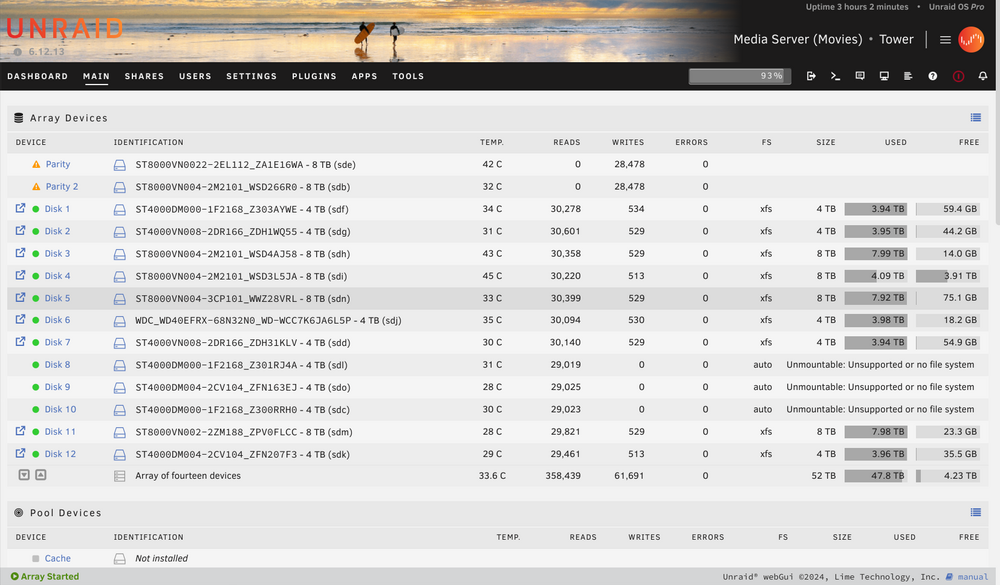
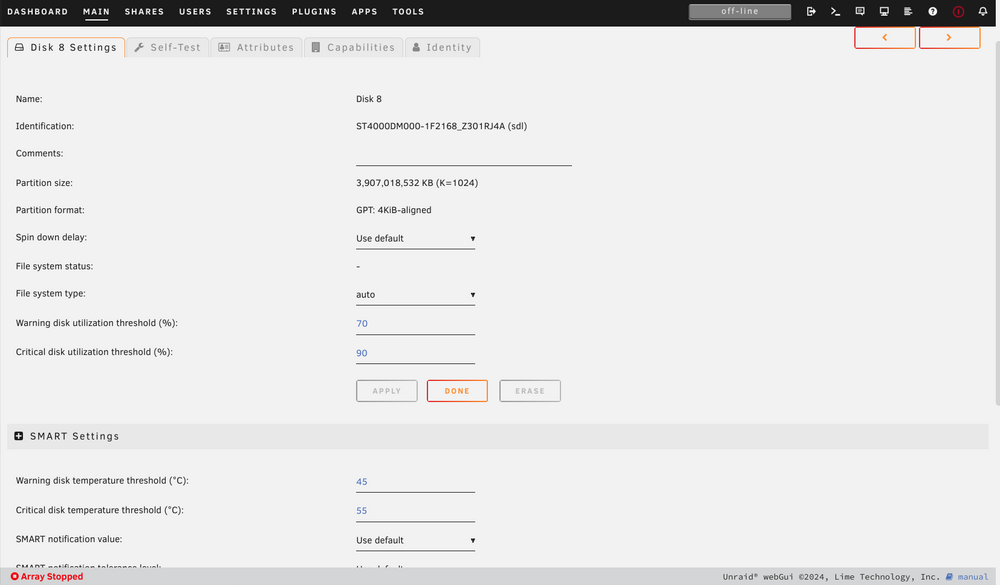
After replacing a poor drive last week and finishing a parity check I noticed 3 drives were Unmountable: Unsupported or no file system At first, I had the option to check the file system on them but not anymore. It's there for the other drives. The output mentioned incorrect UUID. I foolishly thought I could fix it by doing a new config. So my parity drives are wiped. I've tried XFS Repair via command line but I can't seem to mount the drive, most likely doing it wrong. Can someone advise, please? tower-diagnostics-20240922-1506.zip
-
I was using a Combo Data & Power Cable extension to be able to plug a drive in for precelearing outside the case. Removed it and it precleared fine.
-
Can anyone help me with this? I'm trying to preclear a drive and it always fails at the end. I uninstalled and reinstalled the plugin but get the same outcome. Preclear in progress... Post-Read verification failed - Aborted TOWER2-preclear.disk-20171210-1340.zip tower2-diagnostics-20171210-1350.zip
-
You will tell us. Run in the foreground to see what it does. I have have that RAM and it works fine for me. Are you running an 8086 or greater? Then it is enough. So if I run it and it can't cope it won't crash? I've no idea if it is 8086, it's this one: http://www.pcworld.co.uk/gbuk/amd-sempron-140-processor-04820926-pdt.html
-
I've got 16TB in my unRAID server using a AMD 140 Sempron and 1GB of RAM. It only holds Movies (about 2000 at present). Will cache_dirs work after installation without adjusting any settings? Can my RAM/CPU handle it? Thanks

