





mgranger
Members
-
Joined
-
Last visited
-
I am currently running into issues where I can't access vaultwarden anymore. I am using unraid and when I select the webui it goes back to unraid rather than vaultwarden... Any ideas on why this is?
-
I am not getting 502 errors for a lot of my subdomains? A few work but most are getting this error? I have taken the sample file and tried to modify it to work but I am not having much luck.
-
i am running zwave2mqtt and every so often the serial port for zwave will drop out and i will lose the ability to control my devices. i just have to go in and reset it. is there something to prevent this from happening. it is just a pain to have to reset this a couple of times a week. this has become a real hassle when using home assistant
-
i am running zwave2mqtt and every so often the serial port for zwave will drop out and i will lose the ability to control my devices. i just have to go in and reset it. is there something to prevent this from happening. it is just a pain to have to reset this a couple of times a week...
-
It looks like I am having trouble connecting to the indexer. I am not having trouble with Sonarr though
-
When trying to add something new i keep getting this error Failed to load search results, please try again. Search for 'Gladiator' failed. Unable to communicate with TMDb. Any ideas?
-
Does anyone else have an issue of having to sign in twice before being able to login and then have their passwords not show up so you have to log out and log back in for anything to show up. So three times of entering Master Password to be able to login
-
Is there a way to get nextcloud connected back to the database?
-
i am getting a similar issue and would appreciate any help
-
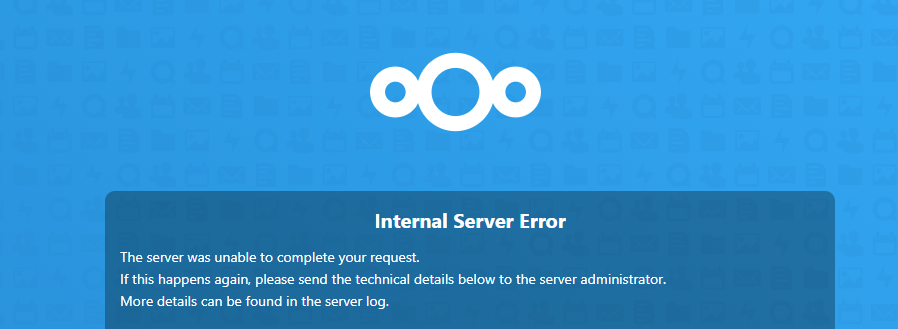
i am getting the following error and am not able to use nextcloud anymore. Here is the log file as well. Internal Server Error The server was unable to complete your request. If this happens again, please send the technical details below to the server administrator. More details can be found in the server log. 2021/02/21 08:06:04 [error] 407#407: *10720 recv() failed (104: Connection reset by peer) while reading response header from upstream, client: 172.18.0.2, server: _, request: "PROPFIND /remote.php/webdav/ HTTP/1.1", upstream: "fastcgi://127.0.0.1:9000", host: "nextcloud.mgranger.com" 2021/02/21 08:06:04 [error] 407#407: *10719 recv() failed (104: Connection reset by peer) while reading response header from upstream, client: 172.18.0.2, server: _, request: "GET /ocs/v2.php/core/navigation/apps?absolute=true&format=json HTTP/1.1", upstream: "fastcgi://127.0.0.1:9000", host: "nextcloud.mgranger.com" 2021/02/21 14:50:50 [error] 392#392: *12791 access forbidden by rule, client: 172.18.0.2, server: _, request: "GET /.git/HEAD HTTP/1.1", host: "nextcloud.mgranger.com" 2021/02/21 18:24:22 [error] 392#392: *19607 access forbidden by rule, client: 172.18.0.2, server: _, request: "GET /.git/HEAD HTTP/1.1", host: "nextcloud.mgranger.com" 2021/02/22 04:22:20 [error] 392#392: *38785 access forbidden by rule, client: 172.18.0.2, server: _, request: "GET /.git/HEAD HTTP/1.1", host: "nextcloud.mgranger.com" 2021/02/22 07:59:33 [error] 392#392: *45881 access forbidden by rule, client: 172.18.0.2, server: _, request: "GET /.git/HEAD HTTP/1.1", host: "nextcloud.mgranger.com" 2021/02/22 09:47:45 [error] 392#392: *50249 access forbidden by rule, client: 172.18.0.2, server: _, request: "GET /.git/HEAD HTTP/1.1", host: "nextcloud.mgranger.com" 2021/02/22 22:03:58 [error] 393#393: *10231 access forbidden by rule, client: 172.18.0.2, server: _, request: "GET /.git/HEAD HTTP/1.1", host: "nextcloud.mgranger.com" 2021/02/25 01:14:04 [error] 393#393: *129115 FastCGI sent in stderr: "Primary script unknown" while reading response header from upstream, client: 172.18.0.2, server: _, request: "GET /wp-login.php HTTP/1.1", upstream: "fastcgi://127.0.0.1:9000", host: "nextcloud.mgranger.com" 2021/02/25 01:14:06 [error] 393#393: *129118 FastCGI sent in stderr: "Primary script unknown" while reading response header from upstream, client: 172.18.0.2, server: _, request: "GET /wordpress/wp-login.php HTTP/1.1", upstream: "fastcgi://127.0.0.1:9000", host: "nextcloud.mgranger.com" 2021/02/25 01:14:07 [error] 393#393: *129121 FastCGI sent in stderr: "Primary script unknown" while reading response header from upstream, client: 172.18.0.2, server: _, request: "GET /blog/wp-login.php HTTP/1.1", upstream: "fastcgi://127.0.0.1:9000", host: "nextcloud.mgranger.com" 2021/02/25 01:14:09 [error] 393#393: *129124 FastCGI sent in stderr: "Primary script unknown" while reading response header from upstream, client: 172.18.0.2, server: _, request: "GET /wp/wp-login.php HTTP/1.1", upstream: "fastcgi://127.0.0.1:9000", host: "nextcloud.mgranger.com" 2021/02/26 07:22:54 [error] 393#393: *191405 FastCGI sent in stderr: "PHP message: PHP Fatal error: Allowed memory size of 536870912 bytes exhausted (tried to allocate 36864 bytes) in /config/www/nextcloud/lib/private/legacy/OC_Image.php on line 498" while reading response header from upstream, client: 172.18.0.2, server: _, request: "GET /index.php/apps/files/api/v1/thumbnail/256/256/InstantUpload/Camera/2021/01/20210103_111032.jpg HTTP/1.1", upstream: "fastcgi://127.0.0.1:9000", host: "nextcloud.mgranger.com" 2021/02/26 07:22:55 [error] 393#393: *191411 FastCGI sent in stderr: "PHP message: PHP Fatal error: Allowed memory size of 536870912 bytes exhausted (tried to allocate 36864 bytes) in /config/www/nextcloud/lib/private/legacy/OC_Image.php on line 498" while reading response header from upstream, client: 172.18.0.2, server: _, request: "GET /index.php/apps/files/api/v1/thumbnail/256/256/InstantUpload/Camera/2021/01/20210103_111038.jpg HTTP/1.1", upstream: "fastcgi://127.0.0.1:9000", host: "nextcloud.mgranger.com" 2021/02/26 07:22:57 [error] 393#393: *191415 FastCGI sent in stderr: "PHP message: PHP Fatal error: Allowed memory size of 536870912 bytes exhausted (tried to allocate 36864 bytes) in /config/www/nextcloud/lib/private/legacy/OC_Image.php on line 498" while reading response header from upstream, client: 172.18.0.2, server: _, request: "GET /index.php/apps/files/api/v1/thumbnail/256/256/InstantUpload/Camera/2021/01/20210103_111044.jpg HTTP/1.1", upstream: "fastcgi://127.0.0.1:9000", host: "nextcloud.mgranger.com" 2021/02/26 07:22:59 [error] 393#393: *191421 FastCGI sent in stderr: "PHP message: PHP Fatal error: Allowed memory size of 536870912 bytes exhausted (tried to allocate 36864 bytes) in /config/www/nextcloud/lib/private/legacy/OC_Image.php on line 498" while reading response header from upstream, client: 172.18.0.2, server: _, request: "GET /index.php/apps/files/api/v1/thumbnail/256/256/InstantUpload/Camera/2021/01/20210103_111619.jpg HTTP/1.1", upstream: "fastcgi://127.0.0.1:9000", host: "nextcloud.mgranger.com" 2021/02/26 07:23:02 [error] 393#393: *191425 FastCGI sent in stderr: "PHP message: PHP Fatal error: Allowed memory size of 536870912 bytes exhausted (tried to allocate 36864 bytes) in /config/www/nextcloud/lib/private/legacy/OC_Image.php on line 498" while reading response header from upstream, client: 172.18.0.2, server: _, request: "GET /index.php/apps/files/api/v1/thumbnail/256/256/InstantUpload/Camera/2021/01/20210103_112101.jpg HTTP/1.1", upstream: "fastcgi://127.0.0.1:9000", host: "nextcloud.mgranger.com" 2021/02/26 07:23:04 [error] 393#393: *191431 FastCGI sent in stderr: "PHP message: PHP Fatal error: Allowed memory size of 536870912 bytes exhausted (tried to allocate 36864 bytes) in /config/www/nextcloud/lib/private/legacy/OC_Image.php on line 498" while reading response header from upstream, client: 172.18.0.2, server: _, request: "GET /index.php/apps/files/api/v1/thumbnail/256/256/InstantUpload/Camera/2021/01/20210103_112203.jpg HTTP/1.1", upstream: "fastcgi://127.0.0.1:9000", host: "nextcloud.mgranger.com" 2021/02/26 07:23:06 [error] 393#393: *191439 FastCGI sent in stderr: "PHP message: PHP Fatal error: Allowed memory size of 536870912 bytes exhausted (tried to allocate 36864 bytes) in /config/www/nextcloud/lib/private/legacy/OC_Image.php on line 498" while reading response header from upstream, client: 172.18.0.2, server: _, request: "GET /index.php/apps/files/api/v1/thumbnail/256/256/InstantUpload/Camera/2021/01/20210103_112209.jpg HTTP/1.1", upstream: "fastcgi://127.0.0.1:9000", host: "nextcloud.mgranger.com" 2021/02/26 07:23:08 [error] 393#393: *191441 FastCGI sent in stderr: "PHP message: PHP Fatal error: Allowed memory size of 536870912 bytes exhausted (tried to allocate 36864 bytes) in /config/www/nextcloud/lib/private/legacy/OC_Image.php on line 498" while reading response header from upstream, client: 172.18.0.2, server: _, request: "GET /index.php/apps/files/api/v1/thumbnail/256/256/InstantUpload/Camera/2021/01/20210104_204440.jpg HTTP/1.1", upstream: "fastcgi://127.0.0.1:9000", host: "nextcloud.mgranger.com" 2021/02/26 07:23:10 [error] 393#393: *191449 FastCGI sent in stderr: "PHP message: PHP Fatal error: Allowed memory size of 536870912 bytes exhausted (tried to allocate 36864 bytes) in /config/www/nextcloud/lib/private/legacy/OC_Image.php on line 498" while reading response header from upstream, client: 172.18.0.2, server: _, request: "GET /index.php/apps/files/api/v1/thumbnail/256/256/InstantUpload/Camera/2021/01/20210104_204444.jpg HTTP/1.1", upstream: "fastcgi://127.0.0.1:9000", host: "nextcloud.mgranger.com" 2021/02/26 07:23:12 [error] 393#393: *191453 FastCGI sent in stderr: "PHP message: PHP Fatal error: Allowed memory size of 536870912 bytes exhausted (tried to allocate 36864 bytes) in /config/www/nextcloud/lib/private/legacy/OC_Image.php on line 498" while reading response header from upstream, client: 172.18.0.2, server: _, request: "GET /index.php/apps/files/api/v1/thumbnail/256/256/InstantUpload/Camera/2021/01/20210108_173936.jpg HTTP/1.1", upstream: "fastcgi://127.0.0.1:9000", host: "nextcloud.mgranger.com" 2021/02/26 07:23:33 [error] 393#393: *191487 FastCGI sent in stderr: "PHP message: PHP Fatal error: Allowed memory size of 536870912 bytes exhausted (tried to allocate 36864 bytes) in /config/www/nextcloud/lib/private/legacy/OC_Image.php on line 498" while reading response header from upstream, client: 172.18.0.2, server: _, request: "GET /index.php/apps/files/api/v1/thumbnail/256/256/InstantUpload/Camera/2021/01/20210108_173941.jpg HTTP/1.1", upstream: "fastcgi://127.0.0.1:9000", host: "nextcloud.mgranger.com" 2021/02/26 07:23:35 [error] 393#393: *191489 FastCGI sent in stderr: "PHP message: PHP Fatal error: Allowed memory size of 536870912 bytes exhausted (tried to allocate 49152 bytes) in /config/www/nextcloud/lib/private/legacy/OC_Image.php on line 498" while reading response header from upstream, client: 172.18.0.2, server: _, request: "GET /index.php/apps/files/api/v1/thumbnail/256/256/InstantUpload/Camera/2021/01/20210108_205709.jpg HTTP/1.1", upstream: "fastcgi://127.0.0.1:9000", host: "nextcloud.mgranger.com" 2021/02/26 07:23:37 [error] 393#393: *191493 FastCGI sent in stderr: "PHP message: PHP Fatal error: Allowed memory size of 536870912 bytes exhausted (tried to allocate 49152 bytes) in /config/www/nextcloud/lib/private/legacy/OC_Image.php on line 498" while reading response header from upstream, client: 172.18.0.2, server: _, request: "GET /index.php/apps/files/api/v1/thumbnail/256/256/InstantUpload/Camera/2021/01/20210108_205713.jpg HTTP/1.1", upstream: "fastcgi://127.0.0.1:9000", host: "nextcloud.mgranger.com" 2021/02/26 07:23:39 [error] 393#393: *191495 FastCGI sent in stderr: "PHP message: PHP Fatal error: Allowed memory size of 536870912 bytes exhausted (tried to allocate 49152 bytes) in /config/www/nextcloud/lib/private/legacy/OC_Image.php on line 498" while reading response header from upstream, client: 172.18.0.2, server: _, request: "GET /index.php/apps/files/api/v1/thumbnail/256/256/InstantUpload/Camera/2021/01/20210108_205715.jpg HTTP/1.1", upstream: "fastcgi://127.0.0.1:9000", host: "nextcloud.mgranger.com" 2021/02/26 09:01:12 [error] 392#392: *5 connect() failed (111: Connection refused) while connecting to upstream, client: 192.168.1.192, server: _, request: "GET / HTTP/1.1", upstream: "fastcgi://127.0.0.1:9000", host: "192.168.1.190:448" 2021/02/26 09:01:12 [error] 392#392: *5 open() "/config/www/nextcloud/favicon.ico" failed (2: No such file or directory), client: 192.168.1.192, server: _, request: "GET /favicon.ico HTTP/1.1", host: "192.168.1.190:448", referrer: "https://192.168.1.190:448/" 2021/02/26 10:43:31 [error] 386#386: *1754 FastCGI sent in stderr: "Primary script unknown" while reading response header from upstream, client: 172.18.0.2, server: _, request: "GET /wp-login.php HTTP/1.1", upstream: "fastcgi://127.0.0.1:9000", host:
-
How do i revert back to a previous version
-
I turned off the "Use Proxy" in the General Tab of the settings and it seems to work now. Not sure what happened and why that fixes it...
-
i am having the same issues
-
I am not able to login anymore. This is what i am getting in the log Starting Shinobi ... 2019-12-26T02:46:55: PM2 log: Launching in no daemon mode 2019-12-26T02:46:55: PM2 log: App [Camera-App:0] starting in -fork mode- 2019-12-26T02:46:55: PM2 log: App [Cron-App:1] starting in -fork mode- 2019-12-26T02:46:55: PM2 log: App [Camera-App:0] online 2019-12-26T02:46:55: PM2 log: App [Cron-App:1] online No "ffbinaries". Continuing. Run "npm install ffbinaries" to get this static FFmpeg downloader. No "ffmpeg-static". Available Hardware Acceleration Methods : cuvid Shinobi : cron.js started FFmpeg version : 3.3.4-static http://johnvansickle.com/ffmpeg/ Node.js version : v8.16.2 Shinobi : Web Server Listening on 8080 2019-12-26T02:46:57+00:00 Current Version : c943eedddcc441832b82767137816085f5d83443 !!!!!!!!!!!!!!!!!!!!!!!!!!!!!!!!!!!!!!!! This Install of Shinobi is NOT Activated !!!!!!!!!!!!!!!!!!!!!!!!!!!!!!!!!!!!!!!! !!!!!!!!!!!!!!!!!!!!!!!!!!!!!!!!!!!!!!!! 2019-12-26T02:46:58+00:00 This Install of Shinobi is NOT Activated !!!!!!!!!!!!!!!!!!!!!!!!!!!!!!!!!!!!!!!! https://licenses.shinobi.video/subscribe 2019-12-26T02:46:58+00:00 [email protected] : Checking Disk Used.. 2019-12-26T02:46:59+00:00 [email protected] : /opt/shinobi/videos2/ : 0 2019-12-26T02:46:59+00:00 Starting Monitors... Please Wait... Edit: After waiting a couple of hours it seemed to let me login so I think it is back to working now.
-
I would also like this. I am fearful to add more disks to my array because they will be in my array forever (unless i break my parity to remove them) Then I will have that many more disks in my array that could fail at some point. Nice feature to have.
