





Kirito
Members
-
Joined
-
Last visited
Everything posted by Kirito
-
doesn't look like the server can save, think theres some kinda of permission issues with the docker
-
curious question, does this install include directx 11? if not is it something that can be added via a new version of wine? this could be why its not working
-
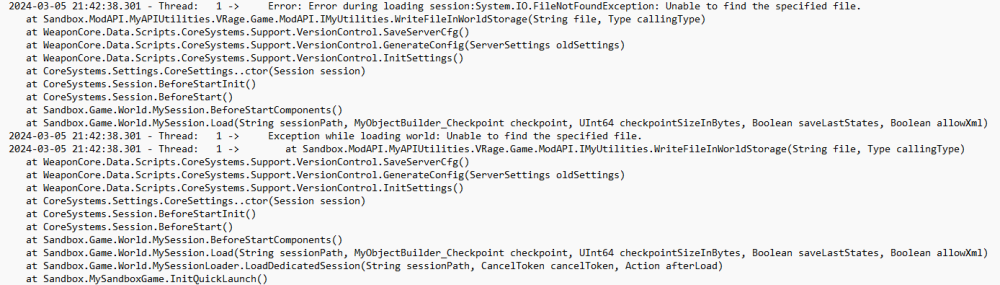
has anyone figured out how to get weapon core working? with se Also, i've been messing with these dockers for awhile, this is the very first one i've gotten to run using my unraid setup, props to that, not having weapon core though is a hard letdown, i'd really like us to figure out what could be causing it to not work. Ive also tried the space engineers in amp, that one won't run at all. My server is now up and running with a bunch of other mods, but not with weapon core.
-
I have ryzen 3900x got it working with the 6.9.0 beta update. I'd like to know if theres a way to have it update the temperature more often something more reasonable. like maybe every .5 seconds are something around that. I've googled it a bunch and searched the forms with no luck.
