





j3ja
Members
-
Joined
-
Last visited
-
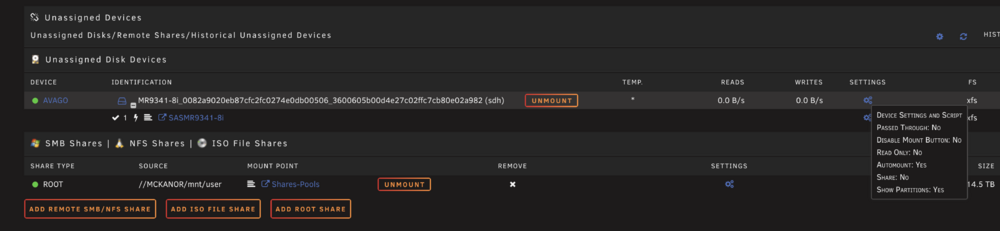
Hi. Good day to all. I hope someone can shed light in this issue. Clicking the settings icon will (try) to go to the settings page but will immediately go back to the main page. What is causing this? Thanks in advance. mckanor-diagnostics-20250725-0256.zip
-
will do. thanks
-
12-Port SA3112J: ASM1064*1 + JMB575*2 these are the chips on the SATA card i am using now, but will replace later. here's the latest diag. mckanor-diagnostics-20250710-0643.zip
-
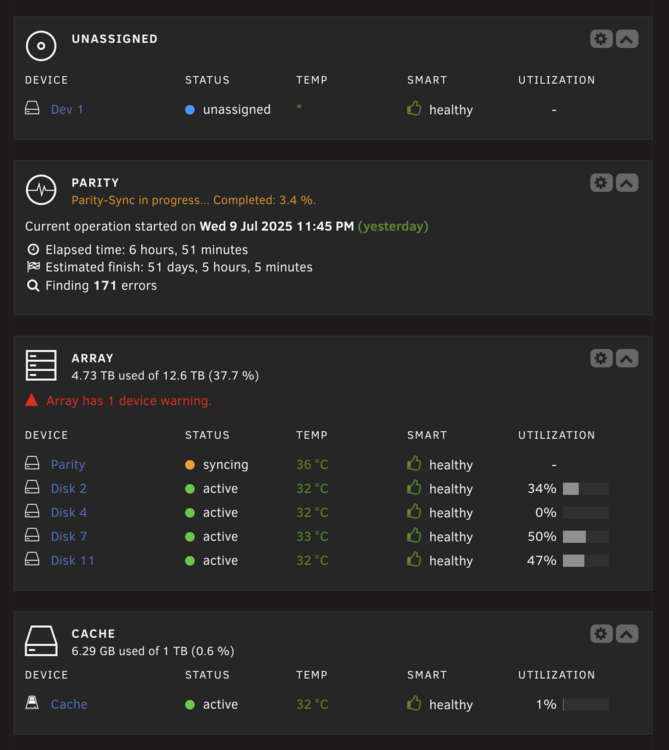
Hi. It was an enlightening last 7 hours, but i think i (and with the important help from you guys) finally is closer to cracking this mystery read errors. I found out that i was using a SATA expansion card whose chip is not in the recommended list for UNRAID 🤯😤🤬😭. I have not replaced it yet, just running 4 drives + 1 parity for now while i am copying the most important files that i can access until i replace this SATA card with a recommended one. I have ordered now on ebay the card, which explicitly says for UNRAID. I hope there is still hope for the other drives that i have disabled once i get the recommended SATA card.

-
ok will gather the smart reports for each disk
-
i think all my hdd are dying ☹️☠️ one after the other
-
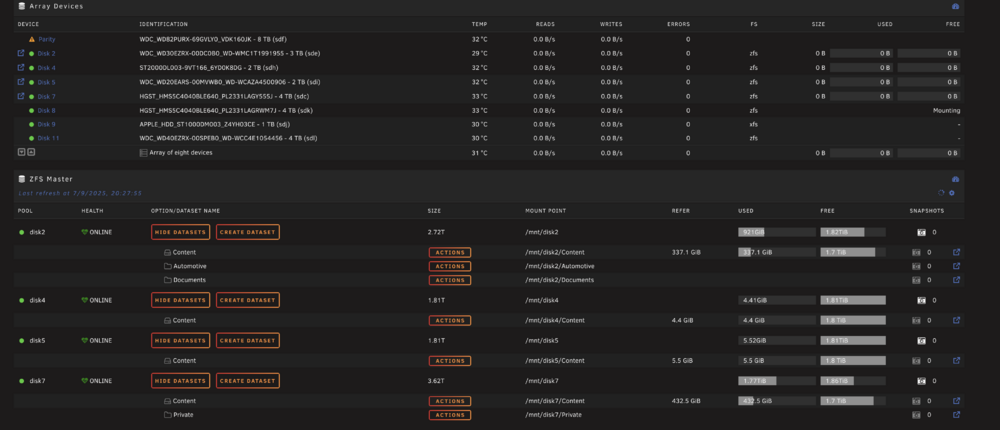
Seeing the pools back. 😀
-
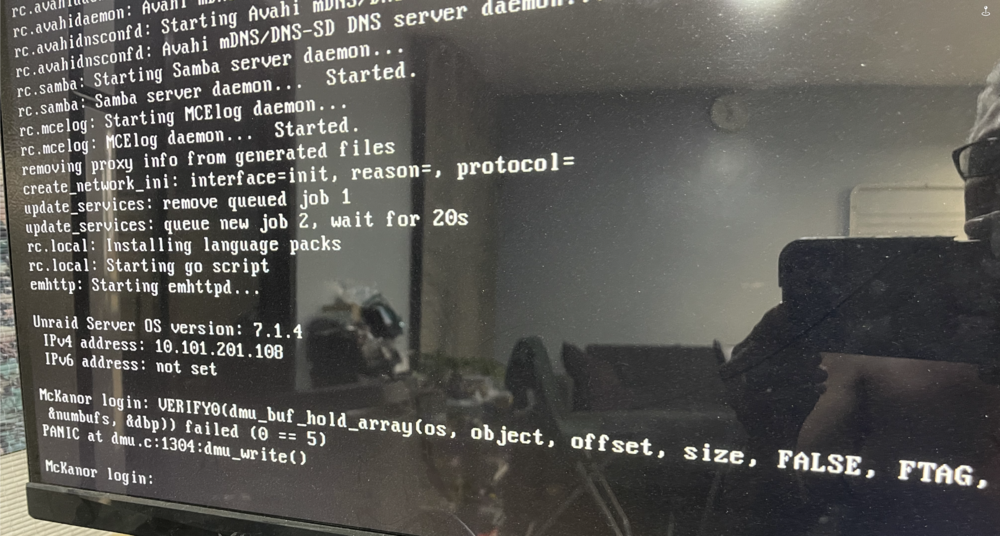
Hi. I disabled DISK3 and the array is starting now without the error. Just want to know what does that error mean? Jul 9 19:52:31 McKanor emhttpd: disk3: recover volume Jul 9 19:52:31 McKanor emhttpd: /sbin/blkid /dev/md3p1 2>&1 Jul 9 19:52:31 McKanor emhttpd: /dev/md3p1: LABEL="disk3" UUID="12670620897066880581" UUID_SUB="4980010982240981706" BLOCK_SIZE="4096" TYPE="zfs_member" Jul 9 19:52:31 McKanor emhttpd: disk3: zfs recover pool Jul 9 19:52:31 McKanor emhttpd: shcmd (92): /usr/sbin/zpool import -f -m -N -d /dev/md3p1 12670620897066880581 disk3 Jul 9 19:52:35 McKanor kernel: VERIFY0(dmu_buf_hold_array(os, object, offset, size, FALSE, FTAG, &numbufs, &dbp)) failed (0 == 5) Jul 9 19:52:35 McKanor kernel: PANIC at dmu.c:1304:dmu_write() Jul 9 19:52:35 McKanor kernel: Showing stack for process 12394 Jul 9 19:52:35 McKanor kernel: CPU: 3 UID: 0 PID: 12394 Comm: txg_sync Tainted: P O 6.12.24-Unraid #1 Jul 9 19:52:35 McKanor kernel: Tainted: [P]=PROPRIETARY_MODULE, [O]=OOT_MODULE Jul 9 19:52:35 McKanor kernel: Hardware name: Dell Inc. Precision Tower 5810/0WR1RF, BIOS A34 10/19/2020 Jul 9 19:52:35 McKanor kernel: Call Trace: Jul 9 19:52:35 McKanor kernel: <TASK> Jul 9 19:52:35 McKanor kernel: dump_stack_lvl+0x47/0x70 Jul 9 19:52:35 McKanor kernel: spl_panic+0xcf/0xf0 [spl] Jul 9 19:52:35 McKanor kernel: ? dmu_buf_hold_array_by_dnode+0x240/0x460 [zfs] Jul 9 19:52:35 McKanor kernel: ? preempt_latency_start+0x2b/0x50 Jul 9 19:52:35 McKanor kernel: ? rawspin_lock+0x13/0x20 Jul 9 19:52:35 McKanor kernel: ? rawspin_unlock+0x14/0x30 Jul 9 19:52:35 McKanor kernel: ? dnode_rele_and_unlock+0x67/0xc0 [zfs] Jul 9 19:52:35 McKanor kernel: dmu_write+0x7c/0x100 [zfs] Jul 9 19:52:35 McKanor kernel: ? dmu_buf_will_dirty_impl+0x99/0x180 [zfs] Jul 9 19:52:35 McKanor kernel: space_map_write+0x1ab/0x600 [zfs] Jul 9 19:52:35 McKanor kernel: ? space_map_open_impl+0x46/0x80 [zfs] Jul 9 19:52:35 McKanor kernel: metaslab_flush+0x1ba/0x330 [zfs] Jul 9 19:52:35 McKanor kernel: ? spa_generate_syncing_log_sm+0x1f1/0x220 [zfs] Jul 9 19:52:35 McKanor kernel: spa_flush_metaslabs+0x2c3/0x340 [zfs] Jul 9 19:52:35 McKanor kernel: spa_sync+0x81b/0xd80 [zfs] Jul 9 19:52:35 McKanor kernel: txg_sync_thread+0x1ea/0x390 [zfs] Jul 9 19:52:35 McKanor kernel: ? thread_generic_wrapper+0x4b/0x70 [spl] Jul 9 19:52:35 McKanor kernel: ? __pfx_txg_sync_thread+0x10/0x10 [zfs] Jul 9 19:52:35 McKanor kernel: thread_generic_wrapper+0x59/0x70 [spl] Jul 9 19:52:35 McKanor kernel: ? __pfx_thread_generic_wrapper+0x10/0x10 [spl] Jul 9 19:52:35 McKanor kernel: kthread+0xef/0x100 Jul 9 19:52:35 McKanor kernel: ? __pfx_kthread+0x10/0x10 Jul 9 19:52:35 McKanor kernel: ret_from_fork+0x24/0x40 Jul 9 19:52:35 McKanor kernel: ? __pfx_kthread+0x10/0x10 Jul 9 19:52:35 McKanor kernel: ret_from_fork_asm+0x1a/0x30 Jul 9 19:52:35 McKanor kernel: </TASK>
-
Hi. Here's the file. syslog.txt
-
ok will try now, just finishing up with the memtest, no errors or issue so far
-
Hi. I was not able to save the log because as i mentioned the server hanged and became unresponsive in the morning after leaving it parity-synching overnight. i had to do a shutdown using the power button. i hope i got the correct file you asked for, its from the root dir of the boot flash drive. syslog.txt
-
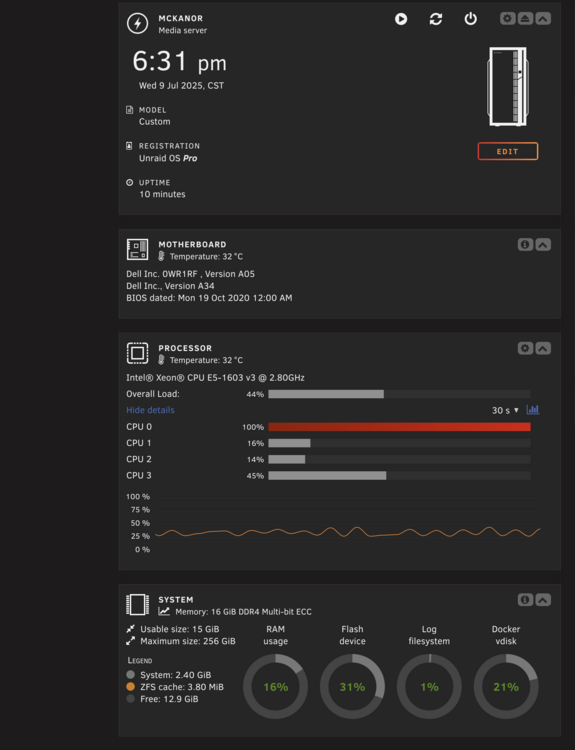
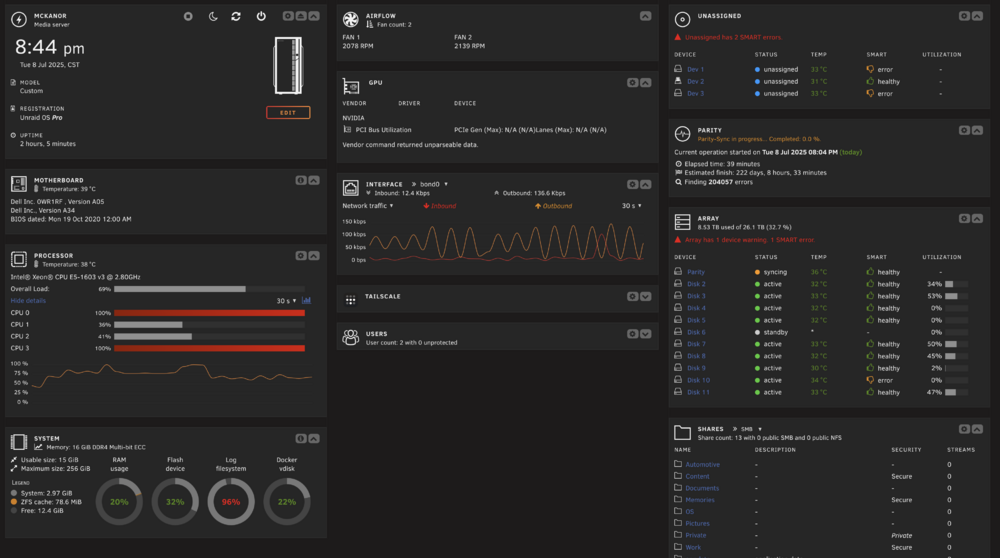
Just now i tried to recreate the event leading up to this error, and i was able to determine that if i don't start the array, this error will not trigger. In the main CPU monitor i can see also that 1 of the cores is getting maxed out. please see ss.
-
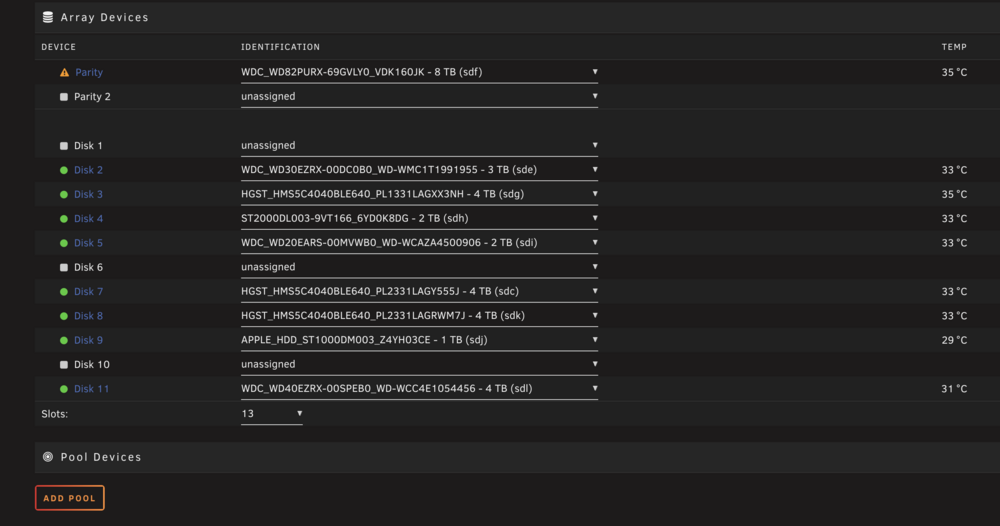
Good day to all, hope you are having a good one. I couldn't say that for me. I guess the celebration was premature, as you can see from this ss the disks mounted and the parity-sync was well on its way. Unfortunately, 2 more disks (5&10) were reporting read errors and that caused the server to hang, so needed to shutdown unclean. The i did the same as before after rebooting, i set those disks to "no device", and did a new config. Then restarted the server. Since this morning, i noticed the ff: no single disk was mounted. no read or write activity on the disks, even as the server is saying "array starting" the server did not hang, i was able to move around and do other stuff i also noticed that if i go run terminal and issue the command "diagnostics", it did nothing and produced no logs or anything i also seen for the first time this error on the monitor (please see ss attached), saying something "panic". I obeserved that prior to this message, running "diagnostics" in the console will produce the diag file, however, if the error already occurred, it will hang if diagnostics is ran. No idea what to do now, i have attached the logs that i was able to extract from the boot flash drive. mckanor-diagnostics-20250709-1732.zip
-
Thanks, got it
-
Yes, it's the SAMSUNG. How to do this?


