j3ja
Members
-
Joined
-
Last visited
Everything posted by j3ja
-
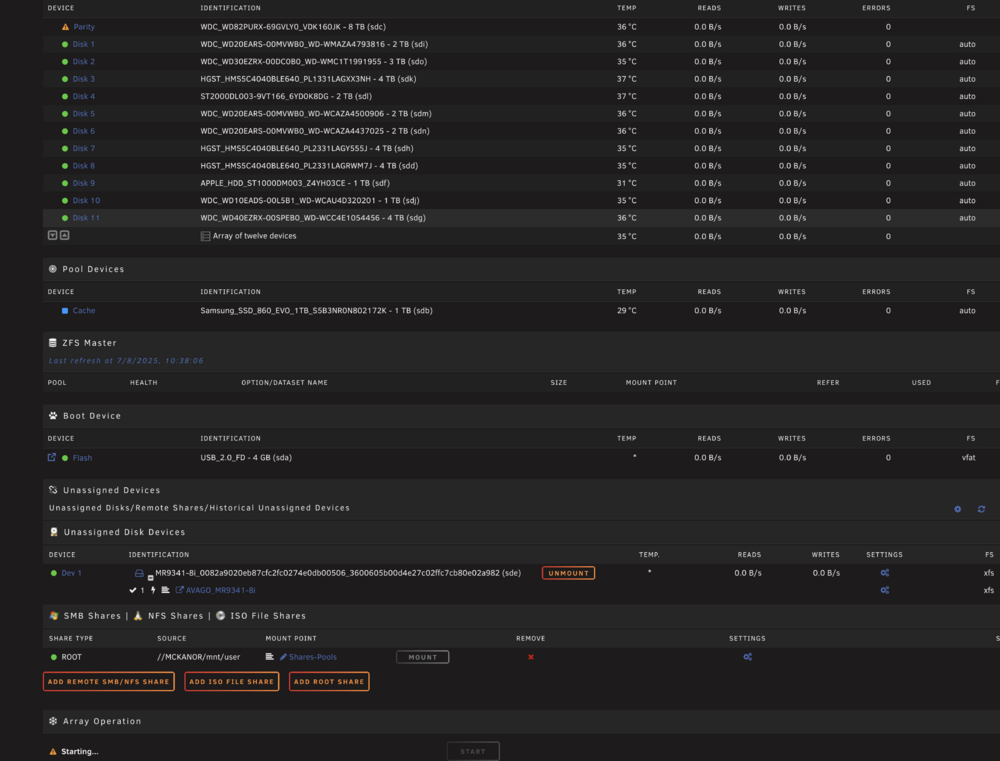
Thanks for the insight bro. re the disk , the specific error is "Current pending sector", re the ZFS disk/pool, yes, i messed up that cache drive, how can i undo this? re the NVIDIA driver, the compatible is still on the way, i will replace this current with that one which is compatible with the latest UNRAID version re the "raid" in unraid, yes i have a SAS in this system, thanks for highlighting that, i will be repurposing those SAS drives However, what would be the easiest path to a solution to get this server up again, it was working a few days only after i did an unclean shutdown, that started it all?
-
Hi. Need help from the experts please, i don't know if i lost data or not. array not starting. I am at a loss, just recently powered my decade old unraid server. Thanks. mckanor-diagnostics-20250708-0830.zip