JeffTerrell
Members
-
Joined
-
Last visited
-
I have not booted it into safe mode yet. I cleared the cache 3 times with the same results. It doesn't matter what PC I am on I get the same results. I was on 4 different PCs and they all displayed the same corrupt web page.
-
Although the main page looks correct in Opera and Edge, I am missing my plugins and docker apps.
-
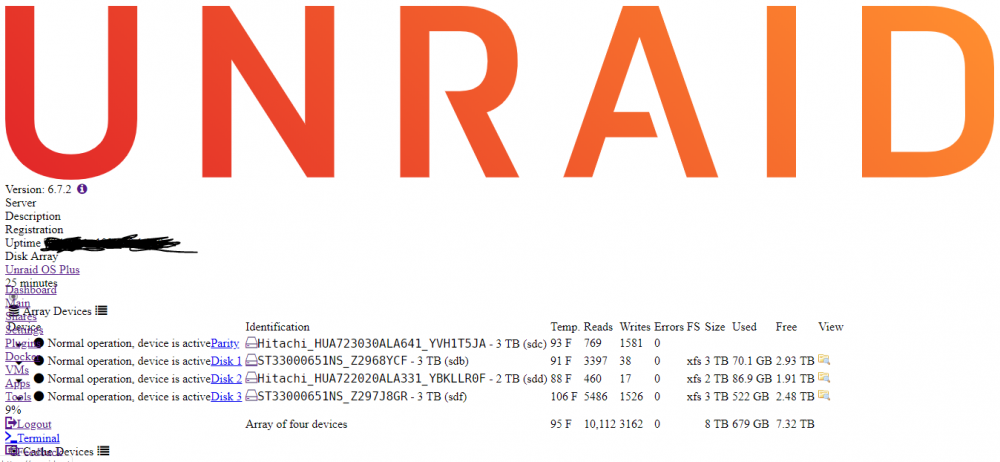
OK this is very strange. I can't view it in Chrome, Firefox or IE. However it displays correctly in Opera and Microsoft Edge. Oh I am running Windows 10 Pro.
-
Cleared the cache and same results
-
I do not see a dynamix.plg file within /config/plugins.
-
I upgraded from 6.7 to 6.7.1 to 6.7.2. When I upgraded to 6.7.1 is where the problem began. I thought 6.7.2 was a fix but it wasn't.
-
I upgraded to 6.7.1 and the web page is not displaying correctly. It was just find before the upgrade. Is there a fix for this?