





Everything posted by Oli-P
-
So i changed to SeaBIOS and got to this stage, and crashed: http://olii.co.uk/i/nt31vnbpyd.png Logs: http://olii.co.uk/i/hdg6x0ao98.png
-
Redownloaded, it spends a lot more time in the "loading" phase but then just shuts down.
-
Yeah i thought that, redownloading as we speak. fingers crossed.
-
Ubuntu does not seem to have any issues. https://olii.co.uk/i/77s5en45pm.png
-
Q35 did not work either.
-
I can download a linux one to try, i dont have any currently, this is the first VM i am trying to install. I have tried in the past and been stumped by this same issue.
-
Changed both of these, still no luck. https://olii.co.uk/i/0xydeq0axb.png
-
Windows 10. Tried changing the nic type, still doesn't work.
-
I tried cpu passthrough, same thing happened.
-
I was under the assumption my AMD CPU is not capable of host passthrough? Yes i see that, i have to press that. then it moves to the window in the screenshot.
-
Below are my settings used for setting up a windows 10 VM on my unraid. First of all, all I get is this: https://olii.co.uk/i/9sd1vs1xku.png After this, it loads a little, then the VM just shuts down. Settings: https://olii.co.uk/i/0cp3b5oznu.png https://olii.co.uk/i/54yb9su0um.png
-
Hi, So i have my unraid system with AMD Ryzen 5 2600 Six Core and Nvidia Geforce GTX 950. I have passed through my GPU using Geforce with no luck. I think i am right in saying, that the VM will not work without GPU passthrough, as the CPU does not have onboard graphics...?
-
After a reallocation of the USB and reboot, the server has come back to life, however I'm still worried about the potential that the usb is failing, and want to familiarise myself on how to make a new usb.
-
What would be the best cause of action for a new flash. Should i create a new bootable usb using unraid tool, then copy across the config folder?
-
I haven’t tried anything yet, I didn’t dare try anything incase I made it worse, which I usually do. Is it worth turning the server off?
-
-
Not a clue what happened, was doing no processes on server and says it has corrupted... vault-diagnostics-20221223-0314.zip
-
Server running fine this afternoon, nothing changed as far as im aware but server has decided USB is corrupted? vault-diagnostics-20220214-1923.zip
-
http://olii.co.uk/i/cy4.png
-
vault-diagnostics-20220202-1837.zip
-
My Servers approach. Although my main goal at the moment is to make my webGUI accessible again!
-
Hi, so recently I’ve learnt that OpenVPN is no longer available as a docker, which I used to connect to my server from anywhere in the world. last night I was trying to set up unraids own server manager, I think some ports have been setup wrong and when I restarted my server the web ui was no longer accessible from my old IP. server still completely functional, can connect through ssh. I go away next month, what is my best solution to connecting to my home network while I’m away?
-
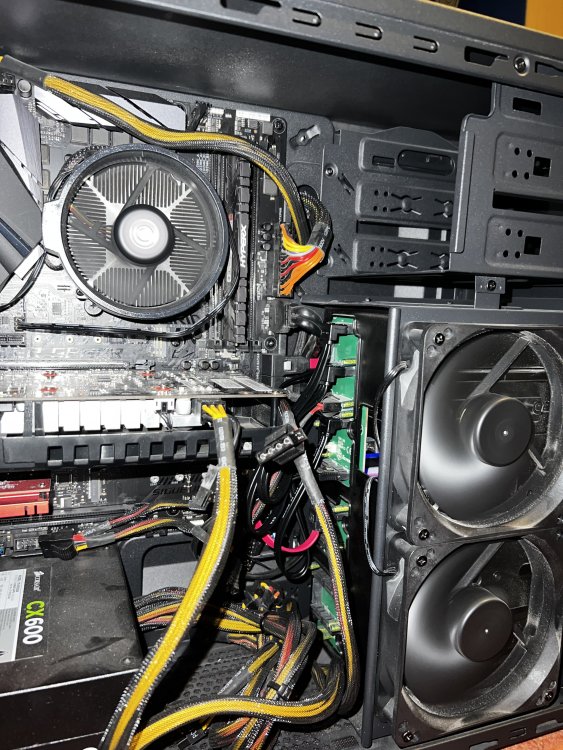
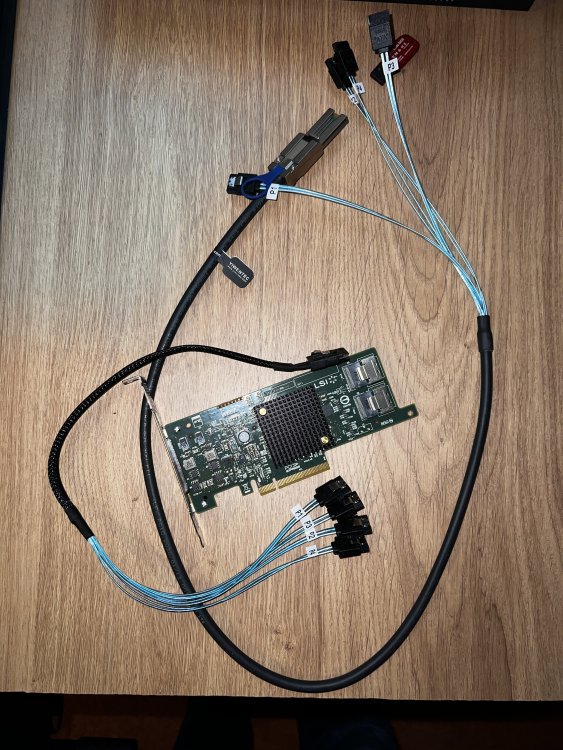
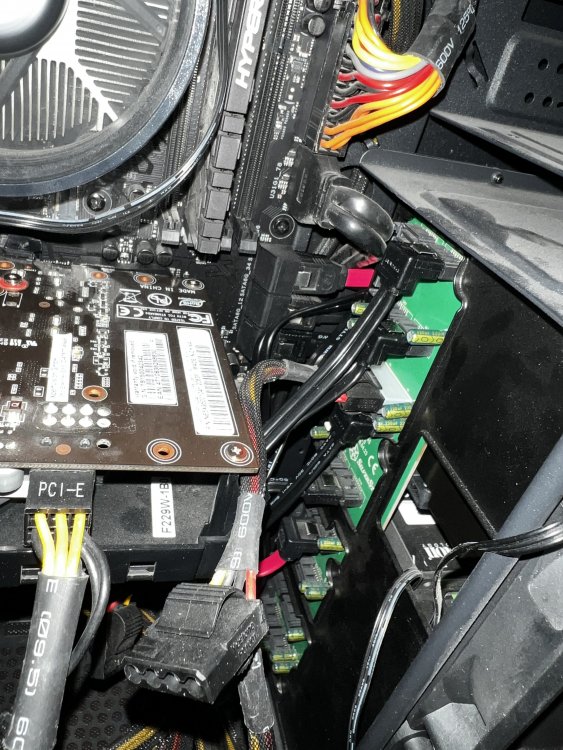
I don’t… on the note of bad connections, I did replace my Sata cables with other ones just in case. im not sure the cabling setup I have is quite the recommended one! Pictures attached. when I first built this server I bought a LSI card, I don’t have any experience with these and hadn’t really a clue how to use it, but I couldn’t fathom it and left it. Would this improve my system reliability? also attached a picture of LSI card and cabling I bought. thanks.
-
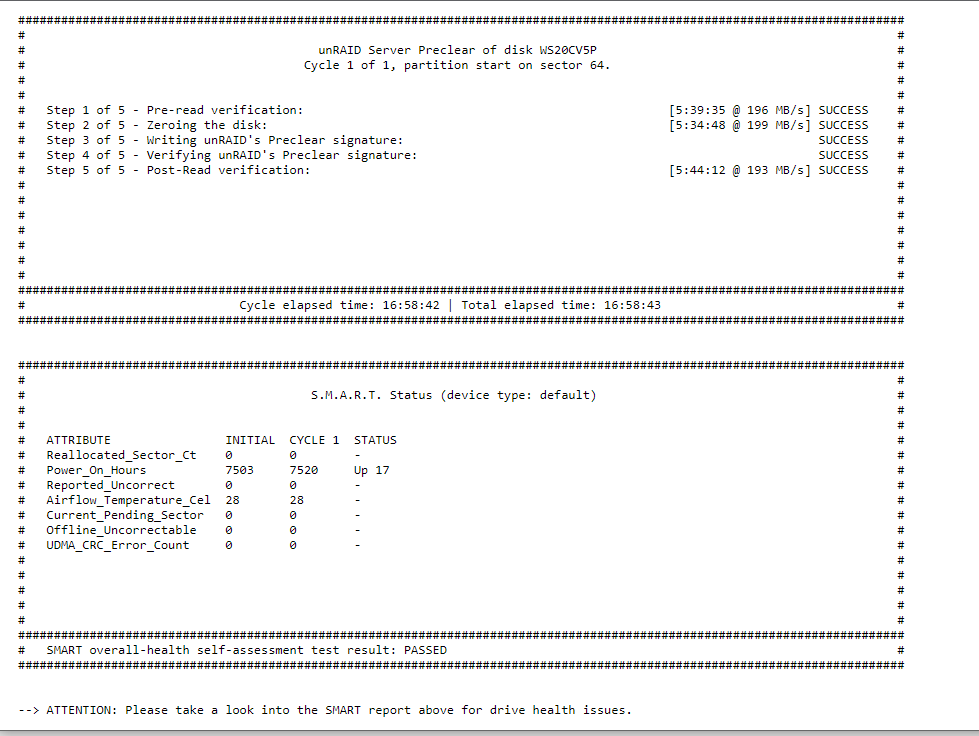
Over the last 3 months I've had Drive 2 fail numerous times, leading in corrupted files, which i had to fix using xfs repair. Around a week ago, this drive turned into "Contents Emulated, Drive Disabled." I wasn't 100% sure what this meant but assumed the drive had given up. I had a spare drive, so replaced and rebuilt the array, without a issue and is all running OK again now. In the mean time, I added the "faulty" drive back into the array, and did a preclear, assuming if anything was wrong, it would show up. But.... It was all clear, and smart test was "Passed" I have started a memtest this evening, it has been going for 3:45 Hours and has had no issues. Could it still be a drive error even though nothing is showing up indicating that? Is there anything else I should check or test to prevent this happening in future, assuming it isn't this drive? Appreciate any help. Attached: Preclear results.
-
Sorry I got myself confused. I was wanting to get into boot location as that is where my logs get stored from my user script, is it possible to make it accessible? I’m sure I’ve been able to access it before.


