3d24rd0
Members
-
Joined
-
Last visited
Everything posted by 3d24rd0
-
Hello, in the last week plex is not recognizing me the last episodes, the problem is due to a custom complement to scan anime that was failing concretely in supervisord.log. I found this error: It is possible that in the latest versions the library has been omitted. Is possible include it again?

-
ok thanks, now is working for me 👍
-
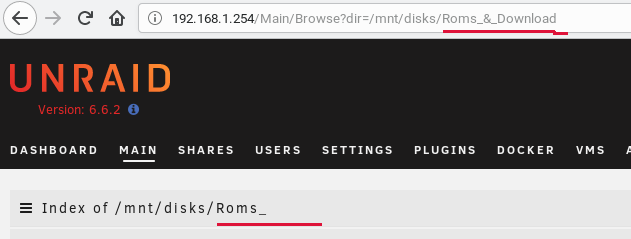
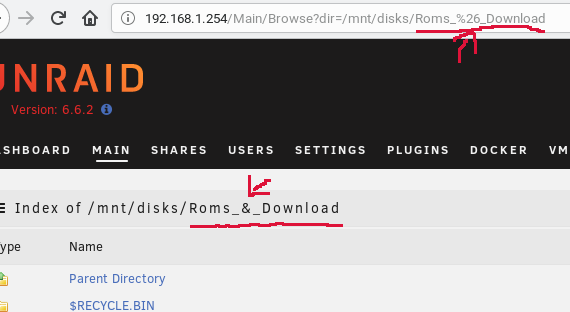
Hello. I am a newee user on this forum and unraid os, i started using unassigned devices plugin for copy my old data from old disk formatted on ntfs to new disk on unraid for no loss data, the problem i am found is when the label of this contains especial characters for example '&' the url for access to view data is broken. if the character is encoded the problem is resolved i am not know if the problem is on plugin or unraid, sorry if not correct place for this.