FlyAg
Members
-
Joined
-
Last visited
Everything posted by FlyAg
-
I currently have 1 Unraid server hosting my array, cache pool, dockers, VM's and apps. I'm currently maxed out on array drives for my Supermicro SC846 chassis at 24 x 18TB drives and storage is becoming very slim. I need to spin up a new Unraid server with a second SC846 with an identical hardware setup and need help with figuring out how it all is going to work with my Plex, the arrs, and download clients. I understand that I can spin up a second Unraid server and mount it to the first one so that my Plex docker can see the files on the second array. I do not understand how the arrs and download clients interact with the second server. Does anyone have experience with this sort of situation and can lend your thoughts on the matter? There are a few thoughts of my own that seem like possible solutions but I would like some more input. Moving bulk of the files to the second server and letting the first server fill up again with the usual docker flow (mount second server to first server so arrs continue to work) Leave all files on first server and migrating all arrs and download client dockers to second server (mount first server to second server so arrs continue to work) ?? My servers would all be on 10G switches if that matters any.
-
Here are the diagnostics titan-diagnostics-20231129-1008.zip
-
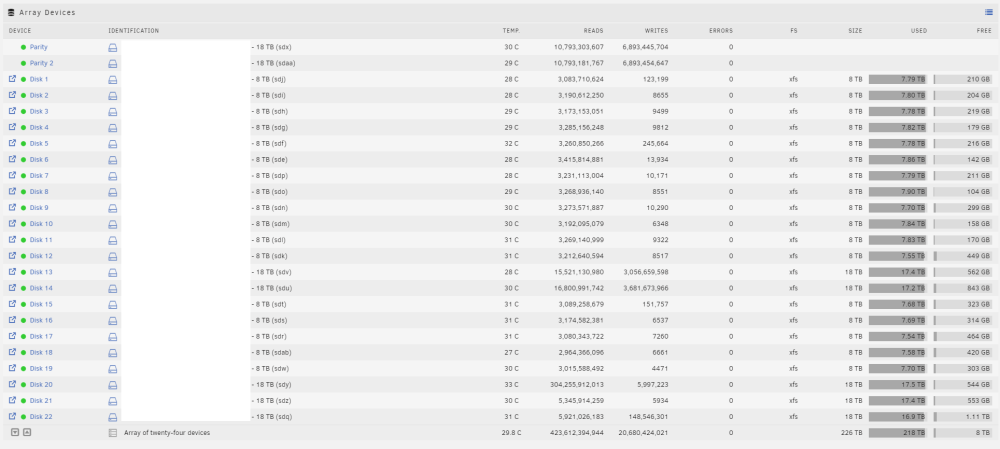
Hello All, I'm on Unraid 6.12.4 and am experiencing a very high number of reads on one of the disks (Disk 20) that goes up about 50k reads every refresh tick (seems like every second or less). Disk 20 now has over 300 Billion reads. I never really caught this because I have lots of disks active all the time and only caught it when I ran some disk speeds and this one was all over the place so I assumed something was up with the activity. I disabled all of my VMs and Dockers and it's the only disk that is ticking up. I tried downloading the file activity plugin but it does not show me the output. Does anyone have any ideas to why this is happening? I'm getting extremely slow parity checks because of it. Sub 10MB/s, mostly in the 5MB/s and that drags on for a long time on a 18TB parity. titan-diagnostics-20231129-1008.zip
-
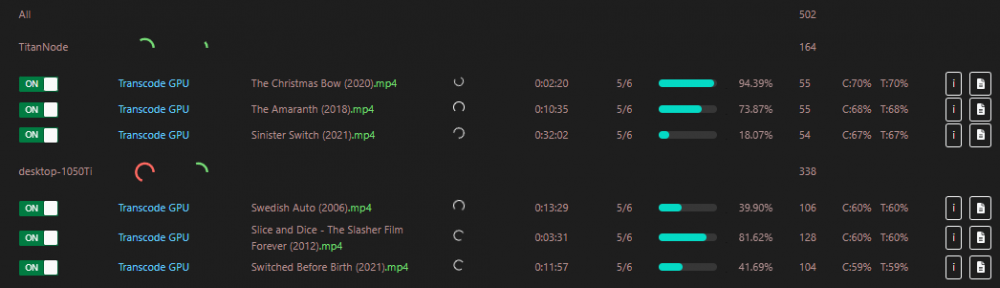
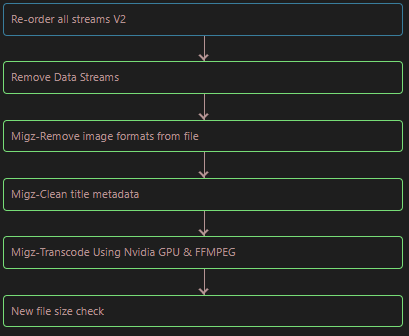
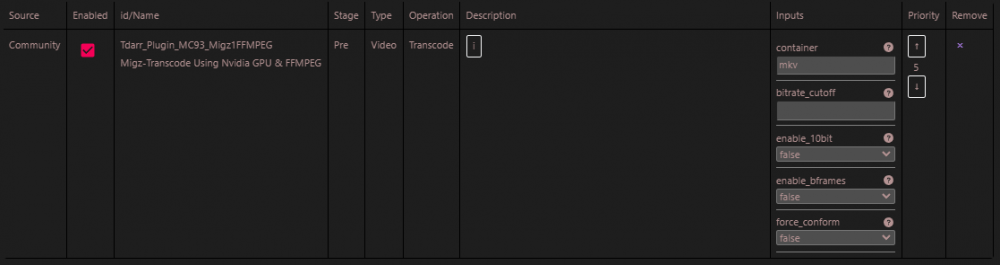
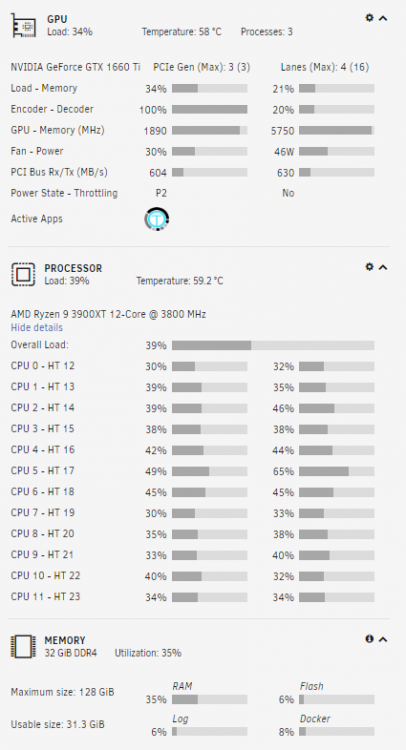
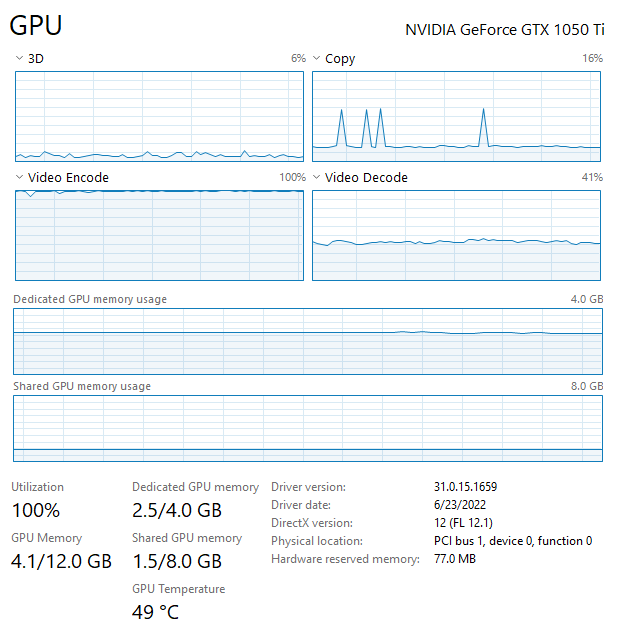
Hello! I'm looking for some explanations on why my 1050Ti Node is always faster at transcoding than my 1660Ti node, which is running on the same host as the server. Has anyone experienced this before? The 1050Ti is on a windows node and the 1660Ti is on Unraid, with Tdarr server running on Unraid docker. If there are some optimal configs someone can share, I'd love that. I went through several guides on setting everything up. I have read that maybe enabling Bframes can be faster on the 1660Ti but that is not supported on the 1050Ti I hear so I can't check that box as the 1050Ti tasks will fail. Thanks in advance!
-
I believe that backplane I had was faulty. I had to get a new backplane anyway and now everything works well
-
I'm going to double check the cabling on that slot and also try a different slot. I'm glad I found this tool because I don't think I would have ever detected this otherwise!
-
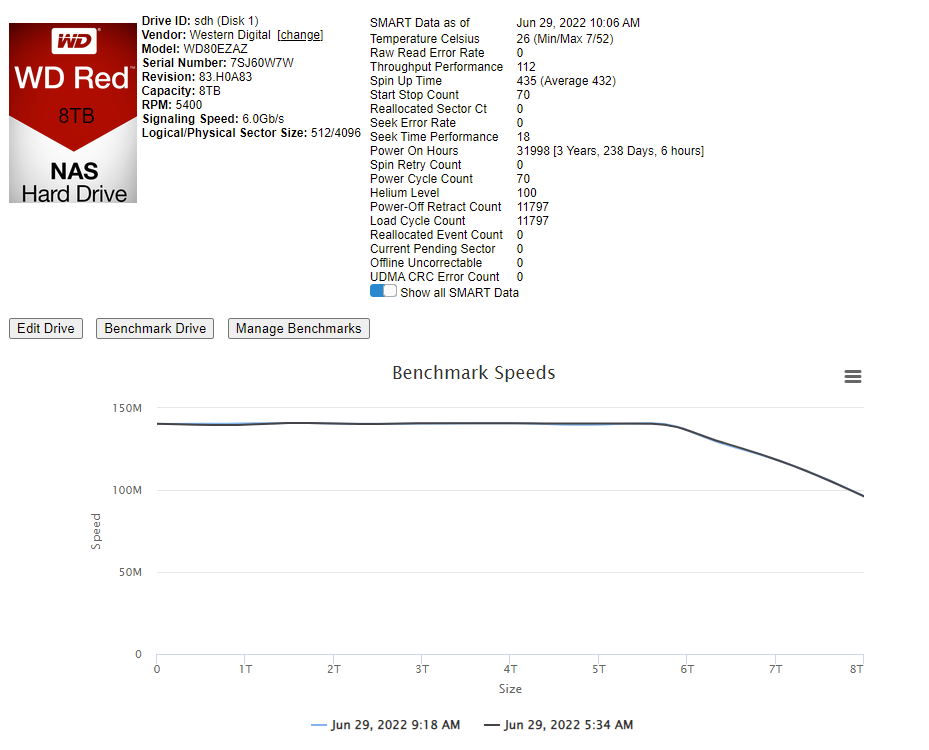
Here is what I pulled from that drive's SMART report. It does show: SATA Version is: SATA 3.2, 6.0 Gb/s (current: 1.5 Gb/s) Any idea how that could be? I've got all my drives on a SAS2008 PCI-Express Fusion-MPT SAS-2, with a 24Bay SAS backplane. WDC_WD80EZAZ-11TDBA0_7SJ60W7W-20220629-1111.txt
-
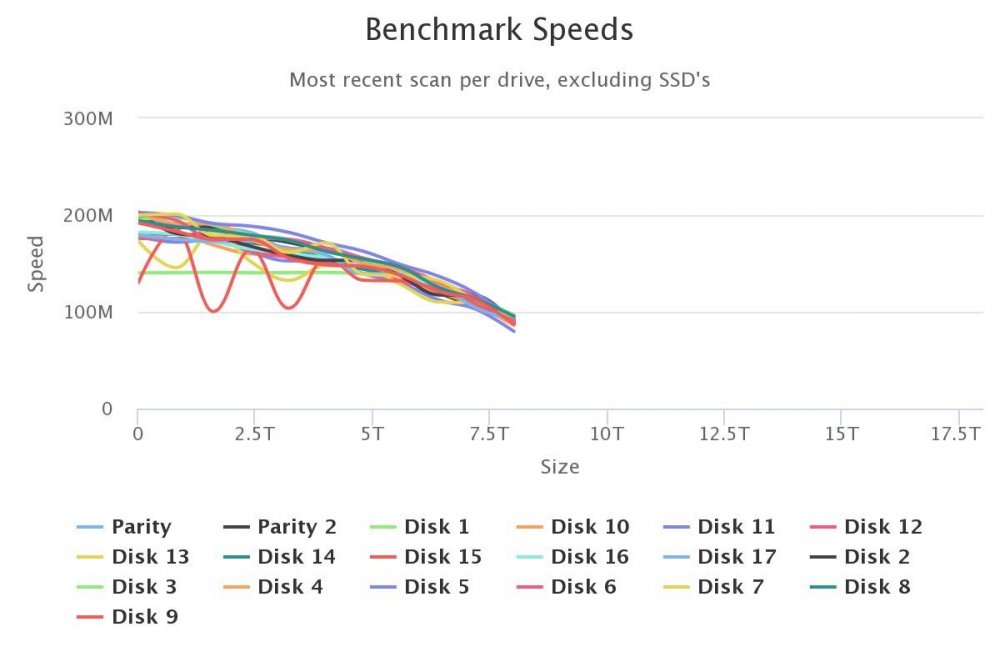
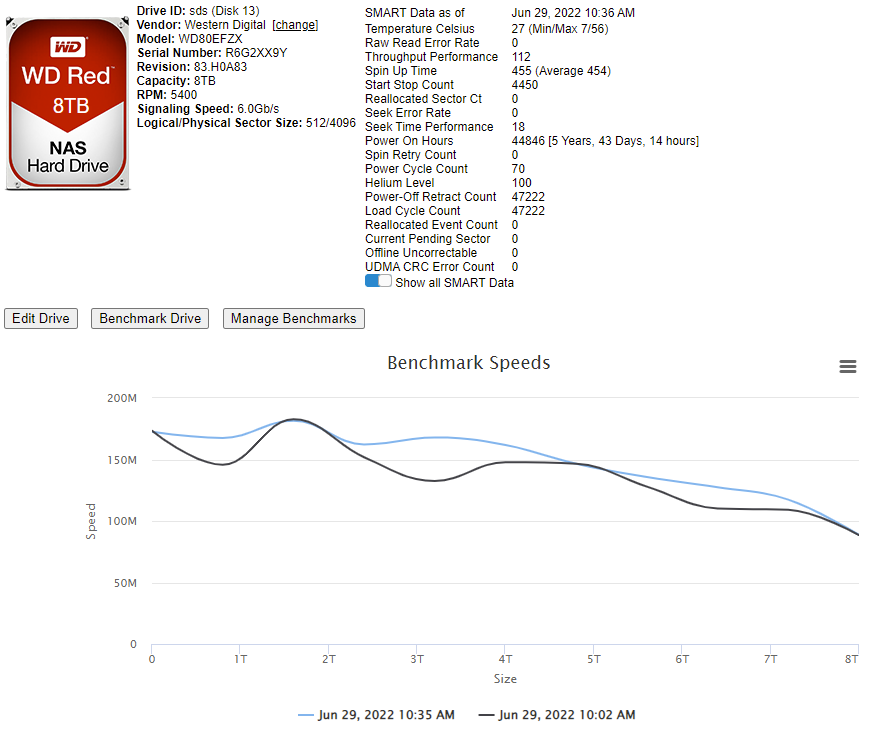
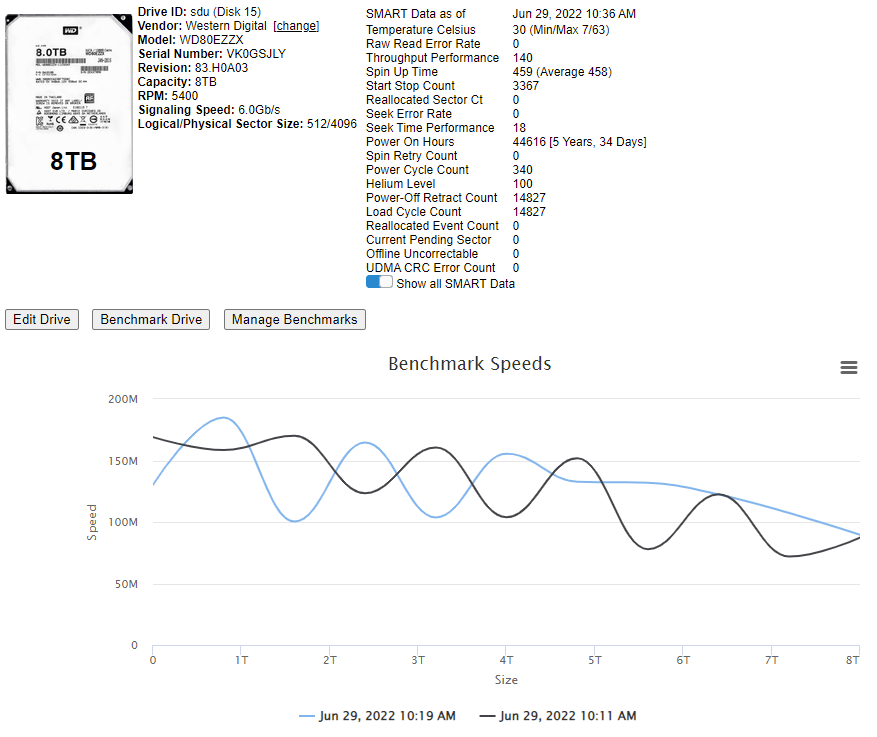
I'm having some strange behavior on one drive where the first 80% or so is just flat then it starts to drop down. Disk 1 threw a "Bandwidth was capped on drive" but I'm not sure how to remedy the situation. Disks 13 and 15 showed the most wobble on the chart, maybe those are to be replaced next?