neow
Members
-
Joined
-
Last visited
Everything posted by neow
-
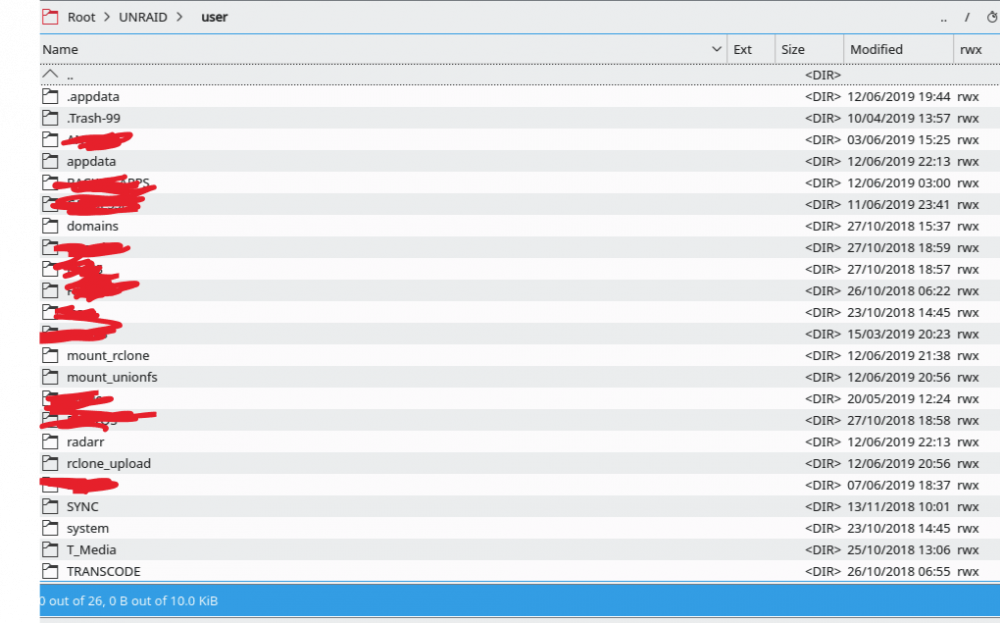
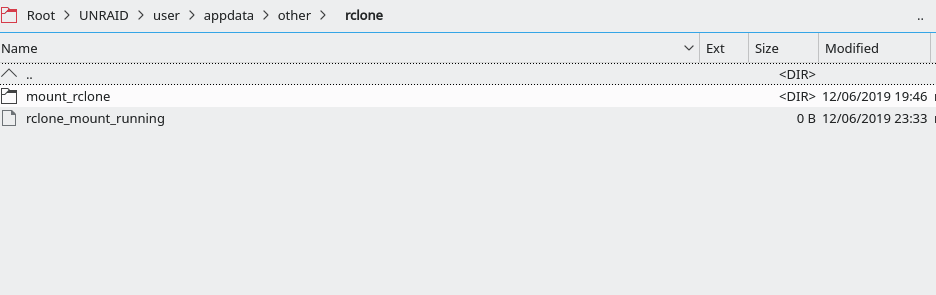
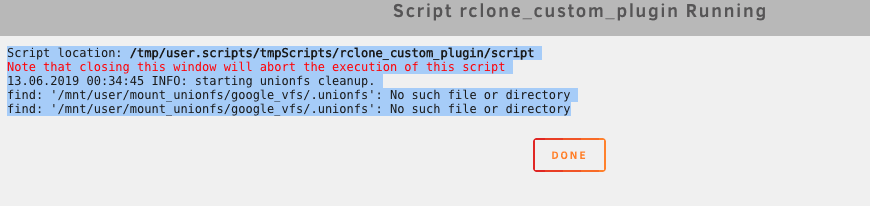
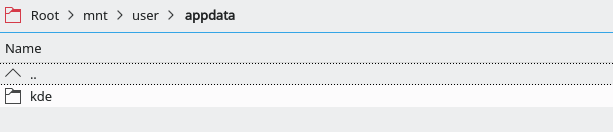
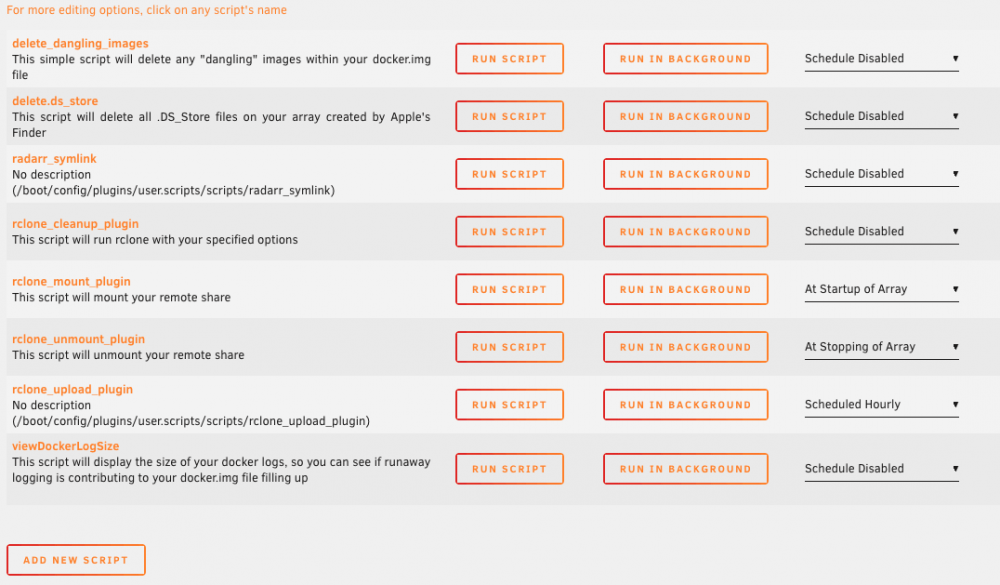
as you can see here this is a messup i don't know why i have one .appdata (i just deleted) one appdata one rclone_upload one mount_rclone at root unraid user one mount_rclone at root unraid user appdata other rclone i have the same kind of problem with script cleanup unionfs the problem is the script check root mnt user appdata and i have nothing there no?
-
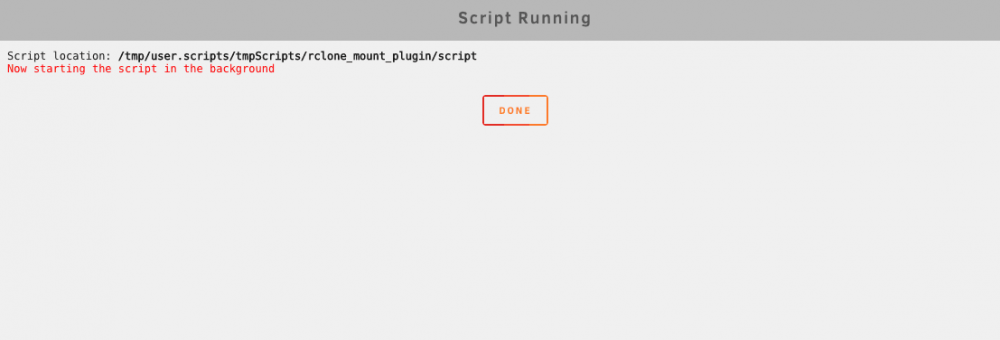
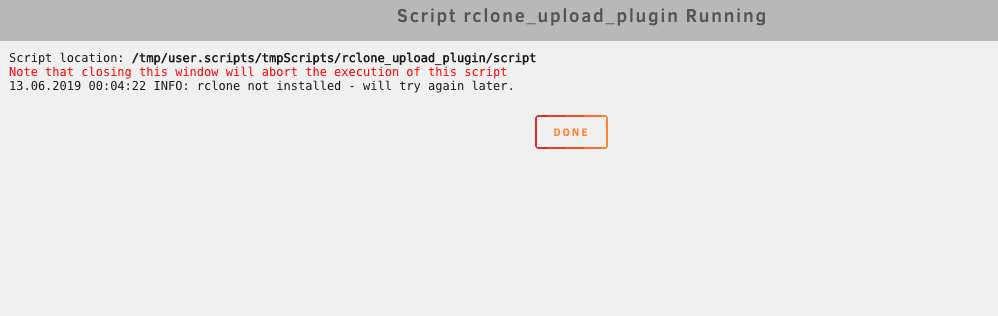
ok like this? 1- i run on background mount 2- i run script upload 3- i get this : Script location: /tmp/user.scripts/tmpScripts/rclone_upload_plugin/script Note that closing this window will abort the execution of this script 13.06.2019 00:05:22 INFO: rclone not installed - will try again later. 4- here is my upload script : #!/bin/bash ####### Check if script already running ########## if [[ -f "/mnt/user/appdata/other/rclone/rclone_upload" ]]; then echo "$(date "+%d.%m.%Y %T") INFO: Exiting as script already running." exit else touch /mnt/user/appdata/other/rclone/rclone_upload fi ####### End Check if script already running ########## ####### check if rclone installed ########## if [[ -f "/mnt/user/mount_rclone/google_vfs/mountcheck" ]]; then echo "$(date "+%d.%m.%Y %T") INFO: rclone installed successfully - proceeding with upload." else echo "$(date "+%d.%m.%Y %T") INFO: rclone not installed - will try again later." rm /mnt/user/appdata/other/rclone/rclone_upload exit fi ####### end check if rclone installed ########## # move files rclone move /mnt/user/rclone_upload/google_vfs/ gdrive_media_vfs: -vv --drive-chunk-size 512M --checkers 3 --fast-list --transfers 2 --exclude .unionfs/** --exclude *fuse_hidden* --exclude *_HIDDEN --exclude .recycle** --exclude *.backup~* --exclude *.partial~* --delete-empty-src-dirs --fast-list --bwlimit 9500k --tpslimit 3 --min-age 30m # remove dummy file rm /mnt/user/appdata/other/rclone/rclone_upload exit thanks for your patience i will be lost without you guys edit: it's maybe because my folder is not at the good place like i said 1 page ago in script this is the location it checked /mnt/user/rclone_upload/google_vfs/ gdrive_media_vfs
-
Ok i understand. What should i do?
-
ok i just did it, now i have this Script location: /tmp/user.scripts/tmpScripts/rclone_upload_plugin/script Note that closing this window will abort the execution of this script 12.06.2019 23:47:29 INFO: rclone not installed - will try again later.
-
I have not the understanding of the problem to act. I can follow instructions that’s all unfortunately
-
ok i have this now Script location: /tmp/user.scripts/tmpScripts/rclone_mount_plugin/script Note that closing this window will abort the execution of this script 12.06.2019 23:33:03 INFO: mounting rclone vfs. 12.06.2019 23:33:08 INFO: Check rclone gdrive vfs mount success. 12.06.2019 23:33:08 INFO: Check successful, unionfs mounted. 12.06.2019 23:33:08 INFO: dockers already started seems better? isn't it? but upload script is not working i think Script location: /tmp/user.scripts/tmpScripts/rclone_upload_plugin/script Note that closing this window will abort the execution of this script /tmp/user.scripts/tmpScripts/rclone_upload_plugin/script: line 4: $'\357\273\277': command not found /tmp/user.scripts/tmpScripts/rclone_upload_plugin/script: line 26: $'\357\273\277': command not found 12.06.2019 23:33:41 INFO: rclone not installed - will try again later.
-
I found it , what do you want me to do? this is in root unraid user appdata other rclone
-
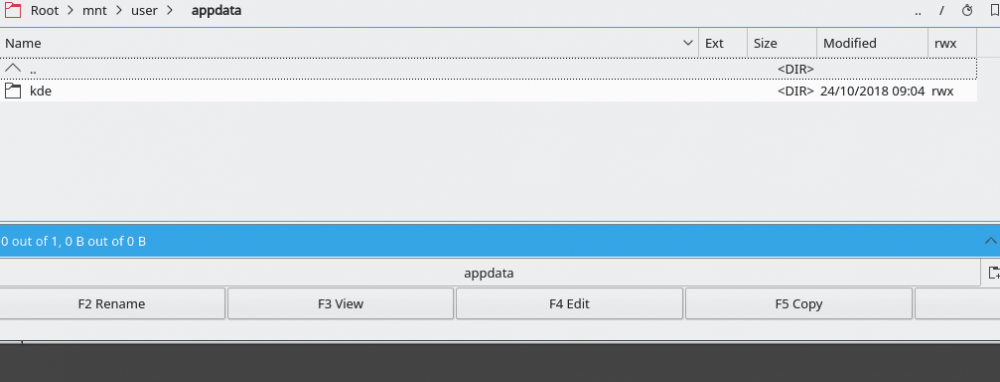
i just restarted krusader this change nothing unfortunatly
-
with the rclone upload plugin i have this : Script location: /tmp/user.scripts/tmpScripts/rclone_upload_plugin/script Note that closing this window will abort the execution of this script /tmp/user.scripts/tmpScripts/rclone_upload_plugin/script: line 4: $'\357\273\277': command not found /tmp/user.scripts/tmpScripts/rclone_upload_plugin/script: line 26: $'\357\273\277': command not found 12.06.2019 22:42:40 INFO: rclone not installed - will try again later. log 2.txt
-
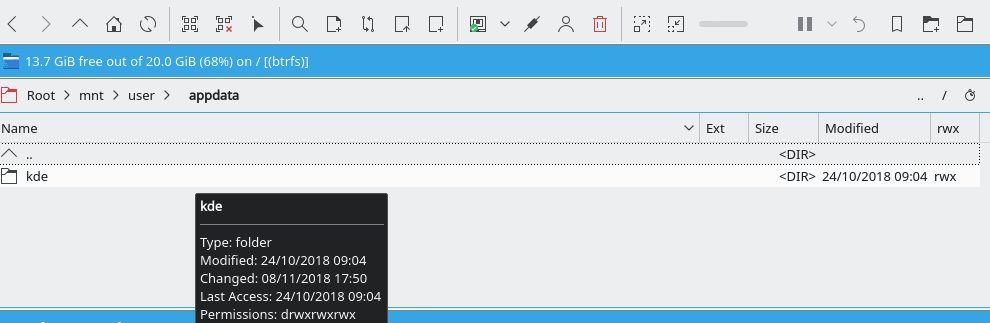
i don't understand very well what you mean in root mnt user appdata i just have a kde folder with krusader you know i navigate only with krusader i am a big noob
-
do you talk to me? i think not
-
ok you update github now i have this : Script location: /tmp/user.scripts/tmpScripts/rclone_mount_plugin/script Note that closing this window will abort the execution of this script 12.06.2019 22:34:25 INFO: Exiting script already running.
-
ok i just installe nerd pack and the unionfs now i have this in mount plugin Script location: /tmp/user.scripts/tmpScripts/rclone_mount_plugin/script Note that closing this window will abort the execution of this script 12.06.2019 22:02:44 INFO: mounting rclone vfs. 12.06.2019 22:02:50 INFO: Check rclone gdrive vfs mount success. 12.06.2019 22:02:50 INFO: Check successful, unionfs mounted. 12.06.2019 22:02:50 INFO: Starting dockers. Error response from daemon: No such container: plex Error: failed to start containers: plex Error response from daemon: No such container: ombi Error: failed to start containers: ombi Error response from daemon: No such container: tautulli Error: failed to start containers: tautulli Error response from daemon: No such container: radarr Error: failed to start containers: radarr Error response from daemon: No such container: sonarr Error: failed to start containers: sonarr edit : i restart after this plex server package and krusader and now i have this : Script location: /tmp/user.scripts/tmpScripts/rclone_mount_plugin/script Note that closing this window will abort the execution of this script 12.06.2019 22:05:43 INFO: mounting rclone vfs. 2019/06/12 22:05:43 Fatal error: Can not open: /mnt/user/mount_rclone/google_vfs: open /mnt/user/mount_rclone/google_vfs: transport endpoint is not connected 12.06.2019 22:05:48 CRITICAL: rclone gdrive vfs mount failed - please check for problems. rm: cannot remove '/mnt/user/appdata/other/rclone/rclone_mount_running': No such file or directory
-
you talk about this? for nerd pack?
-
#!/bin/bash ####### Start rclone gdrive mount ########## # check if gdrive mount already created if [[ -f "/mnt/user/mount_rclone/google_vfs/mountcheck" ]]; then echo "$(date "+%d.%m.%Y %T") INFO: Check rclone vfs already mounted." else echo "$(date "+%d.%m.%Y %T") INFO: mounting rclone vfs." # create directories for rclone mount and unionfs mount mkdir -p /mnt/user/appdata/other/rclone mkdir -p /mnt/user/mount_unionfs/google_vfs mkdir -p /mnt/user/rclone_upload/google_vfs rclone mount --allow-other --buffer-size 256M --dir-cache-time 72h --drive-chunk-size 512M --fast-list --log-level INFO --vfs-read-chunk-size 128M --vfs-read-chunk-size-limit off gdrive_media_vfs: /mnt/user/mount_rclone/google_vfs & # check if mount successful # slight pause to give mount time to finalise sleep 5 if [[ -f "/mnt/user/mount_rclone/google_vfs/mountcheck" ]]; then echo "$(date "+%d.%m.%Y %T") INFO: Check rclone gdrive vfs mount success." else echo "$(date "+%d.%m.%Y %T") CRITICAL: rclone gdrive vfs mount failed - please check for problems." rm /mnt/user/appdata/other/rclone/rclone_mount_running exit fi fi ####### End rclone gdrive mount ########## ####### Start unionfs mount ########## if [[ -f "/mnt/user/mount_unionfs/google_vfs/mountcheck" ]]; then echo "$(date "+%d.%m.%Y %T") INFO: Check successful, unionfs already mounted." else unionfs -o cow,allow_other,direct_io,auto_cache,sync_read /mnt/user/rclone_upload/google_vfs=RW:/mnt/user/mount_rclone/google_vfs=RO /mnt/user/mount_unionfs/google_vfs if [[ -f "/mnt/user/mount_unionfs/google_vfs/mountcheck" ]]; then echo "$(date "+%d.%m.%Y %T") INFO: Check successful, unionfs mounted." else echo "$(date "+%d.%m.%Y %T") CRITICAL: unionfs Remount failed." rm /mnt/user/appdata/other/rclone/rclone_mount_running exit fi fi ####### End Mount unionfs ########## ############### starting dockers that need unionfs mount ###################### # only start dockers once if [[ -f "/mnt/user/appdata/other/rclone/dockers_started" ]]; then echo "$(date "+%d.%m.%Y %T") INFO: dockers already started" else touch /mnt/user/appdata/other/rclone/dockers_started echo "$(date "+%d.%m.%Y %T") INFO: Starting dockers." docker start plex docker start ombi docker start tautulli docker start radarr docker start sonarr fi ############### end dockers that need unionfs mount ###################### exit
-
hello, thanks for your reply i appreciate a lot [gdrive] type = drive client_id = client_secret = scope = drive token = {"access_token":""} [gdrive_media_vfs] type = crypt remote = gdrive:crypt filename_encryption = standard directory_name_encryption = true password = password2 = the erros in rclone mount plugin ; Script location: /tmp/user.scripts/tmpScripts/rclone_mount_plugin/script Note that closing this window will abort the execution of this script 12.06.2019 21:47:13 INFO: mounting rclone vfs. 12.06.2019 21:47:18 INFO: Check rclone gdrive vfs mount success. /tmp/user.scripts/tmpScripts/rclone_mount_plugin/script: line 56: unionfs: command not found 12.06.2019 21:47:18 CRITICAL: unionfs Remount failed. rm: cannot remove '/mnt/user/appdata/other/rclone/rclone_mount_running': No such file or directory
-
hello, i just suscribed g suite for upload my plex file to google. I try your logs. But i don't understand everything here is the log errors for mount : https://d.pr/i/TOnFob the config file : https://d.pr/i/e1UKZ7 the mount script i copy cut from github same for unmount script the user scripts from your github : https://d.pr/i/zXBbPD the mountcheck : https://d.pr/i/mPJajO the # rclone config : https://d.pr/i/G4Nkjo https://d.pr/i/2zFfSt https://d.pr/i/5wZd4M https://d.pr/i/xEM4h6 for encrypted : https://d.pr/i/3AeNBo I am a noob with coding and totally lost thanking you in advance, regards edit : i have an upload correct now to gdrive but still have some issues 1- an error with gdrive vfs https://d.pr/i/giI75Z i thin i made something wrong with configuration https://d.pr/i/SIneHX or here https://d.pr/i/BRYENB need help on this point 2- in krusader i have this : https://d.pr/i/wPGRY6 and this in the crypt file https://d.pr/i/KTUGSU first question what is the first strange file? second question the file crypt appears in gdrive https://d.pr/i/yZjjd0 but i can see the file, is it normal or should be crypt? 3- my main objective is to upload all my plex files to gdrive with crypt for being invisible to google but accessible to me everywhere, is it ok with my configuration rclone? 4- how to upload everything from my unraid library to my gdrive crypt folder without copy from krusader to local? i want to save space in my server. As i understand, if i copy to disks->gdrive->crypt, it take space on my server, am i right? 5- last question, how i acces to this file from plex server to gdrive? it took me 9 hours to have a connection so please be kind with me thanks for your work and help edit 2: i redo every thing and reboot, i have this : https://d.pr/i/QRZ2Gd
-
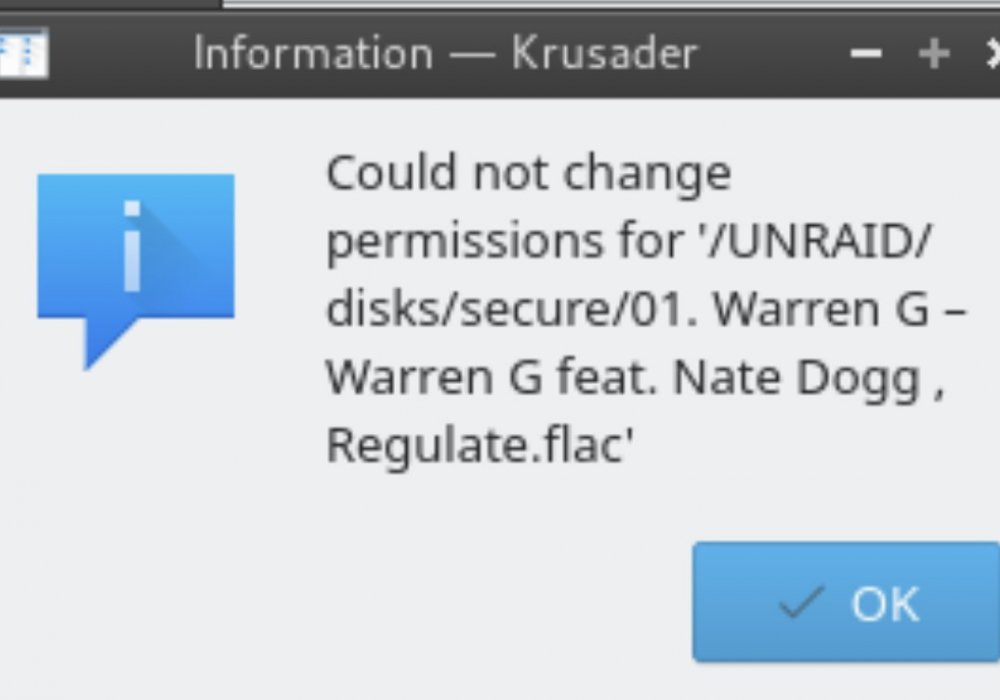
Hello, i followed step by step space invader youtube video tutorial. i want to sync my data from unraid to encrypted Google Drive/g suite for plex. everything seems fine, all tests are good. but when i want to copy a file via krusader from unraid to encrypted folder g drive i have a permission write error. And no sync. The gdrive is empty... Maybe i missed something or don’t understand how to sync data from my server to gdrive. Thanks in advance for your help