





zonik
Members
-
Joined
-
Last visited
-
now there is something new going on, i can connect now and login but i only 1 folder in the media folder and that folder is empty i have tried to edit the mountscript file but nothing works, this is how i have it currently set: #!/bin/bash # put your commands for creating mount points and mounting here # they will be executed when the array starts # e.g.: # mkdir /mnt/cache/FTP/movies;mount --bind /mnt/user0/movies /mnt/cache/FTP/movies # Mounts just media for read only # Directory Structure !/bin/bash mkdir /tmp/FTP/ mkdir /tmp/FTP/Media mkdir /tmp/FTP/Media/anime;mount --bind /media/user/Media/Anime /tmp/FTP/Media/anime mkdir /tmp/FTP/Media/movies;mount --bind /media/user/Media/Kvikmyndir /tmp/FTP/Media/movies # Mounts for Apps/Tools/ISO ect # Apps and Tools are Read only # Uploads are Read/Write !/bin/bash mkdir /tmp/FTP/Uploads;mount --bind /mnt/user/Media/ftp/ /tmp/FTP/Uploads/ i should not that the anime folder is the only one visible and thats empty
-
still keep getting errors at least its not a timeout this timebut it is this : Jul 10 23:21:27 Samwise proftpd[59560]: 127.0.0.1 (192.168.1.132[192.168.1.132]) - chroot to '~/' failed for user 'tester': No such file or directory Jul 10 23:21:27 Samwise proftpd[59560]: 127.0.0.1 (192.168.1.132[192.168.1.132]) - error: unable to set DefaultRoot directory
-
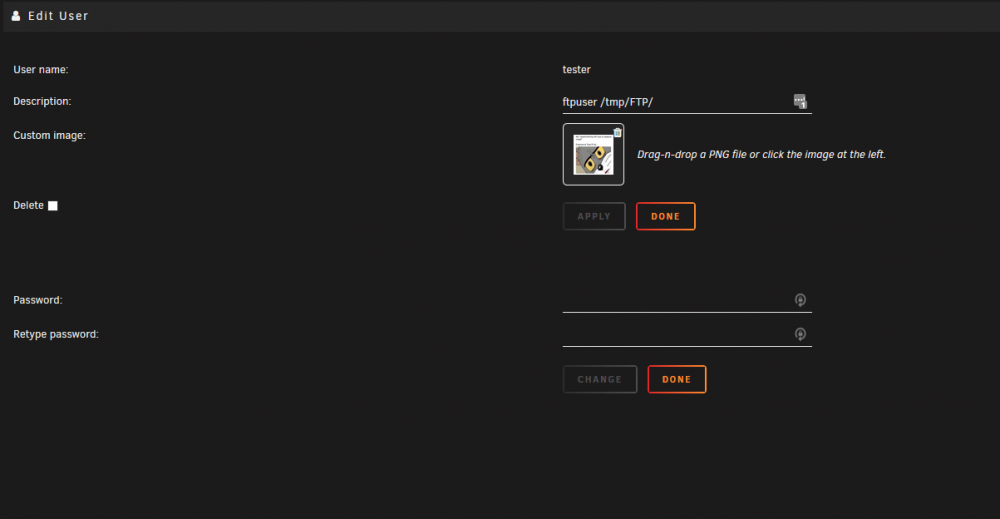
i can change the port to something more secure but i like to think to think i have made the user correctly unless i am missing something
-
well here are the logs i noticed that my cache drive is marked nr 2 does that matter ? samwise-diagnostics-20190708-1944.zip
-
i am using a browser and filezilla and both of them just time out, i am at work now but i will send you the log when i get home
-
well this is the gift that keeps on giving, i used krusader to copy the mountscript to a share so i can access it from my pc and i used notepad++ to edit it, edited the rules for it and now it start the plugin but its unresponsive cant access the server via ftp even on a local network
-
that does seem to be what i want except i have no idea where that mountscript.sh is or is supposed to be, now i just need to figure that out found the script its in /mnt/flash/config/plugins/proftpd
-
hello fellow unraiders i am having a little issue beeing not as smart as i would like to be i am editing the config file i am trying to setup a rule in proftpd so that users cannot delete anything and can only upload to one folder as it is now the user lands on /share and in that share are alot folders folder 1, folder 2 etc and i would like to have only lets folder 3 to be writable and the rest read only p.s. i did find a rule to ban deletion of files and for some reason that stopped working please let me know if i need to clarify something also i have been through this : http://www.proftpd.org/docs/howto/Directory.html and http://proftpd.org/docs/howto/FTP.html iam just not smart enough to cobble together a functioning command or rule to achive what i want this is the command i wrote wich for some reason worked but doesnt anymore <Directory /mnt/user/share> <Limit DELE> DenyALL </Limit> edit: sorry if something like is here i just didnt see it
