kinaley
Members
-
Joined
-
Last visited
Everything posted by kinaley
-
johnnie.black redirected me to this post As the writing speed of Parity Clearing time was showing 12 hrs. sdparm command not found was the message at first but as per AnnabellaRenee87 post, installed nerdpack GUI plugin. after that everything was magic. 12 hrs parity work reduced to 3 hrs. This is very helpful post. Thanks
-
Thankyou so much that really did the trick. Installed the nerdpack gui plugin as it was saying sdparm command not found. invoked the commands To set the write speed sdparm --set=WCE /dev/sdb sdparm --set=WCE /dev/sdc sdparm --set=WCE /dev/sdd sdparm --set=WCE /dev/sde sdparm --set=WCE /dev/sdf sdparm --set=WCE /dev/sdg and Verified with sdparm -g WCE /dev/sdb sdparm -g WCE /dev/sdc sdparm -g WCE /dev/sdd sdparm -g WCE /dev/sde sdparm -g WCE /dev/sdf sdparm -g WCE /dev/sdg NOTE: didn't had to reboot. and the result is attached from 12 Hrs to 3hrs. That was awesome. Thankyou for saving 9Hrs of my time. Many Many Thanks

-
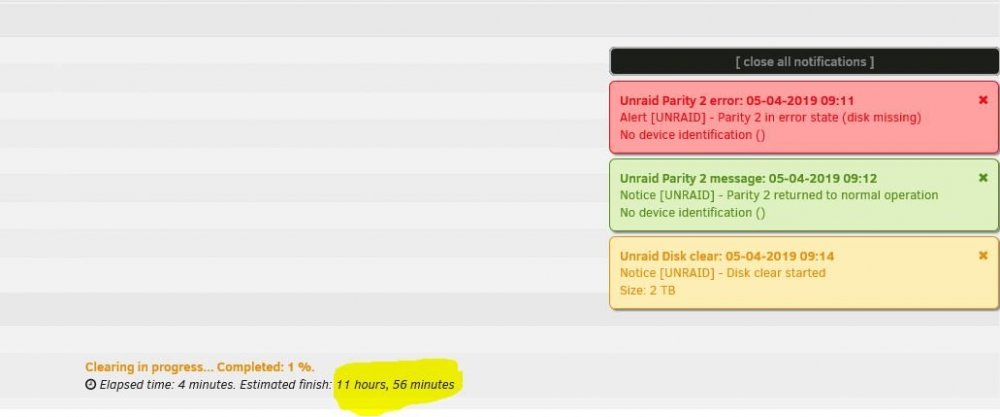
12 Hrs 😞 , There is option like Quick Format or Full Format while formatting drives. I know it sounds silly and might not exist is there such option as Quick Parity Start and Full Parity Start. Anyways Thankyou johnnie.black
-
I thought I found the information on wiki pages https://wiki.unraid.net/UnRAID_6/Storage_Management#Assigning_storage_devices but no it doesn't mention about the reducing parity disk from 2 to 1. waiting for some wise people to guide me.
-
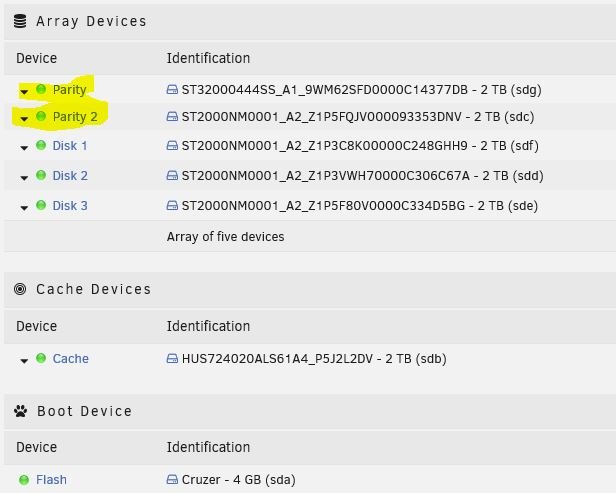
Hello friends, Still fiddling around with the magical unRAID O.S. I have 6 disks and have configured the disk as below 2-parity disk 3-data disk 1-Cache disk Everything is running good without any issue. I just want to reduce my number of parity disk from -2 to 1 and add the 1 disk from parity to data disk and make 4 - data disk in total. (without losing data , is that possible ?) attached is the snapshot of my current disk configurations. Thanks