





shaivera
Members
-
Joined
-
Last visited
Everything posted by shaivera
-
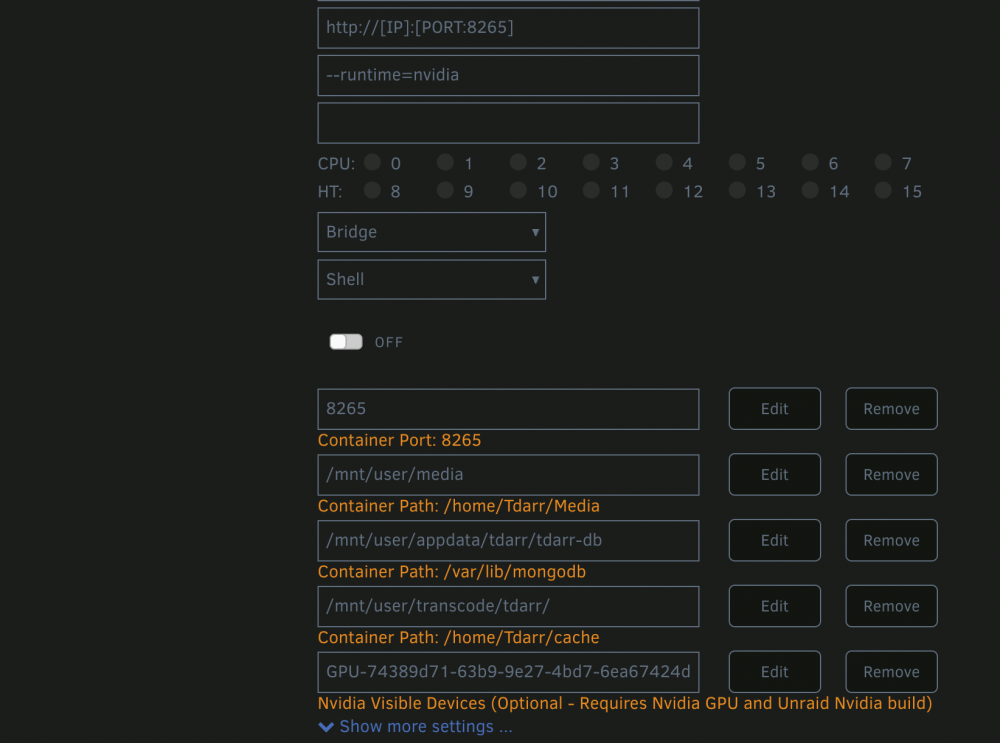
Consistently getting this error message when trying to build my Tdarr and Tdarr_node dockers after swapping out my 1660 for an A380. I've removed all references to Nvidia specific stuff from my config, not sure what to do about the shim task error. Deleting containers and starting fresh is giving me the same error. Anyone encountered this before? "docker: Error response from daemon: failed to create task for container: failed to create shim task: OCI runtime create failed: runc create failed: unable to start container process: error during container init: error running prestart hook #1: exit status 1, stdout: , stderr: Auto-detected mode as 'legacy' nvidia-container-cli: initialization error: nvml error: driver not loaded: unknown."
-
Screenshot attached. Same issue in all themes. Downgrading to 6.11.5 restores. Upgraded, downgraded and upgraded again to check while trying to get the Tailscale interface setup. Changing the order in 11.5 and then upgrading again held.
-
Haven't changed anything, other than plunking in the device ID. Dropping in to console for the container, I can run 'watch nvidia-smi' and see the card. Also reset the ffmpeg switch in options, still no luck.
-
Having the same problem on my system. Cannot get any of the nvenc plugins working properly. nvidia-smi is working in the console, and all other containers can access the GPU normally.

