bobo89
Members
-
Joined
-
Last visited
-
User script using rsync seems to be working well, thanks!
-
All the chunks are about 10 MB. pv /mnt/frigate-ssd/frigate_video/recordings/2026-03-28/08/Frontdoor/03.09.mp4 > /mnt/frigate-spinning/frigate_video/03.09.mp4 7.57MiB 0:00:00 [ 667MiB/s] [================================================================================================================>] 100% Doing things manually seems to get me the exact performance I expect. The mover, which is still running some 48 hours later, seems to be slow. Same behaviour after waking up. SSD drive is at 93% utilization, mover still moving from SSD to spinning disk at about 10 MB/s, slowly moving to the spinning disk.
-
tower-diagnostics-20260327-2203.zip I'm having some strange behaviour that I'm having trouble explaining. For a couple years now my Frigate docker container was writing to a 4 TB SMR drive as an unassigned device. With the amount of cameras I have it's about 500 GB/day of footage that gets stored. This worked fine until recently the drive started getting written to VERY slowly, like 4 MB/s max throughput, which means I was dropping recordings on the floor. So I decided to take a 500 GB SSD as a cache pool, and put that in front of the SMR. I reformatted the SMR. After a day the new SSD needed to run the mover to dump data onto the 4 TB drive, and was still getting max 4-6 MB/s. Ok, so maybe this SMR drive is really bad or it's cache has gotten corrupted somehow, fine. So I drop in an 8 TB Western Digital Ultrastar which has more than adequate performance. It is now the spinning disk pool for the SSD cache pool. Exact same problem. Frigate is writing in total about 15 MB/s, SSD fills up in a day. Mover starts running. The mover seems to only be able to run at a speed of ~12-15 MB/s (coincidence probably). Since the mover, and Frigate writing to the cache pool are seemingly around the same speed, 24 hours later, the mover is STILL running, and the SSD is staying at approximately 70% full. Running performance tests on each drive individually and they perform exactly as I'd expect. (within their advertised characteristics) What's going on here?
-
I am passing through a zigbee controller to home assistant. Every 5-10 days the zigbee device dissapears from home assistant. I reboot the VM and everything goes back to normal. I have the USB manager plugin, configured like so: And the XML of the VM configured like this: Prior to a system hardware upgrade I had a USB controller passed through and zigbee working like that, however this threadripper platform doesn't seem to like having USB hubs passed through, so have opted to pass through just the zigbee device. Any thoughts? tower-diagnostics-20251029-0618.zip


-
Yep understood. It's a compromise because it's onboard, so I don't have to use up a PCIE slot to get 10 Gig
-
It worked immediately when using this one. Only getting about 7.2 Gb, but that's fine. https://www.amazon.ca/dp/B06XG9DPJ7?ref=ppx_yo2ov_dt_b_fed_asin_title
-
Confirmed that the chain of NIC -> Ethernet -> SFP+ transceiver does not work on ubuntu. I'll play with it more and report back if there's a way around it.
-
I have the aformentioned onboard NIC. When trying to connect an ethernet cable from the onboard NIC to a 1 Gig port, autonegotation works and I get a connection, blinking lights, etc. When I use the same cable and try and connect it to this module. I have tested the module seperately and it works. https://www.amazon.ca/dp/B07P39G4XJ?ref_=ppx_hzsearch_conn_dt_b_fed_asin_title_1 The switch (CRS328-24p-4s+) detects the module, however no connection, no lights when using AQC107 -> Ethernet -> Wiitek module. I've tried disabling auto-negotiation and setting the link speed manually. tower-diagnostics-20251002-1142.zip
-
I am having an issue with all of my unassigned devices performing very slowly, mainly when docker containers access them. I've got sata spinning rust, sata SSDs, and NVMEs and they all work at 4-8 MB/s read or write, sometimes. Sometimes they perform as expected. I have disabled all dockers and VMs while testing this and the performance is consistently....inconsistent. Any ideas where to start troubleshooting? The two Sata SSDs should be doing 400 MB/s +. While the NVME should be significantly higher, it's a MP600 root@Tower:/mnt/disks# for i in */;do dd if=/dev/zero of=$i/testfile bs=1G count=1 oflag=dsync;done 1+0 records in 1+0 records out 1073741824 bytes (1.1 GB, 1.0 GiB) copied, 16.2462 s, 66.1 MB/s ####hard drive 1+0 records in 1+0 records out 1073741824 bytes (1.1 GB, 1.0 GiB) copied, 10.3554 s, 104 MB/s#####SSD 1+0 records in 1+0 records out 1073741824 bytes (1.1 GB, 1.0 GiB) copied, 10.219 s, 105 MB/s#####NVME ^[[B^[[B^[[B^[[B^[[B^[[B1+0 records in 1+0 records out 1073741824 bytes (1.1 GB, 1.0 GiB) copied, 27.6436 s, 38.8 MB/s####SSD root@Tower:/mnt/disks# for i in */;do dd if=/dev/zero of=$i/testfile bs=1G count=1 oflag=dsync;done 1+0 records in 1+0 records out 1073741824 bytes (1.1 GB, 1.0 GiB) copied, 15.8363 s, 67.8 MB/s ####hard drive 1+0 records in 1+0 records out 1073741824 bytes (1.1 GB, 1.0 GiB) copied, 9.82615 s, 109 MB/s#####ssd 1+0 records in 1+0 records out 1073741824 bytes (1.1 GB, 1.0 GiB) copied, 9.10683 s, 118 MB/s####nvme 1+0 records in 1+0 records out 1073741824 bytes (1.1 GB, 1.0 GiB) copied, 5.94185 s, 181 MB/s####SSD Tower:/mnt/disks# for i in */;do dd if=/dev/zero of=$i/testfile bs=1G count=1 oflag=dsync;done 1+0 records in 1+0 records out 1073741824 bytes (1.1 GB, 1.0 GiB) copied, 14.1906 s, 75.7 MB/s 1+0 records in 1+0 records out 1073741824 bytes (1.1 GB, 1.0 GiB) copied, 9.44429 s, 114 MB/s 1+0 records in 1+0 records out 1073741824 bytes (1.1 GB, 1.0 GiB) copied, 9.24646 s, 116 MB/s 1+0 records in 1+0 records out 1073741824 bytes (1.1 GB, 1.0 GiB) copied, 2.43812 s, 440 MB/s
-
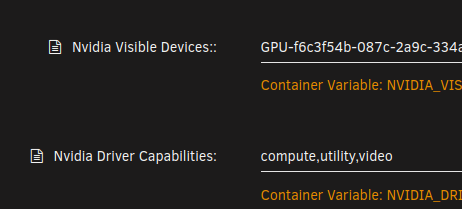
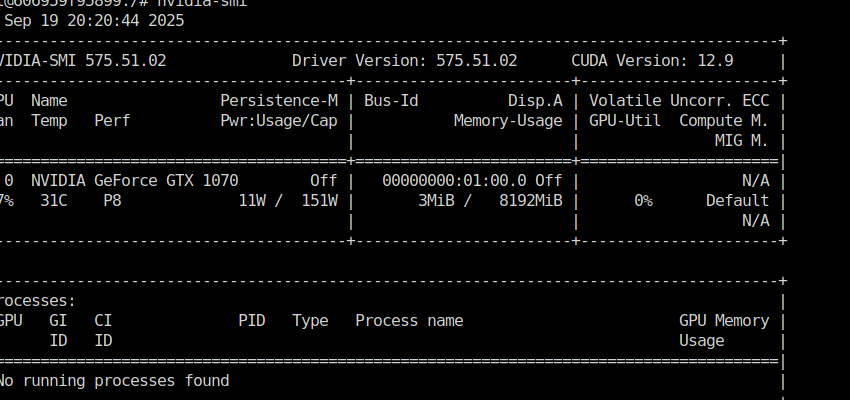
After a riveting conversation with chatgpt, the answers to my questions are: 1) Driver version 575 did not support compute on the 1070, which is why it was in such a weird state, downgrading to v565.77 means the 1070 was properly seen and everything works as intended. 2) The reason frigate was still seeing both the p40 and the 1070 even though only the 1070 was passed through was cause I had the docker container set to privileged. This allows the container to enumerate everything in /dev/nvidia, which let's it see both. Disabling privileged mode made sure only the 1070 was being passed as intended, and forced frigate to use it.
-
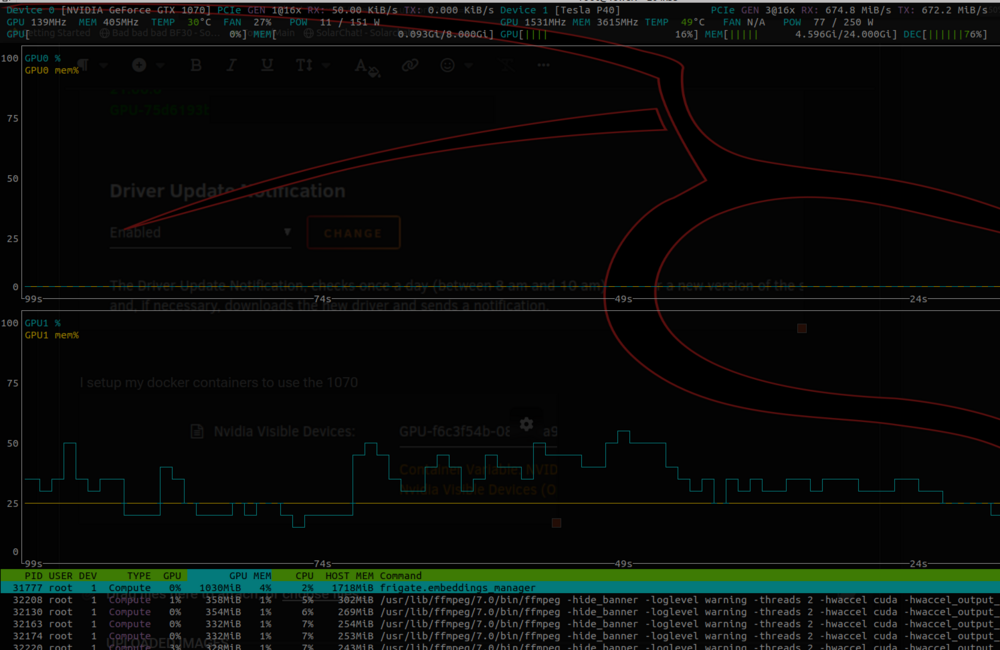
I reseated the card, and am getting gen3 speeds now normally, however same issue with 1070 not being used by docker containers even though explicitly being passed through Edit: Now it's back to Gen1. Is this some low power mode that it negotiates down to since it's not being used ?
-
Noticing now in the nvtop screenshot the 1070, which is in slot one on the motherboard is running at 1x.... can't explain why that is.
-
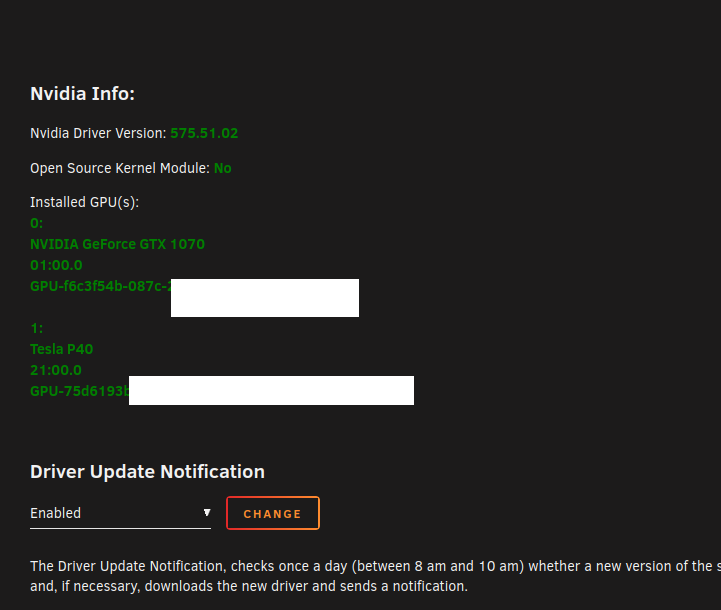
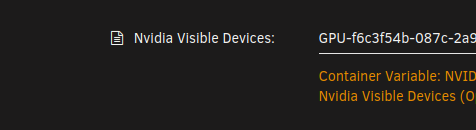
I migrated Unraid servers, and during the migration added a second Nvidia GPU. Went from a P40, to a P40 and a 1070. I have a bunch of docker containers where the P40 was passed through, and am replacing those with the 1070. Nvidia plugin sees the cards: I setup my docker containers to use the 1070 And according to nvtop absolutely nothing is running on the 1070, but only on the P40. frigate sees both the 1070 and p40, even though I only passed through the 1070... I've managed to get the Emby docker container to just see the 1070, but then it doesn't use it almost as if it's not loaded properly (transcoding works only with CPU and not registering GPU) What's going on here ?

-
Very subtle, but that was it ,thanks! Maybe a feature request to have some client side verification there, as there wasn't anything obviously wrong when setting the CIDR incorrectly.
-
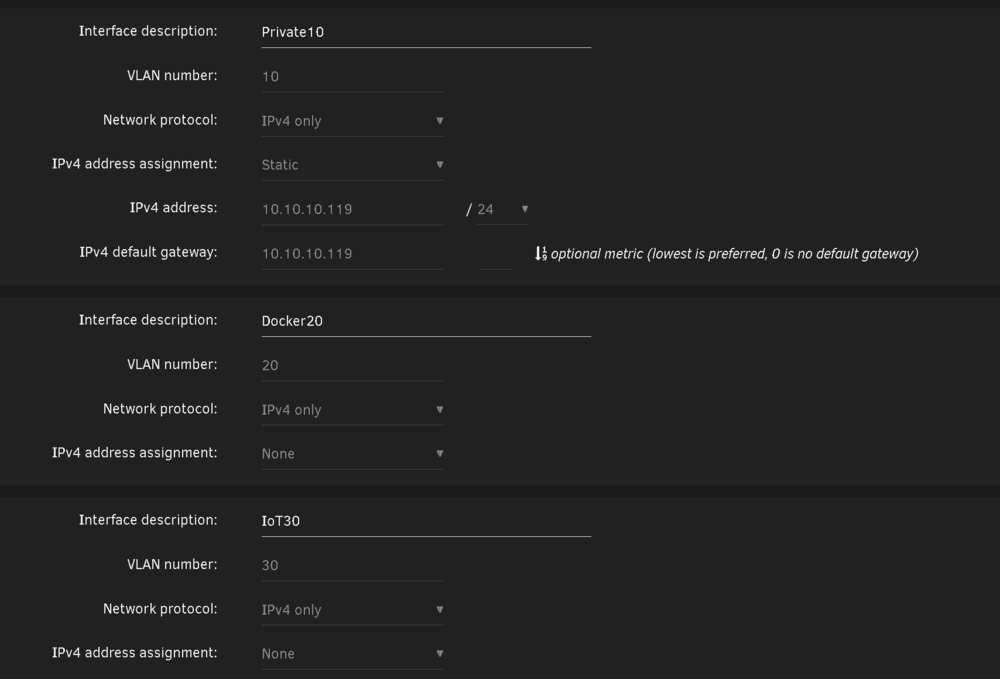
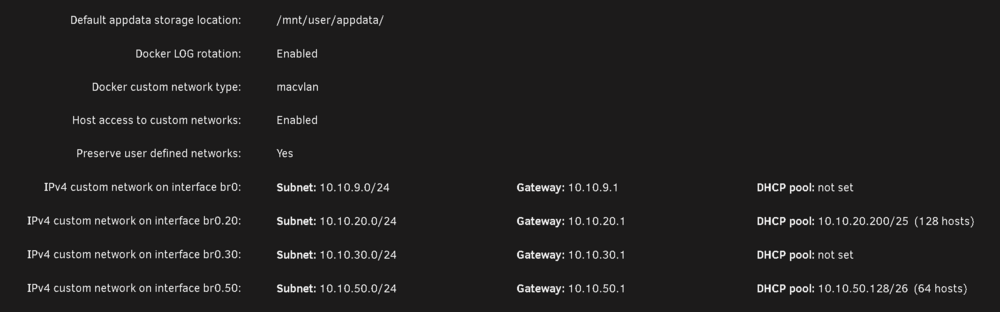
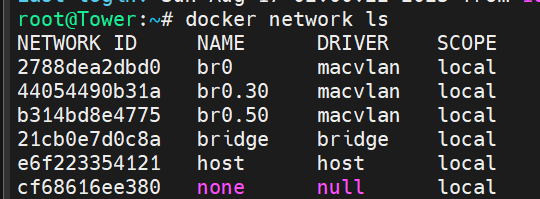
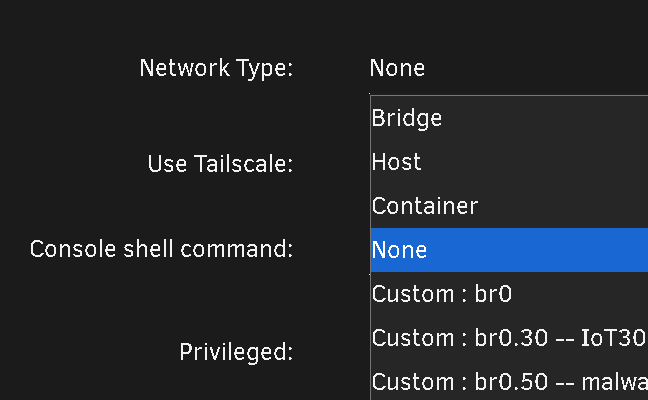
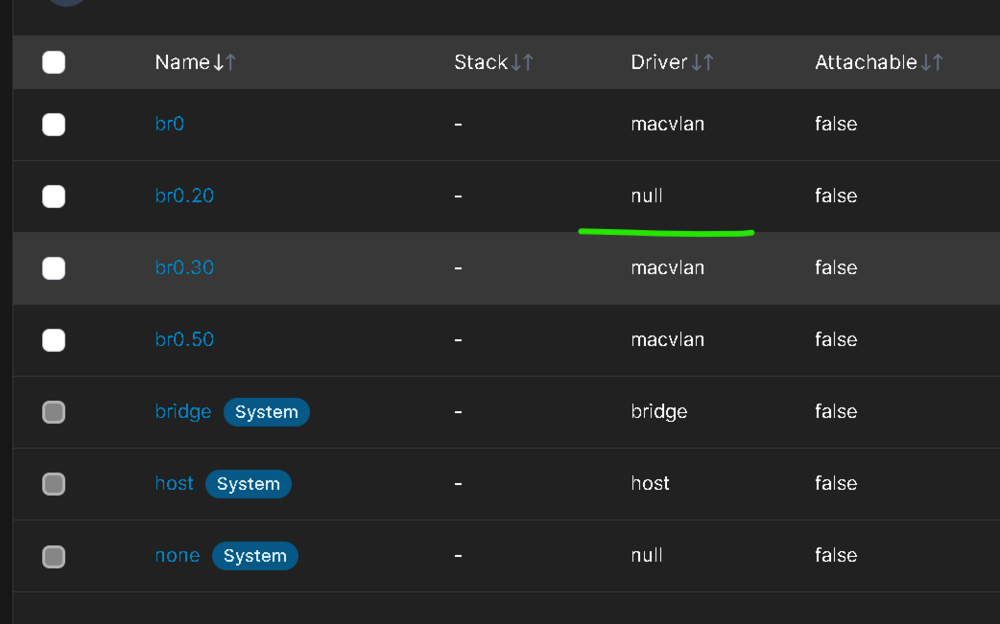
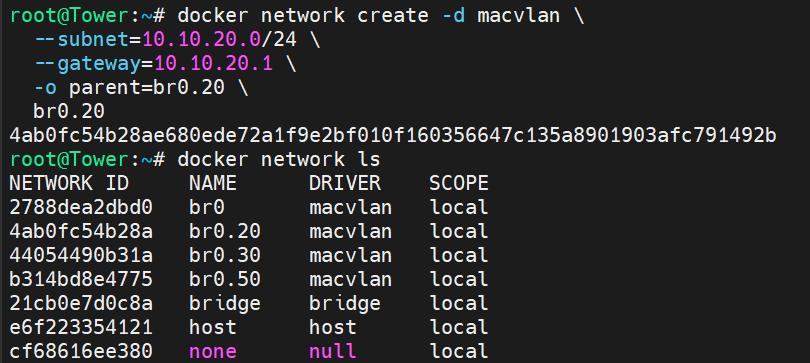
The upgrade went smoothly with the exception of a custom docker network I have. I have bridging on my main NIC enabled: I have a few custom VLANs enabled: These custom networks are visible by the Docker tab: But Docker20 the one I really need to work is not seen by the docker subsystem: 99% of my docker containers sit in that VLAN, and any of the ones that are assigned to Docker 20 wont start, however the few that are on Vlan30 or 50, work as intended. Trying to re-assign the Docker20 custom network it doesn't show up in the drop down. I have deleted the vlan, re-added it, and tried to manually add it via portainer, with no success. In portainer when I try and add the macvlan driver based network, it gets created by the driver ends up false, even though I selected on macvlan: Lastly when I try and create it manually like so: It works, and the dockers start. However disabling docker the service, and restarting it, the docker20 network dissapears. I use this same network with a VM, and that VM's network access works, while the docker's does not. What's going on on how do I fix this ?