





Ramiii
Members
-
Joined
-
Last visited
-
Thank you. This fixed it How can I troubleshoot this issue ?
-
Best if you install on unraid ( to utilize the CPU and make use of the storage. And on Homeassistant just download the Frigate Proxy integration and it will connect to frigate running on unraid.
-
Hello Been a couple of weeks now the GUI is extremely slow , Sometimes I cannot even load it Any help is appreciated Diagnostics attached dxb-diagnostics-20221118-1609.zip
-
Thank you , no luck with Linuxserver docker container , but I got it working with binhex version , not sure what's the issue is but everything is working now
-
there is no error , the container starts fine , but the web interface doesn't open , no error message
-
I think so yes. I’m using the Linux server one but it’s not working for some reason. They have the /dev location built in. But the server doesn’t start
-
my tvheadend docker container doesn't bring up the web interface for some reason and I can't figure it out , plugin is working now though
-
My bad , I figured it out I was trying to set it up using the old way and tvheadend docker , but I tried the tvheadend plugin instead and it's working now Thank you and sorry for the inconvenience Thanks Rami
-
Sorry if my reply is confusing Before this used to be recognised as a regular DVB and not USB, it's not working within unraid OS , TVHEADEND doesn't recognise it . but when I created a regular ubuntu vm and passed it through ( to test if the hardware is working ) it worked fine
-
here you go everything is working fine on my server, tried all drivers none of them worked I tried passing through the DVB to a Ubuntu VM running on Unraid and it's working fine dxb-diagnostics-20220109-1738.zip
-
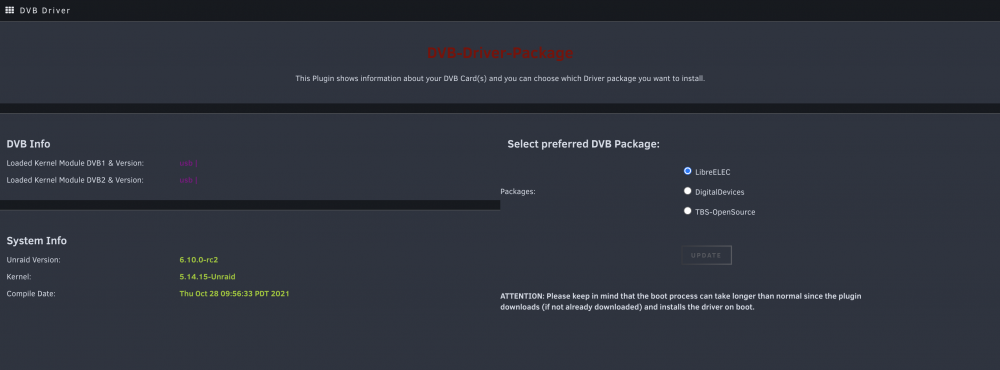
Hello Thank you so much for this , I used to install your custom unraid builds with my card before , I haven't been using the DVB much but now installed my card in a new server , it's a PCI-E card but showing in the plugin as usb , my card is TeVii Satellite Card S482 DVB-S2 PCIe Dual Tunner , screenshot attached and the output of the two commands as well Thanks Rami dmesg.txt lspci -v.txt
-
thanks a lot , installed it , shows my GPU but not the DVB
-
Thanks to @ich777 and his help , We tested a couple of builds and now mine is fully working with the DVD and GPU Really appreciate it
-
I’m using this card ( TeVii S480 / S482 Dual DVB-S2 PCIE ) And using unraid 6.8.3
-
Hello I used the pre-built image , it detected my DVB in the container but it fails to scan everytime , when I revert back to the original DVB version ( Unraid DVB ) it works just reporting this , will build my own build and try again Thanks Rami


