Rbby258
Members
-
Joined
-
Last visited
-
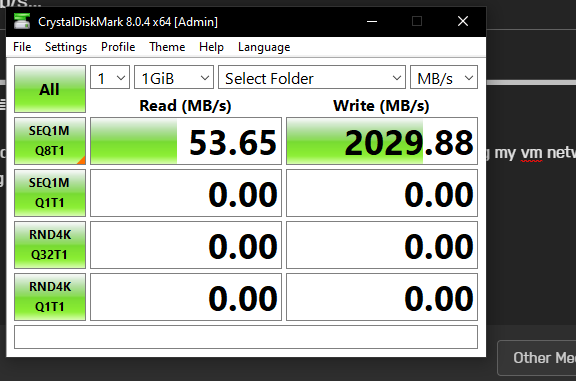
I've not made any real progress. Since moving everything from the cache drive and basically not using it, everything has been performing better despite running from the mechanical drives. Been slowly fixing dockers with corrupt databases but think now everything it back up and running. Noticed now that my sadnzbd download speed is also much lower than it used to be? Before would sit steady at 110mbps download and now seems to peak around 50-55mbps... I know it was my read speed that was that same speed and not write, could this be the same issue? Either way its not working right still.......
-
I've created a new vm on the array and installed windows for testing. But I cant find the server from within that vm?
-
I did try that before reaching out and also e1000 and at the time didn't make much difference.
-
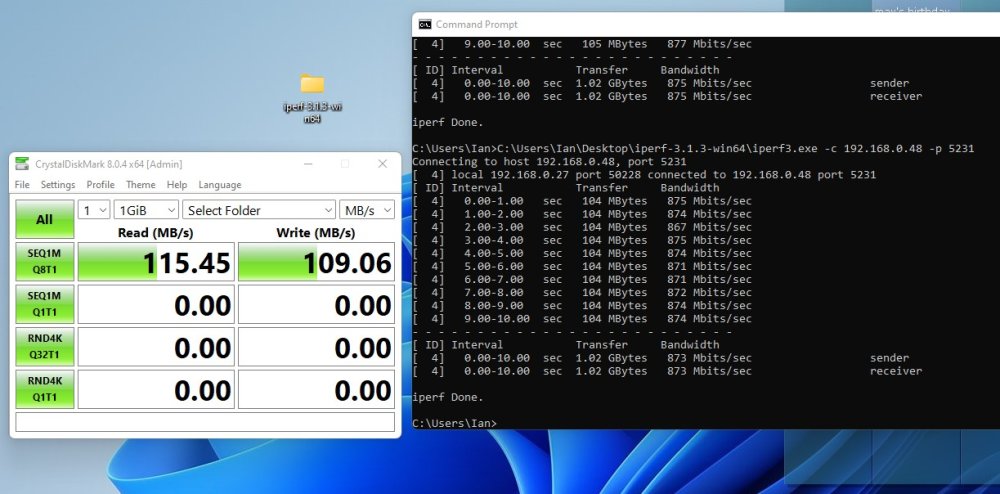
Here's a windows 11 machine connected to the network testing speed to the root of the nvme, hitting the 1 GbE limit.
-
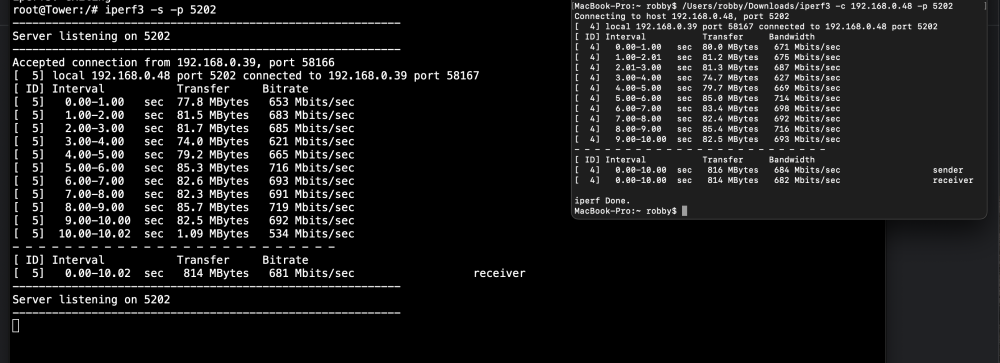
My MacBook on wireless, seems normal.
-
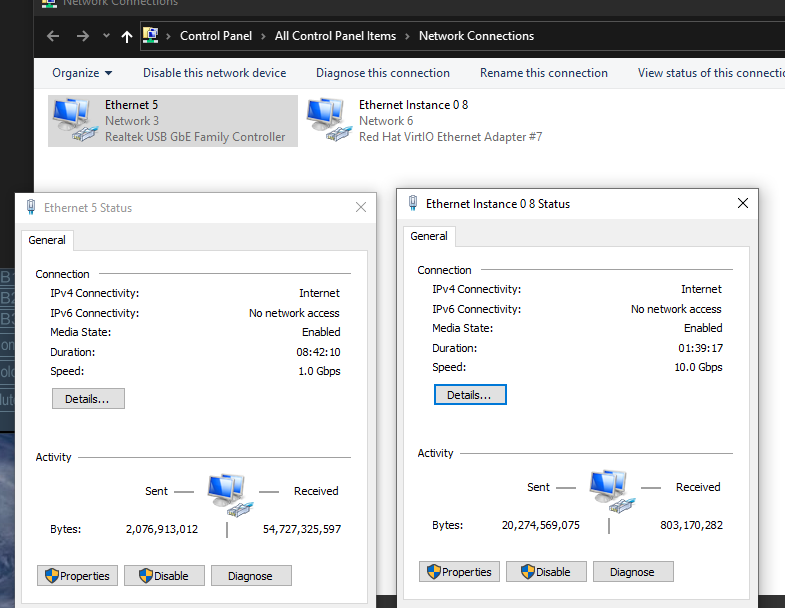
Yeah vm with a passed through nvme for boot, drive in question is a single drive nvme cache. I'll see what I can do. Its almost unusable in this state, playing .mp4s from it in vlc struggles It says it has the 10gbps link
-
I thought as a vm it would be directly connected? I've seen multi gig before and my switch / lan has only even been 1000mbps? Also internet speed on the vm is get full 1 gig speeds on speedtest. Not really sure what to do.
-
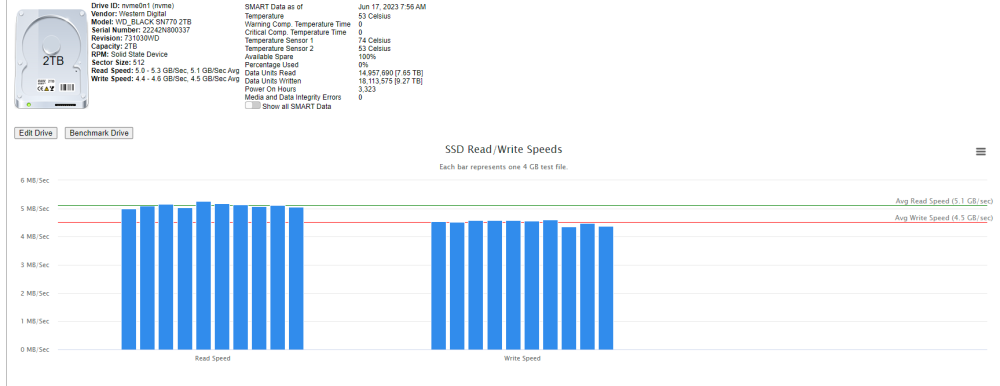
Diskspeed preforming normally
-
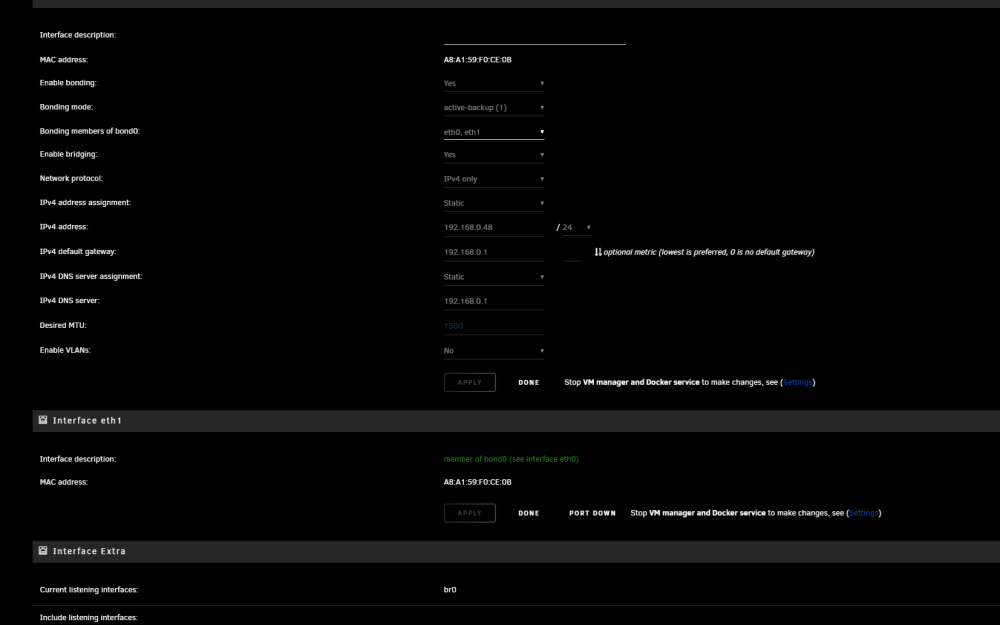
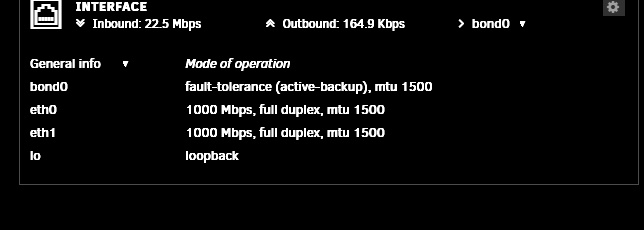
I am, this is what the settings are
-
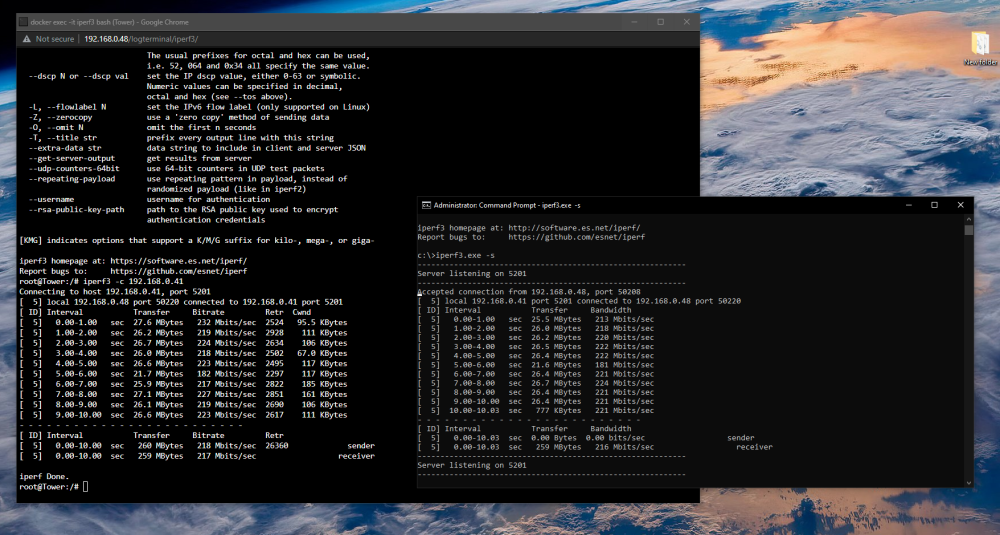
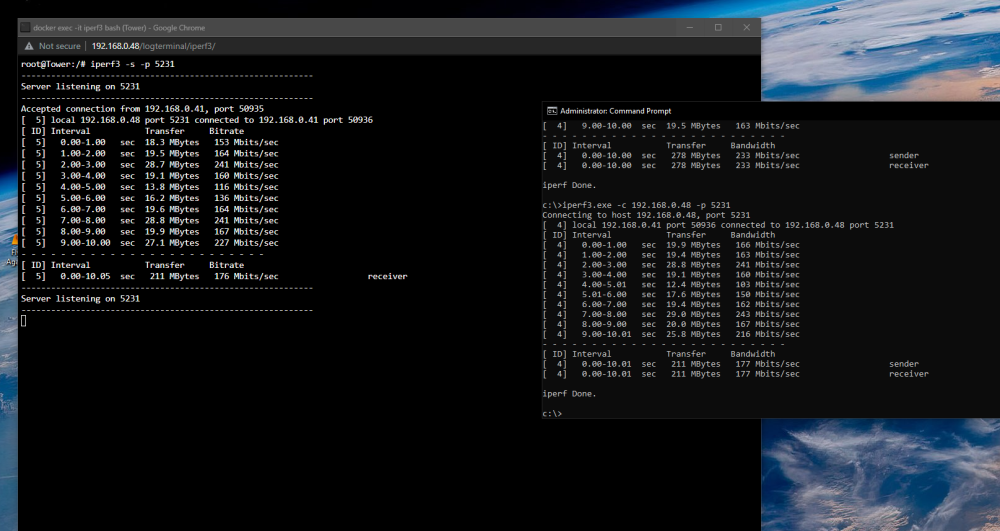
Here's unraid client and vm server. And the other way round.
-
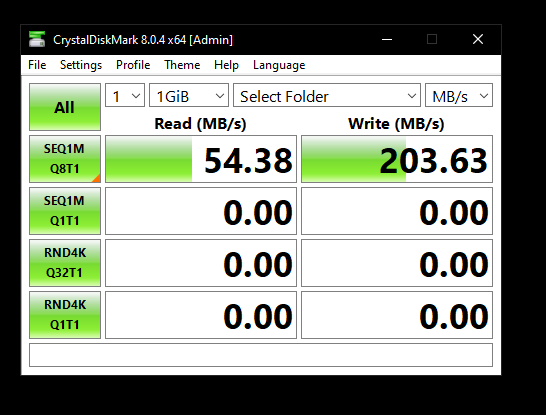
Yeah they're recent drives wd golds 6tb. I created a new share only on the array. Its pretty much the same with reads being slow and writes being what they should be, odd.
-
I do but no sata ports available, anything else can try? Appreciate the help thank you. Edit: How do i go about removing the cache drive from the array? Could try re-adding it perhaps and/or test the nvme drive in another device?
-
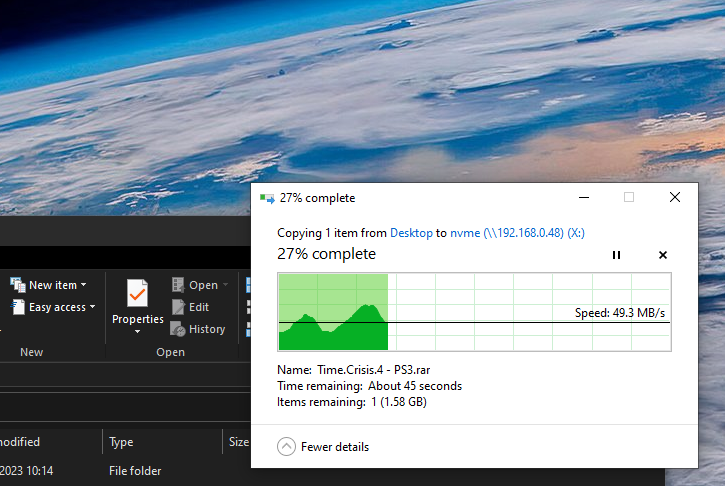
Copied a 2.2gb rar file from vm desktop to the root of the nvme. Peaked to around 70mb and low of around 20mb
-
Bump Just tried manually trimming the drive, still the same
-
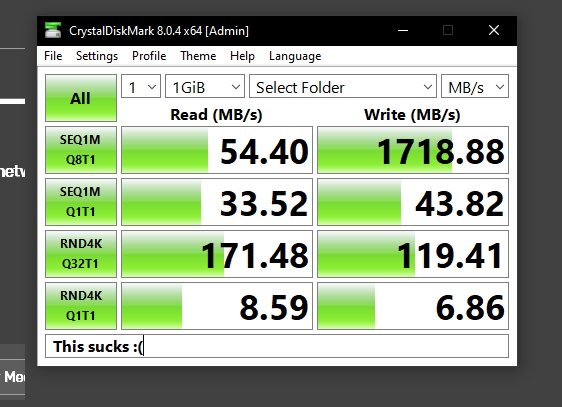
I noticed when accessing my nvme cache drive from a windows vm it was feeling sluggish. A while back I remember switching my vm network model to Virtio and running crystal disk mark and achieving multiple gig. Disk shares is enabled and I'm accessing the drive in windows via \\192.168.0.48\nvme This is what it is now. Nvme drive is a sn770 2tb Thanks in advanced for any help. tower-diagnostics-20230613-1940.zip