Skip to content
View in the app

A better way to browse. Learn more.

Unraid

A full-screen app on your home screen with push notifications, badges and more.

To install this app on iOS and iPadOS
  1. Tap the Share icon in Safari
  2. Scroll the menu and tap Add to Home Screen.
  3. Tap Add in the top-right corner.
To install this app on Android
  1. Tap the 3-dot menu (⋮) in the top-right corner of the browser.
  2. Tap Add to Home screen or Install app.
  3. Confirm by tapping Install.

Archiardo

Members
  • Joined

  • Last visited

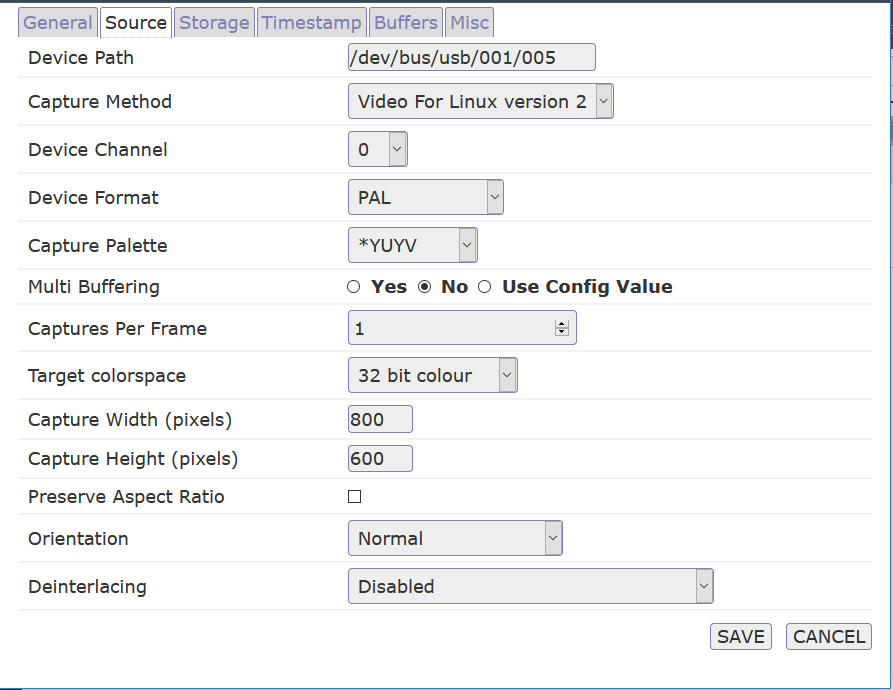
  1. It appears to be a Logitech B910 I've included my set up parameters as well. Just note that it's normal to use usb 5 now, I've replugged it and unraid gave it another number.
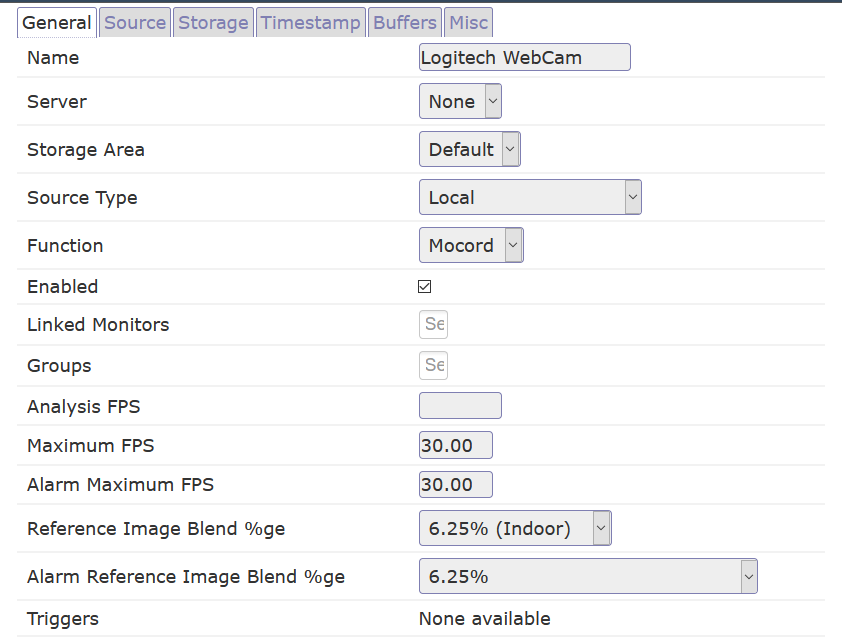
  2. Hi all! I'm at the moment trying to set up zoneminder to use a webcam to surveillance the room where my unraid server is located. But I can't get it to work, the logs keep giving me a permission denied error. Any ideas, I can't seem to find an answer online.. Thanks!

Account

Navigation

Search

Search

Configure browser push notifications

Chrome (Android)
  1. Tap the lock icon next to the address bar.
  2. Tap Permissions → Notifications.
  3. Adjust your preference.
Chrome (Desktop)
  1. Click the padlock icon in the address bar.
  2. Select Site settings.
  3. Find Notifications and adjust your preference.