Raylon
Members
-
Joined
-
Last visited
Everything posted by Raylon
-
Hey guys, I have spent a few hours and cannot for the life of me to get my QuadHD tuner to show up at all in even in the DVB info screen. I've tried rebooting with all three packages, forcing it to device 56 and 57 in the Flash code, turned off server and emptied caps. I guess next step is to rip the card out and try in a windows PC to see if it is recognized there at least. Is there something obvious I could be missing?
-
Same here. Been working great for like 8 months then all of a sudden sometime in past week I can no longer connect to it. Don't know why either.
-
Beautiful, that got it. Just to add to your fix, I had to go to advanced mode to see the edit button, thanks!
-
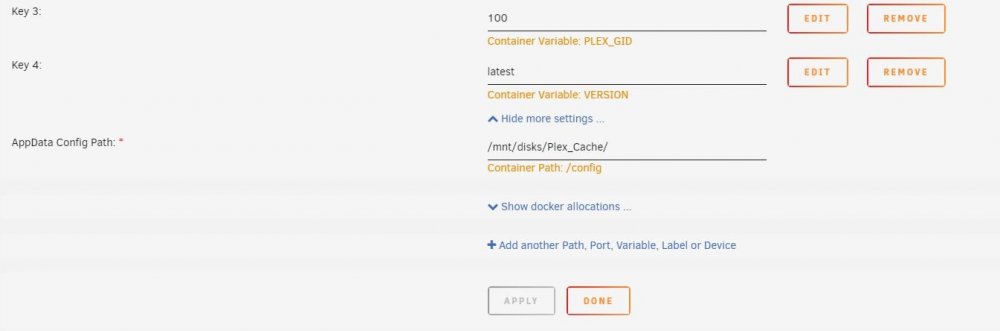
I'm gunna resurrect this really old topic and tack on my question, 1 of my 2 errors were resolved by doing this but if you look at the attached picture, the /config location doesn't have an edit button, so I can't tell it to be RW/Slave....how do I fix this situation?