





Hill1023
Members
-
Joined
-
Last visited
-
I ran the check @Squid recommended and it corrected a number of items. Rebooted and was running fine for a while but then crashed again sometime last night. I will investigate the upgrade to 6.12.6 right now and potentially changing out my Plex container. TY for the suggestion as well @JorgeB.
-
Hello, I am hoping for some help in tracking down and fixing an issue with my server. I have attached the enhanced syslog and diagnostics after having an issue as of late with unclean shutdowns or total lockups of dockers and the web interface. Nothing is singable on the machine in fact without a hard reset. Doing a Quick Look at the log I see the last issue I had was unmounting the NVME drives in my array that are cache. Is that my issue? Is there anything else? Any help would be greatly appreciated. jupiter-syslog-20231230-0620.zip jupiter-diagnostics-20231230-0619.zip
-
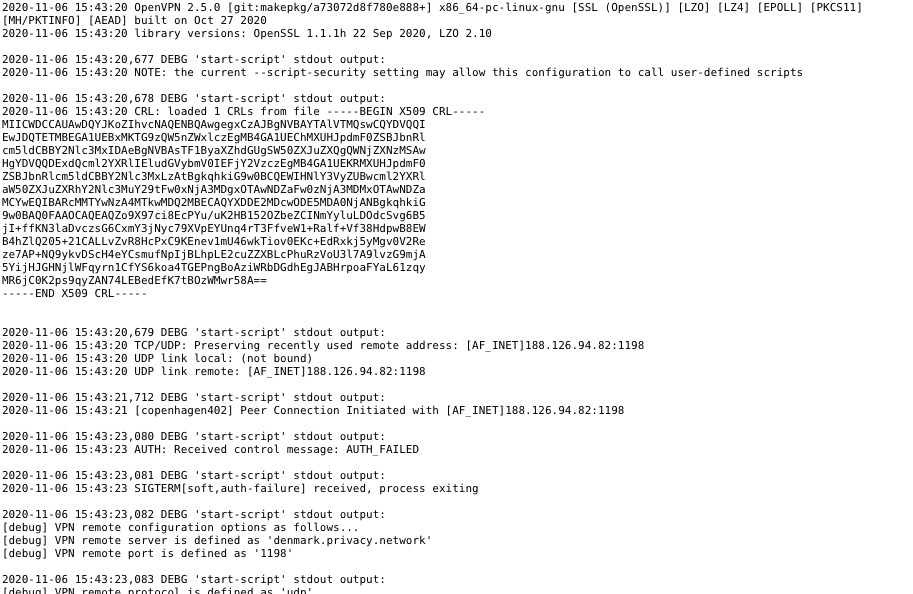
I continue to see Auth_Failed, however the same credentials were used to login via web interface to confirm and work on other machines on my network. Any suggestions on how to get past this issue?
-
Hello, I had this error come up recently after my server during a scan. It's been running a while, so thought it was strange to have come up now after running for so long. My zip file is attached. Appreciate the help very much. hpsvr-diagnostics-20200721-0928.zip
