





mwasserman
Members
-
Joined
-
Last visited
-
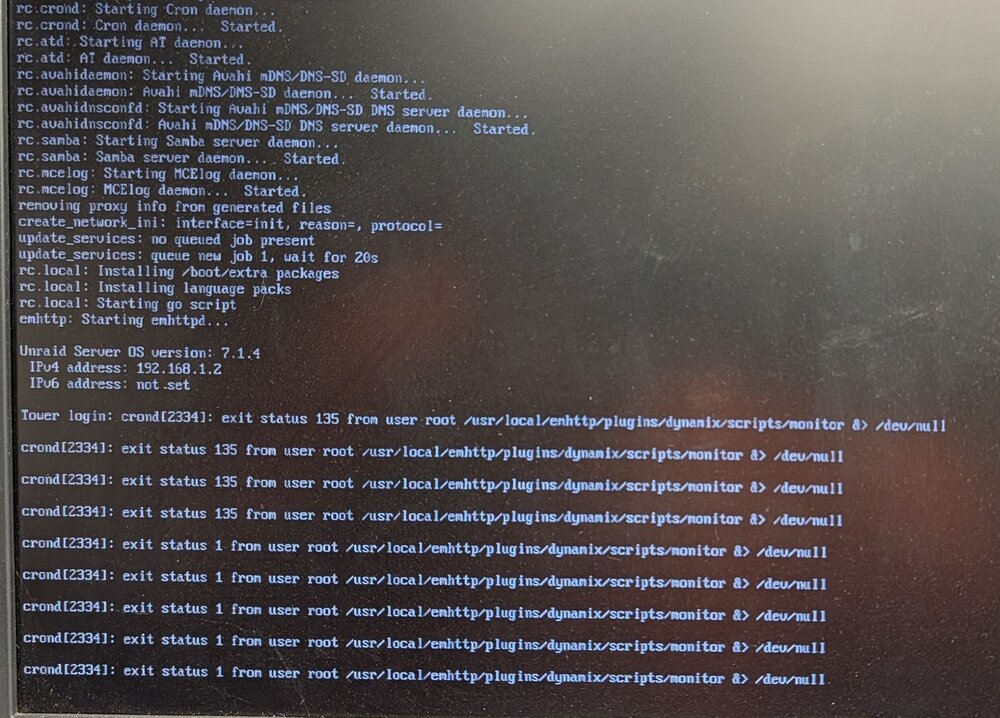
Trying to debug why UNRAID crashes approximately once per month UNRAID Version: 7.1.4 Processor: Intel Core i7-14700K Motherboard and Bios: ASUSTeK COMPUTER INC. Pro WS W680-ACE , Version Rev 1.xx American Megatrends Inc., Version 4302 BIOS dated: Mon 16 Jun 2025 12:00 AM Steps previously taken Ran 2 passes of Memtest86+ v6.20 : Pass Removed usage of Intel Graphics SR-IOV During this last crash which happened on Sep 9 between 03:42:02 : last log written to log server 06:43:08 : when I power cycled The following errors were shown on the monitor of the server Doing some ChatGPT questioning of lines in my log file. ChatGPT believes the following lines in the log file are the likely root cause of the crash These lines occurred during mover running (Starts at 3:40:00). I am running a ZFS cache. Sep 8 03:40:01 Tower shfs: /usr/sbin/zfs unmount 'cache_nvme/Downloads' 2>&1 Sep 8 03:40:01 Tower shfs: /usr/sbin/zfs destroy 'cache_nvme/Downloads' 2>&1 Sep 8 03:40:01 Tower shfs: /usr/sbin/zfs mount 'cache_nvme/Downloads' 2>&1 Sep 8 03:40:01 Tower shfs: /usr/sbin/zfs unmount 'cache_nvme/Downloads' 2>&1 Sep 8 03:40:01 Tower shfs: /usr/sbin/zfs destroy 'cache_nvme/Downloads' 2>&1 Sep 8 03:40:01 Tower shfs: /usr/sbin/zfs mount 'cache_nvme/Downloads' 2>&1 Is the unmount, destroy, mount in rapid successions normal when running mover on a ZFS cache? I didn't find any other mention of this in other places. Other items on my list Bad USB boot drive I've been using the same drive for many years. I have no other reason to think this but it's easy to try a new one Bad CPU I do have one of the known problem Intel CPUs but I have kept up with the newest BIOS and only have ever run stock voltage and frequency. Thanks for any help you can provide. tower-diagnostics-20250909-2148.zip
-
Wanted to report back with some updates. Hard to know if this was related but had been using Intel Graphics SR-IOV to split the GPU of my i7-14700K for use with Plex (Container) + VM (games). Unknown if this was the root cause of any of the drive dropouts but I disabled that plugin for now and moved to a dedicated pass though GPU. Moved catch from BTRFS to ZFS. Hoping that if I do get a drive dropout, I won't be dealing with some of the corruption problems I had with BTRFS during a drive dropout. 4 days running this setup so far with zero issues Update: 24 days, no issues after the above changes. I'm officially a ZFS fan
-
Thanks for the tips, yes. I've been having random drop outs of my Cache nvme drives. I'm running 2x btrfs as a mirrord set. I have found that every time I have a nvme drive drop out, it comes right back after a system reboot. I did run scrub (sorry I don't have a screen shot). Scrub found many correctable errors. On a 2nd pass of scrub no errors were detected. Others seem to think there may be an issue with btrfs and unraid. https://www.reddit.com/r/unRAID/comments/18wkga3/frequent_crashing_resolved_by_cache_migration/ . My plan is to Pull all the data off Cache Format as ZFS bring the data back to Cache remove and rebuild the docker.img I'll report back with any results.
-
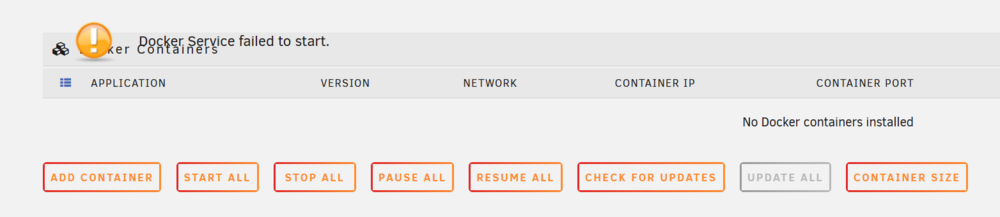
Since upgrading to 7.1.4 from 7.1.2 I've been getting random occurrences of the following error "Docker Service failed to start". Steps I've tried to resolve this After error occurred, go to Settings, Docker, Enable Docker, off, apply, than turning back on, apply. Error remained the same, Docker service was not restarted. On reddit, https://www.reddit.com/r/unRAID/comments/uhdhuz/docker_service_failed_to_start/ it was suggested to increase the Docker vDisk size. I tried this with no effect on the error. from terminal, call "/etc/rc.d/rc.docker restart" . This did get docker running again but several of my containers which use static assigned IPs would not start Reboot server, this always gets everything back working but for an unknown amount of time. Prior to 7.1.4 I've not seen this failure mode. diagnostics attached Thanks for any help to resolve this issue. Error shown on docker tab. to tower-diagnostics-20250707-0751.zip
-
@exibit, no dedicated GPU on this system. Just using Intel Quick Sync for Plex transcoding. I've now been up 28 days running 6.11.5. No plans to move from this version for awhile.
-
Downgraded to 6.11.5 and have been up for 21 days, Definitely not a hardware issue likely just another bug in the 6.12.X of Unraid. Going to stay with 6.11.5 for awhile now.
-
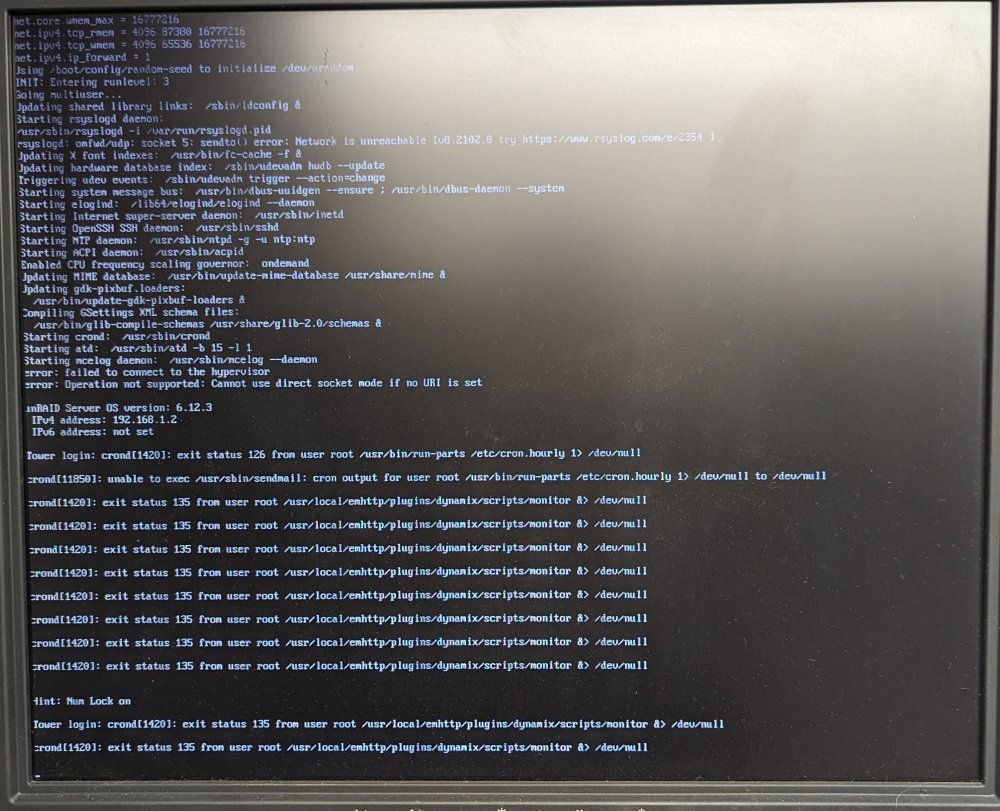
I've tried a few different changes, so far still getting random crashes every 3-6 days. Here is what I have done and some new information. Can anyone help me make sense of the errors I as able to see on the monitor Attached monitor and keyboard so I can see the terminal after crash Ran Memtest86+ v6.20. Passed 1 round Changed out power supply Upgraded to 6.12.3 Server ran for 6 days before complete dead lock. Nothing on monitor or keyboard, numlock didn't even work Read on other posts, this can be caused by duplicati docker. Shut down duplicati docker Crashed after 2 days but this time the terminal still worked. Screenshot of errors OCR of errors to make this searchable Tower login: crond [1420]: exit status 126 from user root /usr/bin/run-parts /etc/cron.hourly 1> /dev/null crond [11850]: unable to exec /usr/sbin/sendmail: cron output for user root /usr/bin/run-parts /etc/cron.hourly 1> /dev/null to /dev/null crond [1420]: exit status 135 from user root /usr/local/emhttp/plugins/dynamix/scripts/monitor &> /dev/null crond [1420]: exit status 135 from user root /usr/local/emhttp/plugins/dynamix/scripts/monitor &> /dev/null crond [1420]: exit status 135 from user root /usr/local/emhttp/plugins/dynamix/scripts/monitor &> /dev/null crond [1420]: exit status 135 from user root /usr/local/emhttp/plugins/dynamix/scripts/monitor &> /dev/null crond [1420]: exit status 135 from user root /usr/local/emhttp/plugins/dynamix/scripts/monitor &> /dev/null crond [14201: exit status 135 from user root /usr/local/emhttp/plugins/dynamix/scripts/monitor &> /dev/null crond [1420]: exit status 135 from user root /usr/local/emhttp/plugins/dynamix/scripts/monitor &> /dev/null crond [1420]: exit status 135 from user root /usr/local/emhttp/plugins/dynamix/scripts/monitor &> /dev/null Hint: Num Lock on Tower login: crond [1420]: exit status 135 from user root /usr/local/emhttp/plugins/dynamix/scripts/monitor &> /dev/null crond [1420]: exit status 135 from user root /usr/local/emhttp/plugins/dynamix/scripts/monitor &> /dev/null I tried to call "diagnostics" from the command line to do diagnostics collection but received "command not found I just upgrade to 6.12.4, lets see if that makes any difference. Any other suggestions for things to try? My next step may be to roll back to a pre 6.12 version as everything seems to have gone down hill as of 6.12.X
-
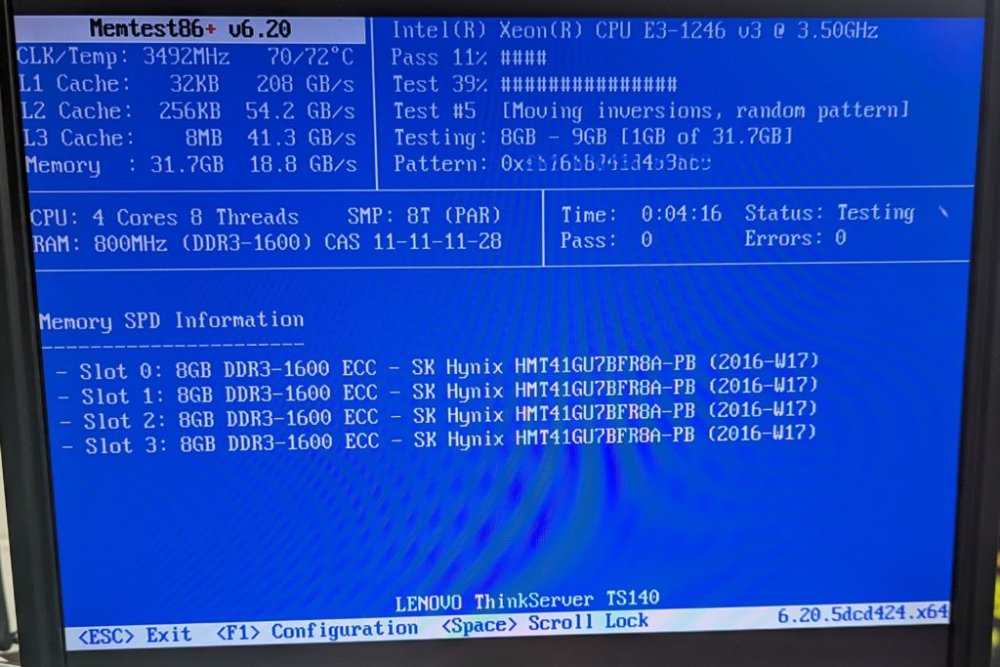
HI everyone, I've been running Unraid on this Lenovo ThinkServer TS140 for about 6 years without a single issue. As of about 2-3 months ago I've been getting random lockups roughly every 2-3 weeks. Unraid 6.12.2 Process: Intel Xeon E3-1246 v3 Memory: 32GB ECC Running many dockers and VMs, nothing new between stable and random crashes. syslog to usb stick was enabled during the last crash. diagnostics dump and syslog attached. The last crash occurred sometime between these 2 lines. Aug 3 02:00:38 Tower root: /mnt/cache: 188.6 GiB (202545577984 bytes) trimmed on /dev/sdg1 Aug 3 18:19:16 Tower kernel: microcode: microcode updated early to revision 0x28, date = 2019-11-12 I'm in the process of running Memtest86+ v6.20 now to see if anything comes up. Any help to figure out what is going on here is much approached. tower-diagnostics-20230803-1828.zip syslog
-
After reading this I really had high hopes this was everything I was doing wrong... No luck 😞 Still getting this error in the Unraid System Log Mar 28 14:37:37 Tower kernel: eth0: renamed from veth8c00d88 Mar 28 14:37:51 Tower kernel: apex 0000:03:00.0: RAM did not enable within timeout (12000 ms) Mar 28 14:37:51 Tower kernel: apex 0000:03:00.0: Error in device open cb: -110 Mar 28 14:38:59 Tower kernel: veth8c00d88: renamed from eth0 The eth0: renamed error is really strange and new. Not sure if this is related to trying to use the PCIe Coral at all. Not giving up yet but putting in my order for a USB Coral (they look to be backordered for 2+ months). EDIT: Adding insult to injury, I pulled the PCIe to m-PCIe adapter and Coral card out of my Unraid box and put it into my Windows box. Tried the example on https://coral.ai/docs/m2/get-started/#4-run-a-model-on-the-edge-tpu and it worked perfectly. Now at least I know the Coral m-PCIe card and adapter are working correctly. It's just a matter of figuring out why Unraid won't handle the card correctly. I tried to pass-though the card to a VM on my Unraid box and Unraid refuses to list the card as able to pass-though in a VM. I bound the IOMMU group (just the 1 Coral card) to VFIO but the card will not list under "Other PCI Devices"
-
This got me into an interesting debug path. I had Unraid setup on a bonded network (802.3ad) and it appears that this network style comes up after trying to load the plugins or ends up in a race condition where they both need to happen at the same time and the network doesn't come up in time. I've removed the bonded network and now the plugin loads after every reboot. Thank you for pointing me in the correct direction. I now get a new error that looks to be purely a Google Coral Issue I'm going to do some searching and ask in the Google Coral forums to see if this is a known problem.
-
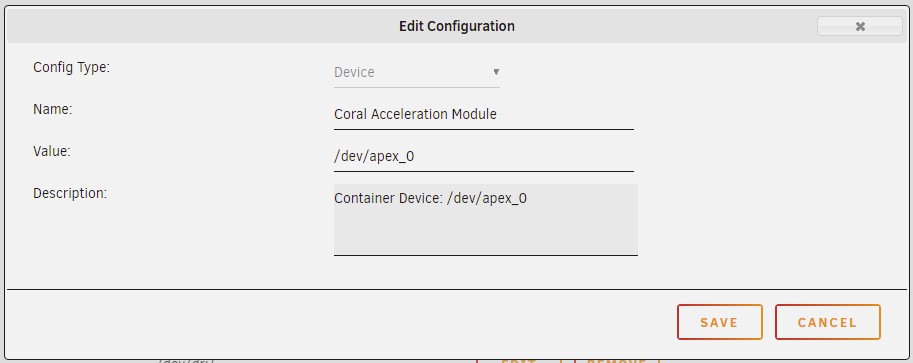
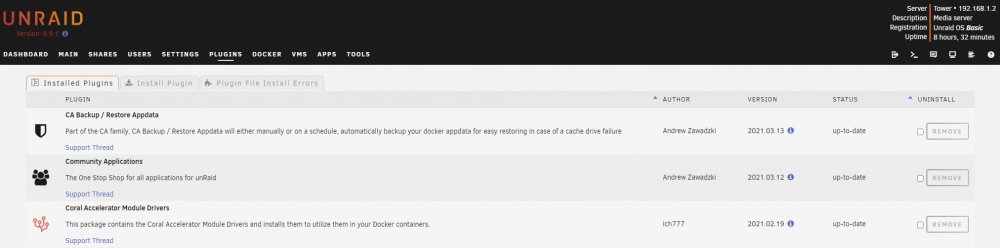
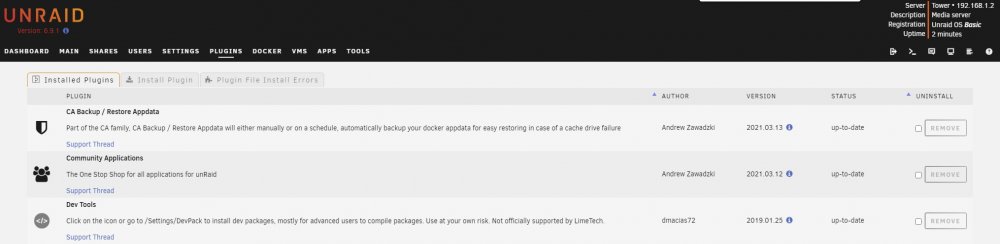
Thank you for correcting me. There goes that idea of why it isn't working I double checked my mapping and it is a device. Removed and recreated it just to be 100% sure. Same results as before, "No EdgeTPU detected". I was really hoping I had missed this and you were right. The search goes on. I do run pfBlockerNG on pfsense (not in a VM). Checked the logs on pfBlocker and didn't see it blocking anything from my Unraid box. No Plugin in Error State, this is my plugin page just before a reboot, I had just installed the coral module driver. Now after a reboot (I collected the Diagnostics Logs at this point) tower-diagnostics-20210324-0917.zip
-
After seeing the great progress that was being made to get the Mini PCIe Coral working I bought one with an adapter to try my luck. It's not going as smoothly as I had hoped. Maybe someone here can point me in the correct direction or next steps to help debug Unraid 6.9.1 Adapter I am using: Ableconn PEX-MP117 Mini PCI-E to PCI-E Adapter Card Card correctly shows up in Unraid I have installed "Coral Accelerator Module Drivers" From terminal, if I run the below command I get a return suggesting the card is correctly installed root@Tower:~# ls /dev/apex_0 /dev/apex_0 I have also checked lsmod and can see apex and gasket loaded root@Tower:~/apex/packages# lsmod Module Size Used by apex 16384 0 gasket 90112 1 apex I have the card passed though to frigate container My frigate container works great with CPU processing so I believe my configuration is good but when I switch to detectors: coral: type: edgetpu device: pci After an Unraid system restart I get 1 start of Frigate where it says it finds the EdgeTPU but soon crashes. After that every time I start the container I get the following errors * Starting nginx nginx ...done. Starting migrations peewee_migrate INFO : Starting migrations There is nothing to migrate peewee_migrate INFO : There is nothing to migrate detector.coral INFO : Starting detection process: 41 frigate.app INFO : Camera processor started for living_room: 44 frigate.edgetpu INFO : Attempting to load TPU as pci frigate.app INFO : Camera processor started for kitchen: 46 frigate.edgetpu INFO : No EdgeTPU detected. Process detector:coral: frigate.app INFO : Camera processor started for garage: 47 frigate.app INFO : Camera processor started for backyard: 49 frigate.app INFO : Capture process started for living_room: 50 frigate.app INFO : Capture process started for kitchen: 52 frigate.app INFO : Capture process started for garage: 57 frigate.app INFO : Capture process started for backyard: 59 frigate.mqtt INFO : MQTT connected Traceback (most recent call last): File "/usr/local/lib/python3.8/dist-packages/tflite_runtime/interpreter.py", line 152, in load_delegate delegate = Delegate(library, options) File "/usr/local/lib/python3.8/dist-packages/tflite_runtime/interpreter.py", line 111, in __init__ raise ValueError(capture.message) ValueError During handling of the above exception, another exception occurred: Traceback (most recent call last): File "/usr/lib/python3.8/multiprocessing/process.py", line 315, in _bootstrap self.run() File "/usr/lib/python3.8/multiprocessing/process.py", line 108, in run self._target(*self._args, **self._kwargs) File "/opt/frigate/frigate/edgetpu.py", line 124, in run_detector object_detector = LocalObjectDetector(tf_device=tf_device, num_threads=num_threads) File "/opt/frigate/frigate/edgetpu.py", line 63, in __init__ edge_tpu_delegate = load_delegate('libedgetpu.so.1.0', device_config) File "/usr/local/lib/python3.8/dist-packages/tflite_runtime/interpreter.py", line 154, in load_delegate raise ValueError('Failed to load delegate from {}\n{}'.format( ValueError: Failed to load delegate from libedgetpu.so.1.0 frigate.watchdog INFO : Detection appears to have stopped. Exiting frigate... frigate.app INFO : Stopping... frigate.record INFO : Exiting recording maintenance... frigate.object_processing INFO : Exiting object processor... frigate.events INFO : Exiting event processor... frigate.events INFO : Exiting event cleanup... frigate.watchdog INFO : Exiting watchdog... frigate.stats INFO : Exiting watchdog... peewee.sqliteq INFO : writer received shutdown request, exiting. root INFO : Waiting for detection process to exit gracefully... watchdog.backyard INFO : Terminating the existing ffmpeg process... Final questions Why does Unraid look to be seeing the EdgeTPU but the container can't talk to it? Is there a way to keep the "Coral Accelerator Module Drivers" between reboots? It looks to go away after every Unraid reboot. After many more hours of this I think it just comes down to the driver being for the wrong kernel. @ich777 Any chance you can build the Coral PCI driver for Unraid 6.9.1 (kernel 5.10.21)? Thank you in advance!


-
Just want to point out 2 issues I ran into and how I solved them after updating to 6.9.1 My br0 network is a 802.3ad bonded pair with bridging enabled. After the first reboot any docker container that was using br0 stopped working. To solve this I ran the following 2 lines from the terminal console rm /var/lib/docker/network/files/local-kv.db /etc/rc.d/rc.docker restart Virtual Machine "VNC Remote" from within the web browser stopped working with a "SyntaxError: The requested module '../core/util/browser.js" error Clearing Chrome "Cached images and files" fixed this





