





Shotkar
Members
-
Joined
-
Last visited
-
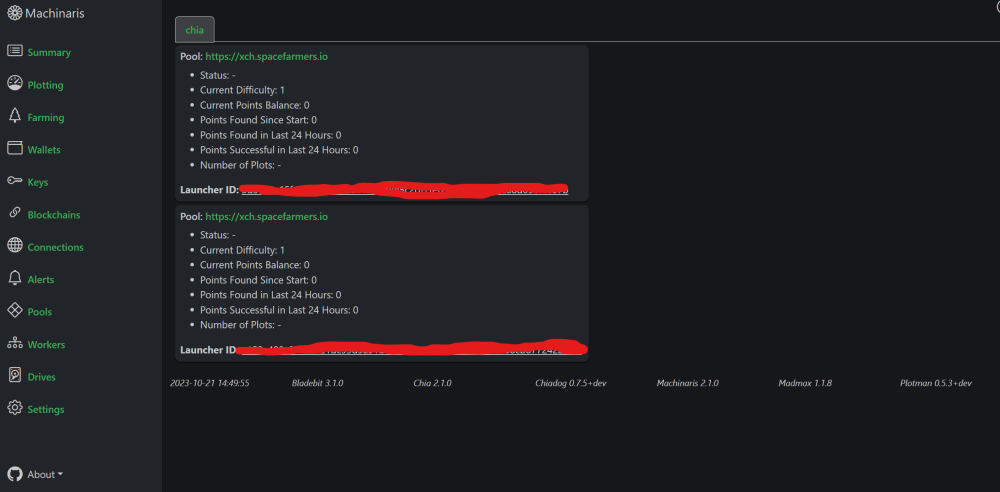
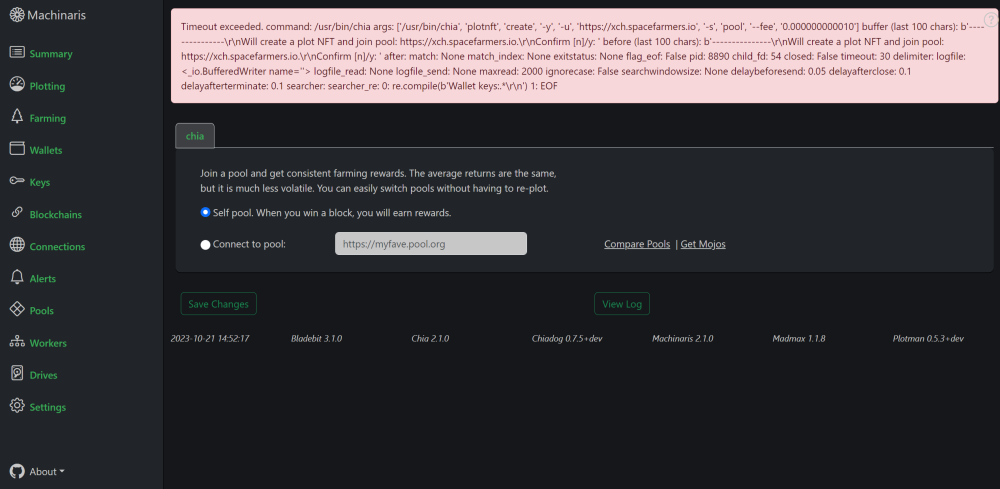
Hi, I'm having trouble with pooling I seem to have two pools in pools and am self pooling in settings|pools and get an error when changing. I have reinstalled Machinaris and also Uninstalled Machinaris and then manually deleted all files I could find. Also have used the command console "chia plotnft leave". But these pools seem to keep showing up with each new install. Is there some file that i am missing to fully reset? Thanks
-
Hi, I just updated to 6.12.2 and change cache to zfs and SMART report auto started. It is now throwing up "Reallocated sector count" 4 so far when before the formatting I was using btrfs and these error weren't there. Did this occur due to the formatting of the drives or the new zfs format? Cache Drives: sdp, sdo, sdn tower-diagnostics-20230707-0618.zip
-
Hi, just wondering how I go about setting the Optional config setting to restart fork fullnodes if they consume too much memory? Have looked though all the configs but cant seem to find it. Thanks.

