





sheiy
Members
-
Joined
-
Last visited
-
I want to try the zfs file system. thanks
-
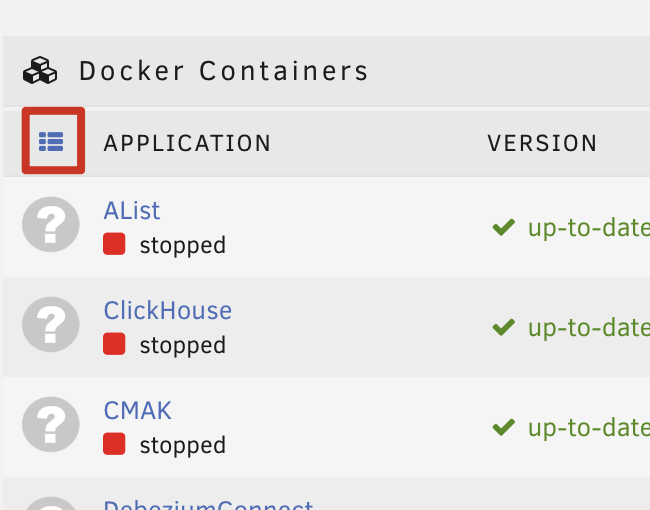
@itimpi I don't think this is a good experience. I just sorted my dock containers, and then I clicked the sort button on the docker UI then I lost my sort. Maybe adding an auto start order field is a good choice. looks like

-
Although it can be setup through script, it will be an exciting feature if it can be set through UI
-
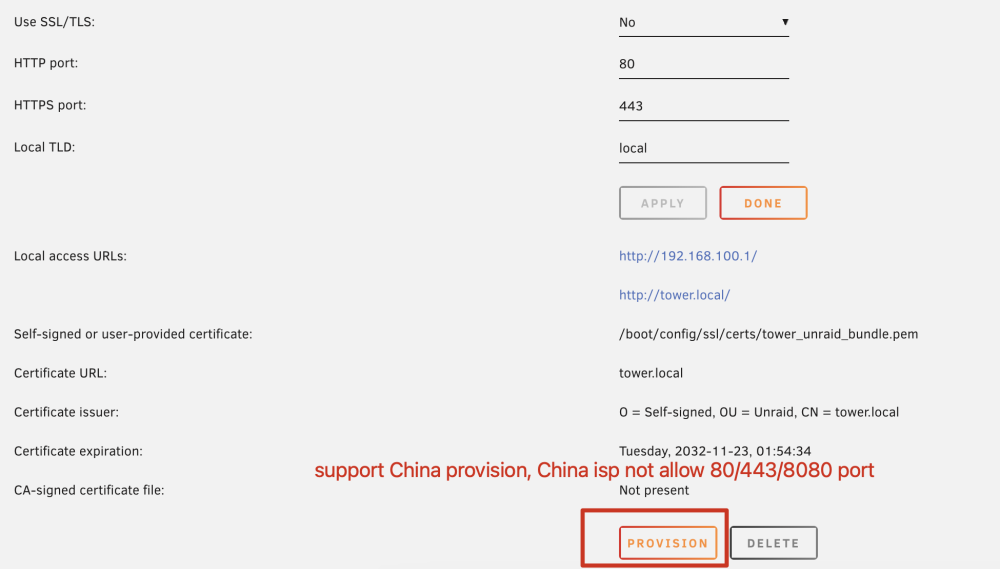
Support provision form China network environment. In China the ISP do not allow to access the port of 80/443/8080 in personal network. China is a huge market. I believe it will benefit many people
-
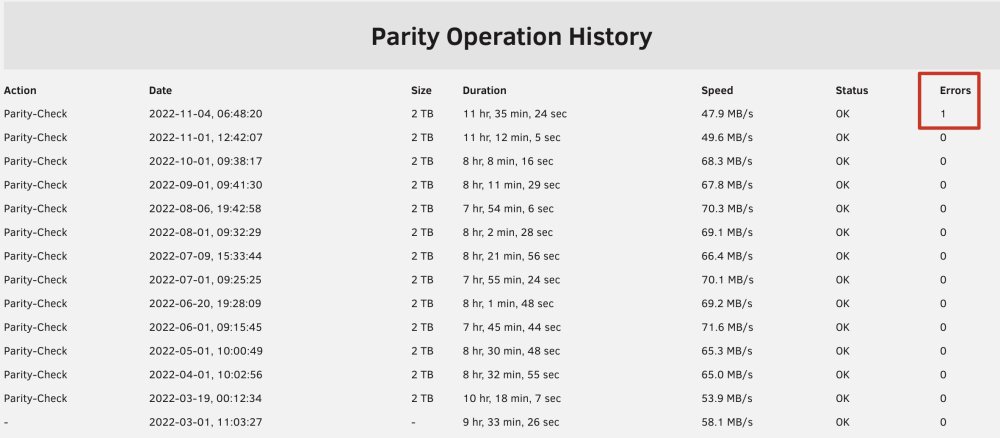
@JorgeB please help me to figure out. thanks tower-diagnostics-20221104-1637.zip
-
I want to know am I need to change the disk?
-
-
Will it adapt to arm in the future?
-
I think M1 mac mini is a good solution for me. It have a good energy efficiency / good noise.
-
my AP is an router run with AP model but it has a bug sometimes will change to route model and the ip I set to static and same to other router
-
I found the problem. In my LAN, there is an AP device’IP address that sometimes change to an address that other devices are using. thanks for your reply
-
somebody can help me ?
-
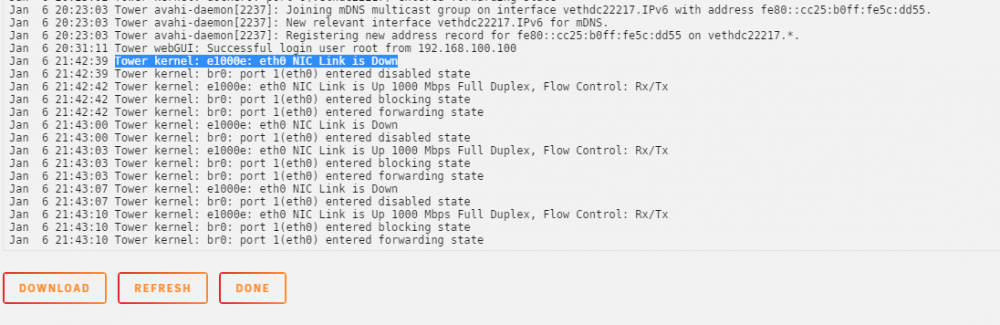
I'm doing nothing tower-diagnostics-20200106-2253.zip tower-syslog-20200106-1449.zip
-
I'm doing nothing tower-diagnostics-20200106-2253.zip tower-syslog-20200106-1449.zip
-
sheiy joined the community
-
How to rename vm name? Could you put a field to set the vmname when install docker app?




