Wes
Members
-
Joined
-
Last visited
-
Adding another person impacted by the "PIA endpoint API 'https://serverlist.piaservers.net/vpninfo/servers/v4' currently down, skipping endpoint port forward check" error and unable to access the webui. I am able to get the JSON when going to the web address as well. Restarted the container with no change. This must have started in early May when my server restarted after losing power.
-
Nope - available since 6.9.
-
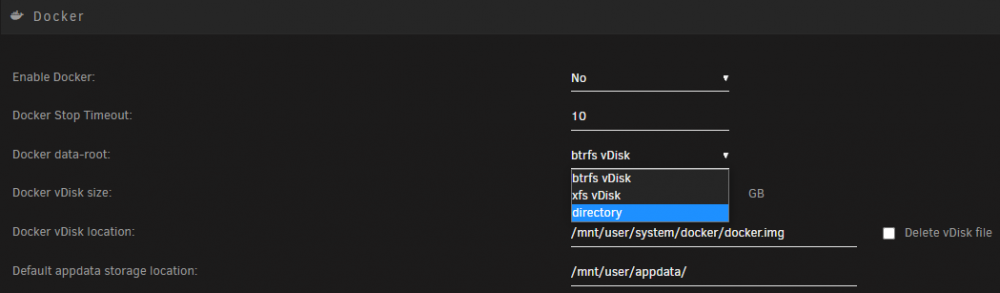
Not sure if others have had this issue but I think I may have stumbled across the cause (or at least a contributing factor as it is in my case). I recently switched my docker from a vdisk to directory based storage. Shortly after I noticed my CloudBerry backup source files mirrored the quoted image. I reverted my docker back to vdisk and everything returned to normal. I'm far too ignorant to know how to fix this but perhaps some other users may know if there's something that could be done.
-
Two days later and suddenly it's working without any changes on my end. Not sure what changed. Perhaps cloudflare cached the original logo.png? Either way, appreciate the help and suggestions.
-
I don't believe that's the issue. My site is being served with NginxProxyManager as well via HTTPS and the my test image is linked from imgur which is HTTPS as well. Any other thoughts?
-
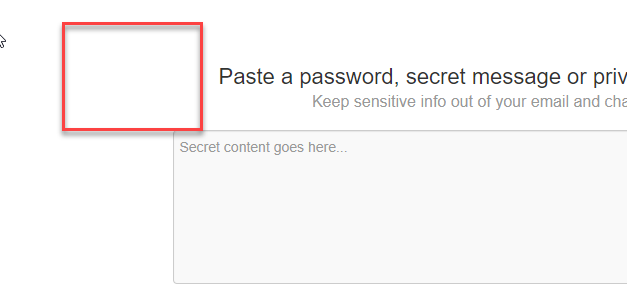
Could you provide any guidance on the customization settings? I've entered a url to a png file but best I ever get is the OTS secret logo disappearing without my logo showing. Here is what I see at the start of the log: today at 9:52:41 PM##### Performing vars check ##### today at 9:52:41 PMAll required vars are set. today at 9:52:41 PM##### Building OTS configuration file from environment variables ##### today at 9:52:41 PM##### Apply style customisations ##### today at 9:52:41 PM % Total % Received % Xferd Average Speed Time Time Time Current today at 9:52:41 PM Dload Upload Total Spent Left Speed today at 9:52:41 PM today at 9:52:41 PM##### Starting OTS #####