Zyzto
Members
-
Joined
-
Last visited
-
This Unraid Forums and unraid is software that utilize KVM Hypervisor, and you can access xml config so this patch can be applied. if your system is using KVM and you have access to config file ( which unlikely for online services ) then you do this patch.
-
yes, I've tested it
-
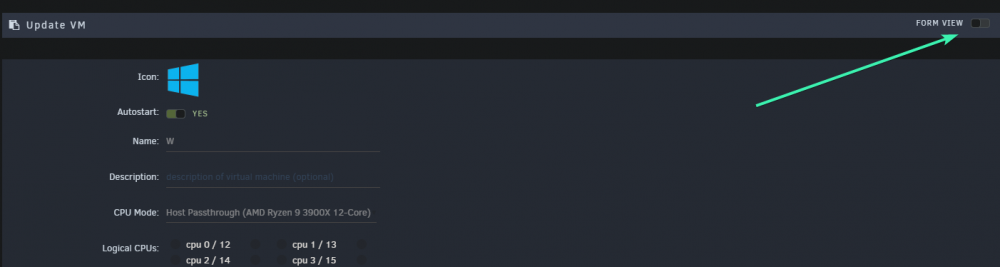
this modification inside the xml inside vm settings on webgui the <cpu mode='host-passthrough' check='none'> indicate inside which tag to put the code </cpu> is closing tag. so between those you put this code: <feature policy='disable' name='hypervisor'/>
-
Zyzto changed their profile photo
-
How do I roll back to previous update as the new update is crashing ffmpeg on every video
-
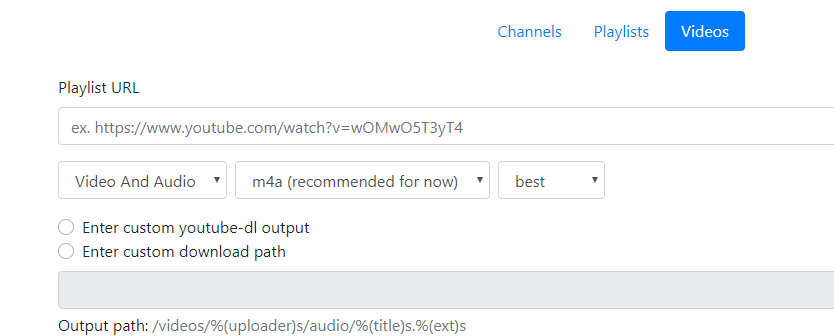
I have issue when trying to download video that it doesn't switch to video format e.g. mp4 + I would like to save list of custom path , something like sonarr Thanks for great docker image it works wonderfully with audio content