Bjørn Øyvind Halvorsen
Members
-
Joined
-
Last visited
Everything posted by Bjørn Øyvind Halvorsen
-
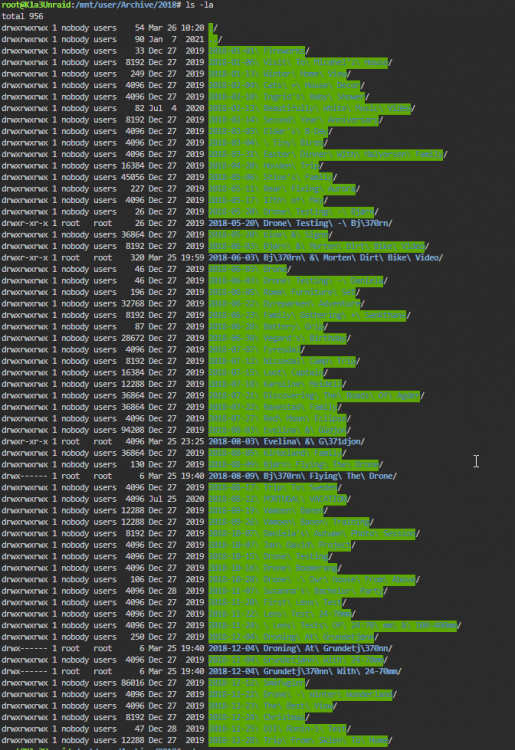
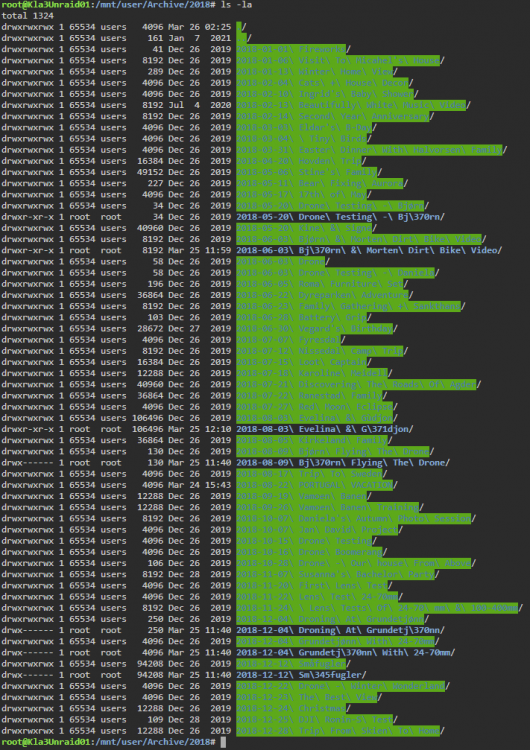
It's an unraid to unraid backup yes. zfs filesystem on both servers. The permissions i was talking about is something I see that LuckyBackup/rsync is doing. not something i am doing. just the flow of how a backup is performed. 1. folder structure copied from source to destination. All permissions is set to root. 2. Files copied 3. When files are done copying from destination to source, the permissions on the folders on Destination is changed to "nobody" so that anyone can access them.. I have tried both Synchronizing and backup mode in luckybackup. I have followed the tutorial here to get SSH to work. Basically the exact same thing as here -> https://unraid.net/blog/unraid-server-backups-with-luckybackup One thing I have forgotten to say is that the folders with the strange characters is not visible in Samba when viewing them from my windows computer. Also i cannot access them in the termial, unless i change the name of the folder that has the correct spelling (that i can se in Samba). When i have renamed it, i can navigate to it, but only if i write the first part of the name, and then use tab to finish the foldername. Basically what i have done then is gone through and found all of these folders, renamed the folder with the proper naming, and deleted the one with the strange characters. Now i'm trying to run luckybackup again, to an empty folder to see if everything works ok. I know it's a strange error... don't know what to tell you - I have a good feeling about it now though... Hope nobody else gets this problem...
-
I think it's already running as root. I tried to start a fresh new backup from the Source to a blank folder. It first creates the folder structure, sets permission to be root, and then fills in the files. After it's filled in the files, it changes the permissions.. Does that sound correct?
-
I have cleaned up source, so that there is no more of those magic folders now, and started a new fresh backup to Destination. If this works, something else must have created the folders in the first place, and LuckyBackup (rsync) must have done something clever with them, moving them back and forth. I am certain that LuckyBackup has moved these magic folders and content from the original folders back and forth somewhat, but I'm inclined to say that these folders were not created by LuckyBack (rsync).... I did some tests with just the correct folders, and that seemed to work fine. I'm more worried about the drwx------- folders that's owned by root... I think those are the sinners EDIT: I forgot to answer to the filesystem question. Sorry. It's from Unraid to Unraid. So that would mean XFS on both. It's copying from SSH to th elocal disk via the Docker..
-
Also... I have a folder named "2021-09-13 Linda's Baby Shower" in Source, and it copies to Destination to two folders. "2021-09-13 Baby Shower" and "2021-09-13 Linda's Baby Shower"
-
Ok... so. There's two unraid servers. Destination and Source. All the files were initially on Source. Luckybackup runs in a docker on Destination. We connect through SSH. My theory: The first time it copies, it moves all files from Source to Destination, and it gets confused by æøåéçã and so on. Because of this confusion it creates folders like the once you have seen on the screenshots. The next time it syncs these new folders back to Destination (which I don't understand, because I thouht it was a oneway backup). Then when it's doing it's second run, it sees the folders it created and tries to copy the content, but instead of going into the strangely named folders, it goes into the folder with the correct letters, and moves these files into the folder on destination, that has the strange characters Then there's double. Files in Destination then has two sets of the files. One with the correctly named, and one with the one it created itself... Yes. Crazy confusing. Needless to say, I'm getting afraid of LuckyBackup, and think I'll stay away from it for now....
-
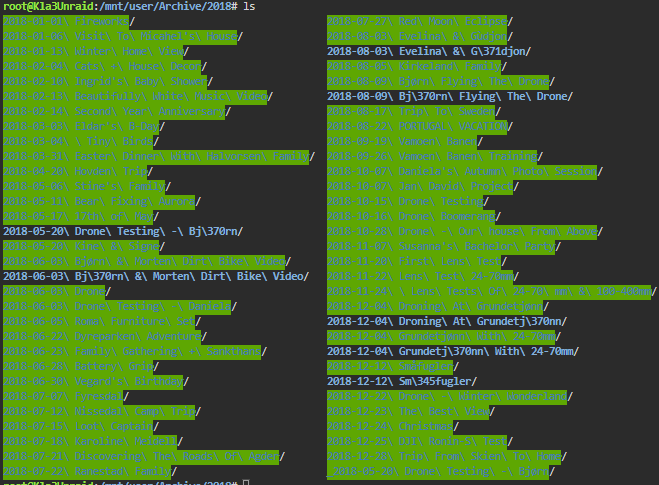
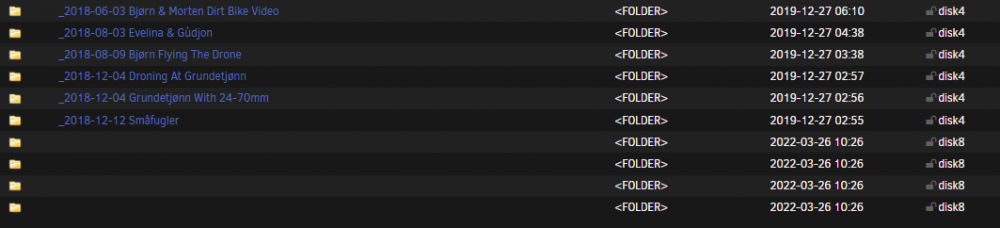
Snapshots are not enabled. Screenshot from source: destination: At first i did not think that these folders were in destination, and so I blamed LuckyBackup. I will try to remove these folders in destination too, and run luckybackup again.... I realize that I don't know how these files are created though, but when they are, LuckyBackup keeps copying from them, over and over again, without any changes. I will updated you when I have tried removing all of these files and run the backup again
-
Hi! LuckyBackup seems awesome, and I tried using it, but it creates some strange folders in the source folder where the data is to be copied from. These folders come up as folders with no name in Unraid web ui: And I can't navigate into them in the terminal. When LuckyBackup has made these folders, it keeps copying from them everytime I run the backup. Anyone know why this happens? - Needless to say, I can't really use it until I figure this out...