KnottySean
Members
-
Joined
-
Last visited
-
I had an issue with my quad-port nic in my host this morning after a restart command, and had to power off the host. My Asrock X570M Pro4 doesn't have any USB 2.0 ports in the rear. I've been running it on a USB 3.0 port since I built it last Jan2020.
-
I just replaced my flash drive last week, my last one decided it only wanted to mount read-only. Here are the diags. juggernaut-diagnostics-20211124-1918.zip
-
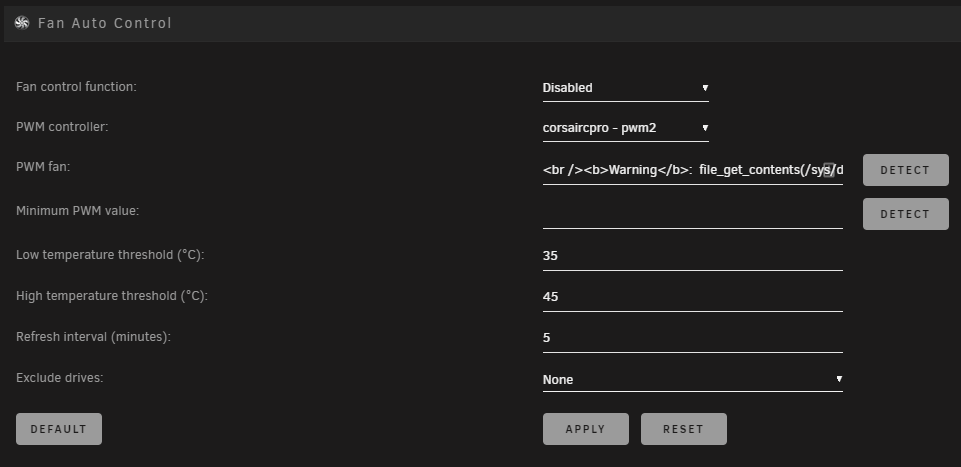
So, in the Dynamix Fan Auto Control plugin lists the fans attached to the CCP. When I select one, and hit Detect on the PWM Fan entry, it returns the following: <br /><b>Warning</b>: file_get_contents(/sys/devices/pci0000:00/0000:00:01.2/0000:02:00.0/0000:03:08.0/0000:06:00.3/usb3/3-2/3-2:1.0/0003:1B1C:0C10.0001/hwmon/hwmon2/pwm2_enable): failed to open stream: No such file or directory in <b>/usr/local/emhttp/plugins/dynamix.system.autofan/include/SystemFan.php</b> on line <b>40</b><br /><br /><b>Warning</b>: file_put_contents(/sys/devices/pci0000:00/0000:00:01.2/0000:02:00.0/0000:03:08.0/0000:06:00.3/usb3/3-2/3-2:1.0/0003:1B1C:0C10.0001/hwmon/hwmon2/pwm2_enable): failed to open stream: Permission denied in <b>/usr/local/emhttp/plugins/dynamix.system.autofan/include/SystemFan.php</b> on line <b>42</b><br /><br /><b>Warning</b>: file_put_contents(/sys/devices/pci0000:00/0000:00:01.2/0000:02:00.0/0000:03:08.0/0000:06:00.3/usb3/3-2/3-2:1.0/0003:1B1C:0C10.0001/hwmon/hwmon2/pwm2_enable): failed to open stream: Permission denied in <b>/usr/local/emhttp/plugins/dynamix.system.autofan/include/SystemFan.php</b> on line <b>50</b><br />/sys/devices/platform/nct6775.656/hwmon/hwmon4/fan6_input
-
Did you get this figured out? I too would like to get this working fully. I have been running a windows 10 vm to handle the fans/AIO, it would be great to not have to.
-
Wow, awesome!! Thanks!
-
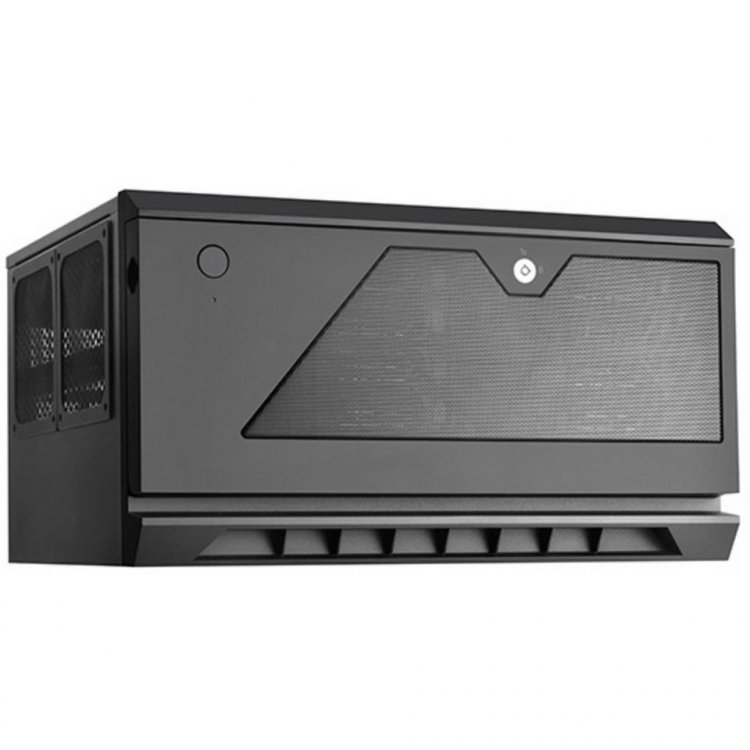
Wow, great job on those icons so far! Would you be able to do a Silverstone CS381?