





igoehr
Members
-
Joined
-
Last visited
-
Thanks for the hint. I don't know why I didn't try that before, but finally that resolved my issue. The unraid server had a 24 bit net mask (for historical reason) while my network already has a 23 bit net mask. So the whole traffic went through the usg router which is only capable of 1g switching. Changing the net mask did the trick 🙈. What a dumb mistake...
-
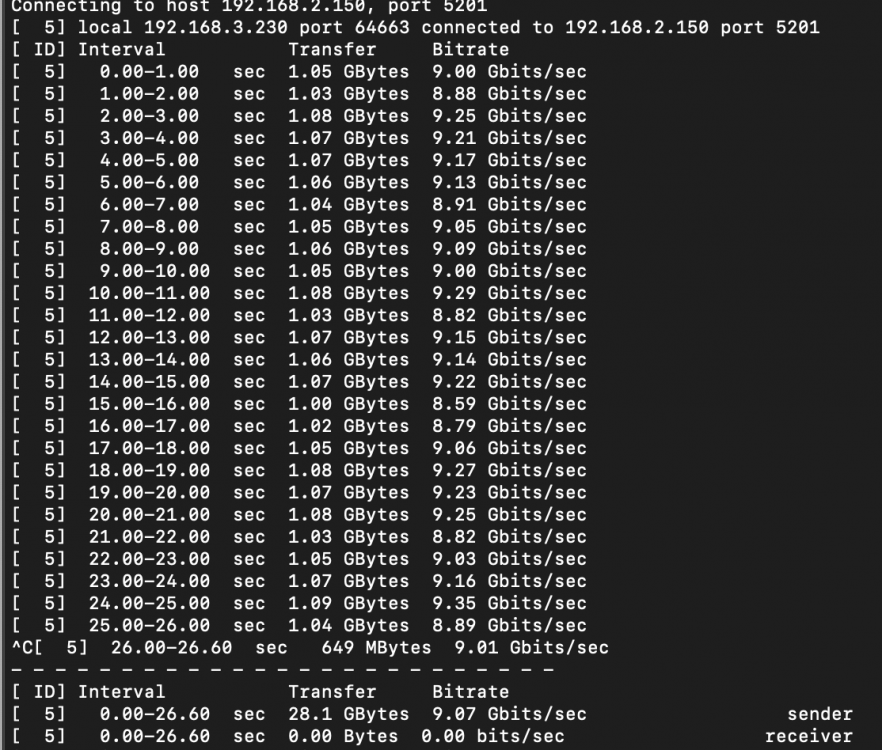
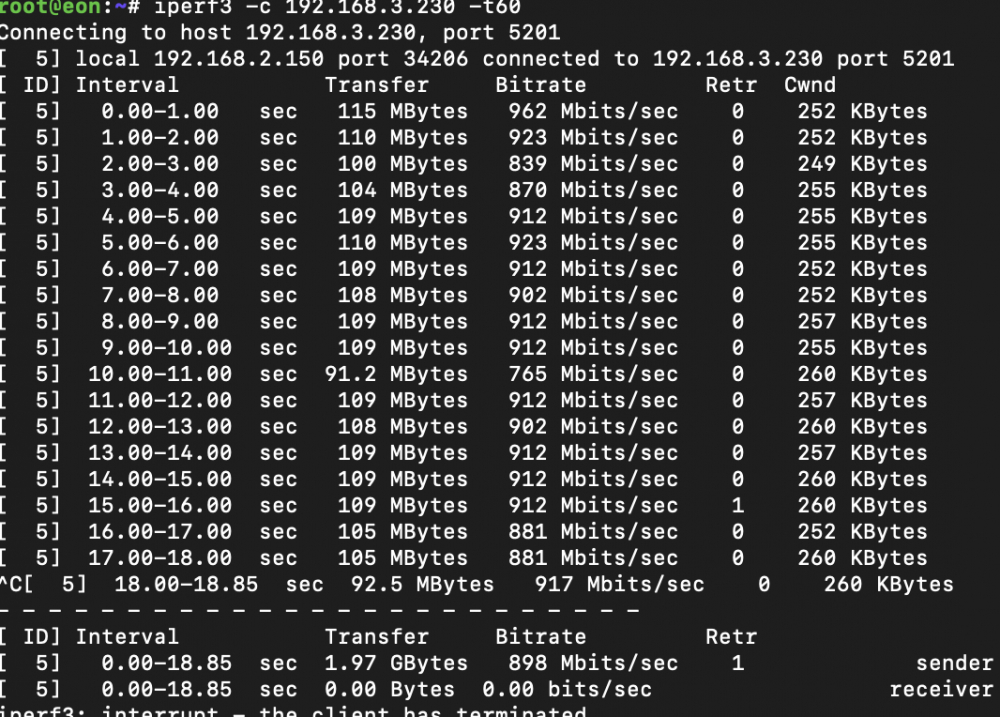
Hi, I am trying to upgrade my current unraid server with a 10 GBe NIC. It is an Intel X550T1. I disabled the onboard 1G NIC, so that the 10Gbe one is the only active NIC in the system. The Switch (USW-Flex-XG) shows a 10Gbit Link but I have only Gbit speed from the server. I am reading an writing to an 1TB Nvme cache from my MacBook Pro with an TB3 Sonnet Solo 10g . I also copied a file from the Mac to the server with 1Gb/s but the same file from the name cache the other way around with 100Mb/s. Here is what I get with Macbook as iperf3 Client And the other way around I only get this I tried the same with my desktop as iperf3 server and the unraid as client. Unfortunately the same results Does anyone has an idea what is limiting the speed or where I can look further? Thanks in advance Ingmar eon-diagnostics-20220131-2152.zip
-
My fault. Thank you for that hint. Worked fine.
-
Here are my diagnostics. eon-diagnostics-20211004-1921.zip
-
allready did that. Unfortunately that doesn't change anything. Any other idea whaat I can try?
-
Hey, I am trying to install unassigned.devices-plus from https://github.com/dlandon/unassigned.devices/blob/master/unassigned.devices-plus.plg to access my exFat drives but the installation process failed with simple-xml parse errors (error log attached). Has anyone else had this issue or has any idea what I can do? Thx Ingmar error.txt
-
Hey, I am trying to install unassigned.devices-plus from https://github.com/dlandon/unassigned.devices/blob/master/unassigned.devices-plus.plg to access my exFat drives but the installation process failed with simple-xml parse errors (error log attached). Has anyone else had this issue or has any idea what I can do? Thx Ingmar error.txt

