





bukweet
Members
-
Joined
-
Last visited
-
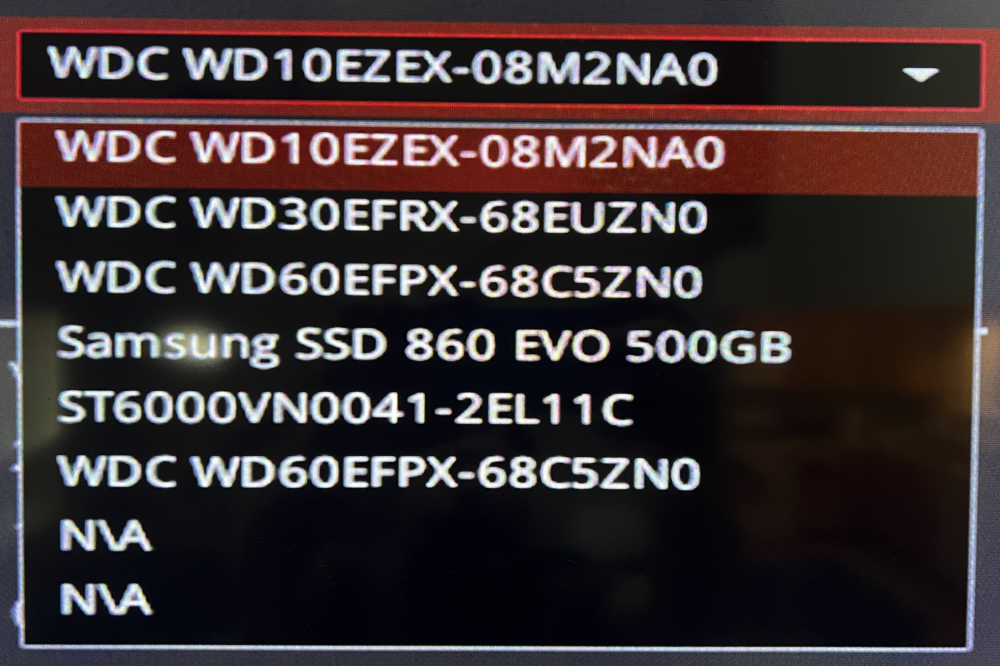
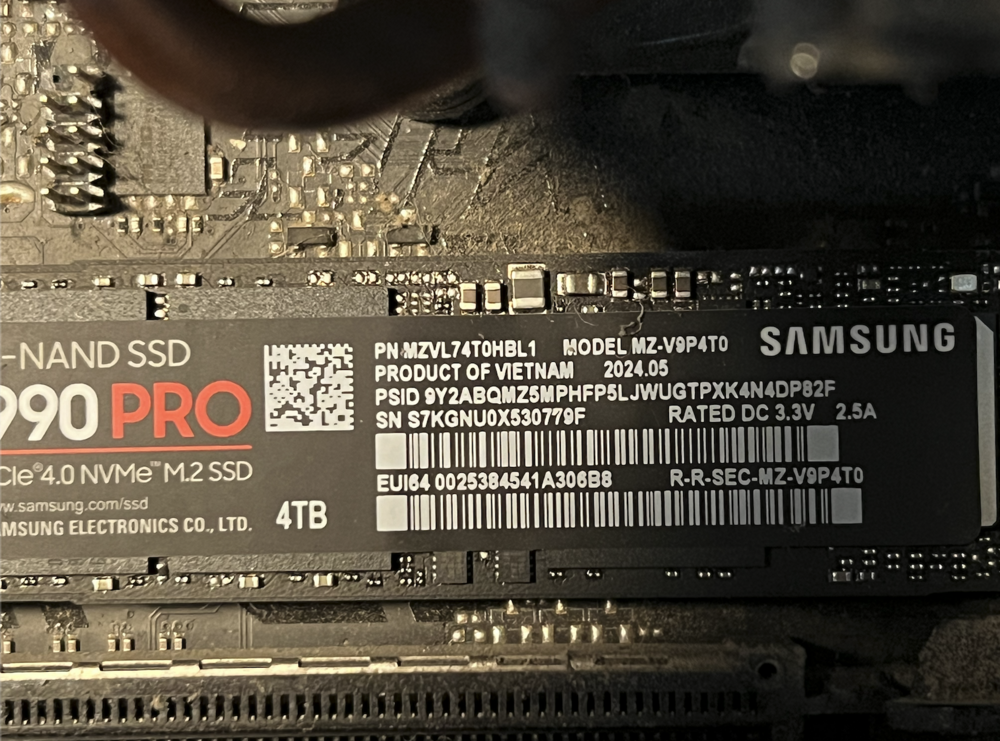
Edit: Well, I thought it was dead. Rebooted and jumped back into the server and the drive is sitting in Unassigned Devices. I was able to mount and ls the files. I've attached fresh diagnostics Edit 2: Attached a SMART report. I think it dead lol Thats a damn shame. I dont think I even got a year out of it:( >>> Yeah, I went and looked at when I bought it and its been a year to the month 🤣 Maybe I'll get an m.2 -> usb dock and look into it more. Many thanks for taking the time! monarch-diagnostics-20251023-1827.zip Samsung_SSD_990_PRO_4TB_S7KGNU0X530779F-20251023-1640.txt


-
I've added the diagnostics to the post, thanks!
-
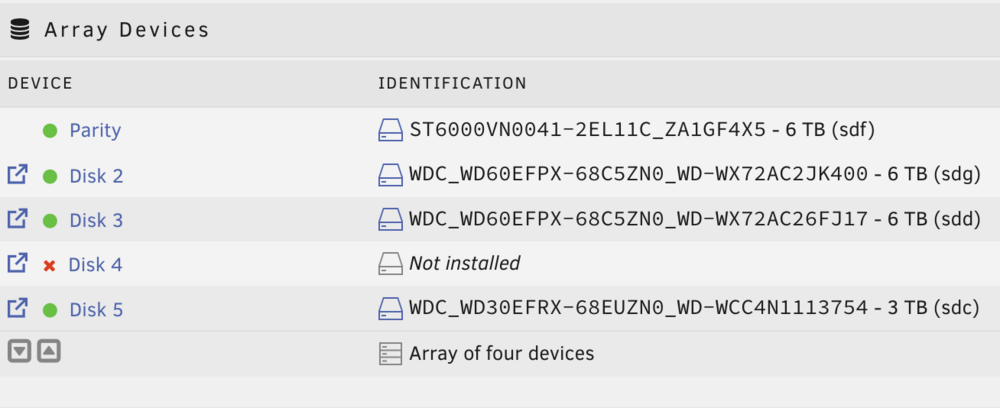
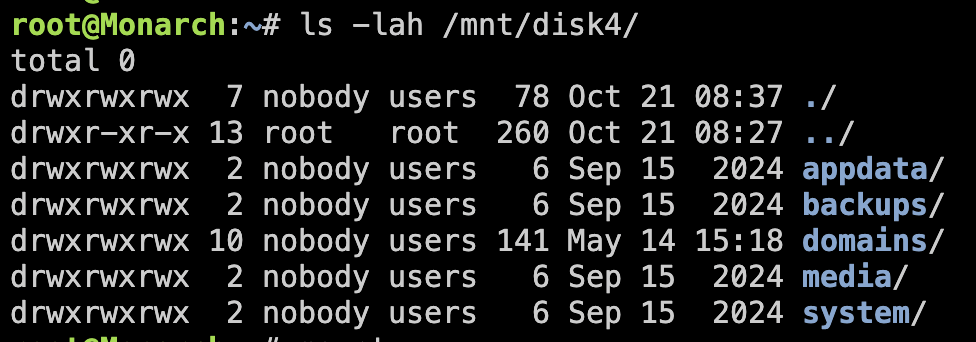
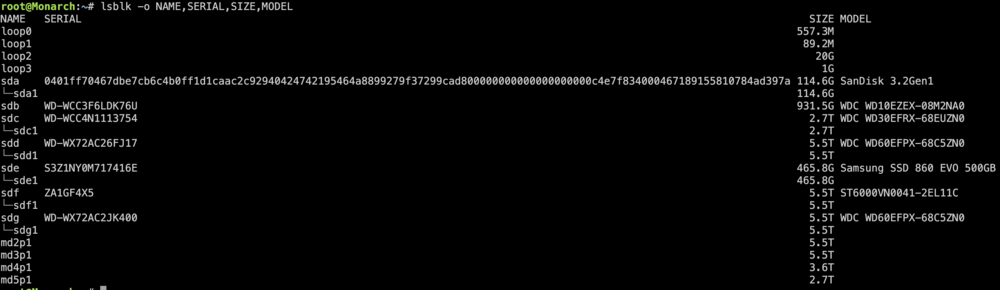
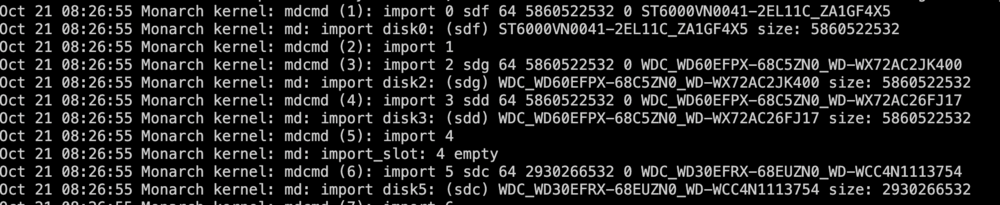
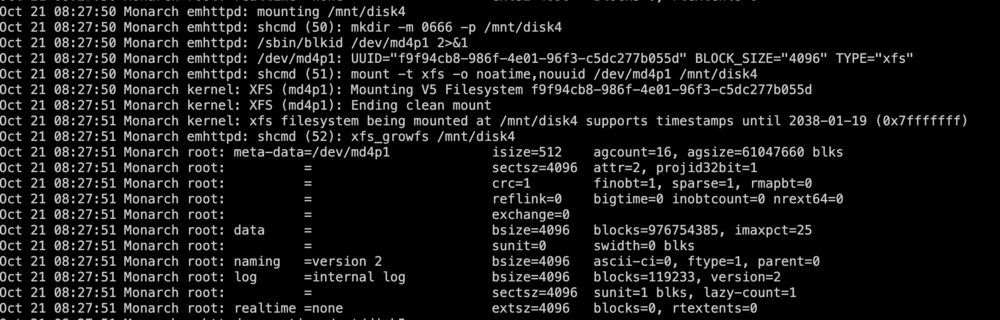
It is Disk 4 (screenshot) and is a 4TB, nvme drive that I only used for VMs. If look in /mnt/disk4, everything is there (screenshot) In the lsblk outputs (screenshot), I believe the correct drive is the one labled md4p1 Logs show errors for my GPU but nothing for the disks. I did see some general disk stuff (screenshots). These lines seem to be the only indication anything didn't happen: Oct 21 08:26:55 Monarch kernel: mdcmd (5): import 4 Oct 21 08:26:55 Monarch kernel: md: import_slot: 4 empty Im at a bit of a loss on how to troubleshoot this, please let me know if I can provide more info. Any help is very much appreciated:) monarch-diagnostics-20251023-0943.zip
-
@bmartino1invadr Doing this made it work right away! I assumed that the Clone function would also create the directory. I do find it strange that there is no official documentation (that I can find:) about snapshots or cloning VMs. Anyways, heaps of thanks to you all!
-
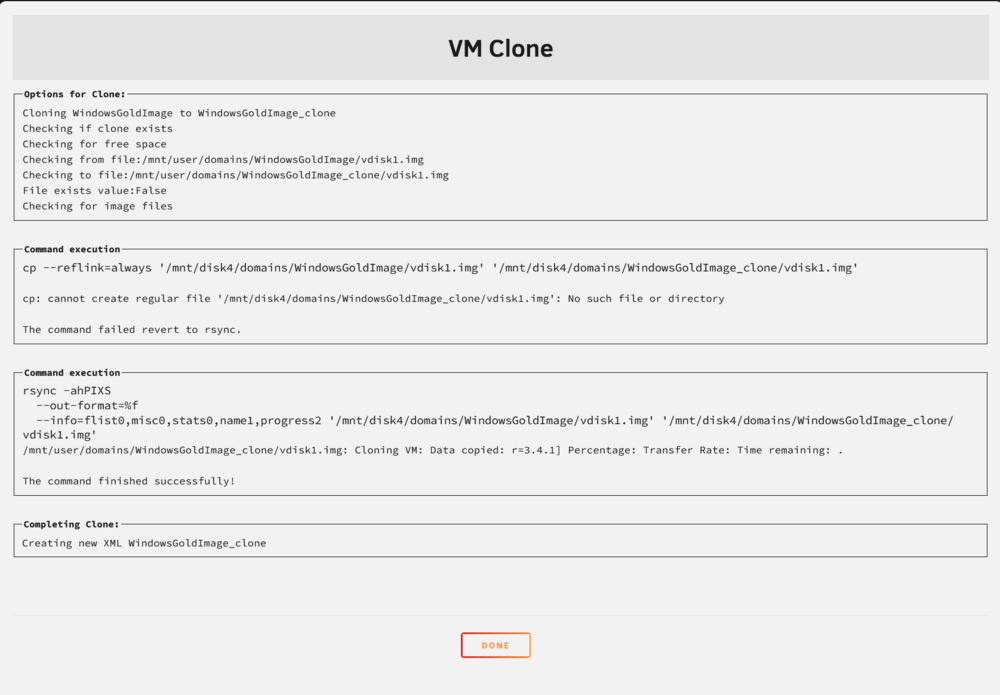
I've created a 'gold image' to use for subsequent VMs that I want to create. When I try to clone this VM i get this rsync error: rsync error: errors selecting input/output files, dirs (code 3) at main.c(829) [Receiver=3.4.1] Percentage: Transfer Rate: Time remaining: . I've attached a screenshot of the whole output. When I run clone, a new vm does popup (screenshot), but is does not appear that a disk has been created. The cloned VM does have an XML file, but I did not see a disk listed in it. Further, a directory is created for the cloned vm, but it is empty (screenshot) I've tried googling around but can not seem to find much that is specific to Unraid 7 for that error or cloning. I've also tired looking for Unraid's documentation about cloning VMs but found nothing. Does any documentation exist? Any help is greatly appreciated!


-
@bmartino1 @ConnerVT Thanks to both of you for the help! I did as @bmartino1 suggested, unbinding everything and starting fresh. After turning on the ACS override options a second time, the wifi card popped up. I didn't realize that the device names for the bluetooth and wifi were different and I totally missed the new name the first time I turned on ACS. @ConnerVT helped me realize that the bluetooth part of the card is, in fact, a usb device lol. I switched the bluetooth usb plug on the mobo and presto. Again, many thanks
-
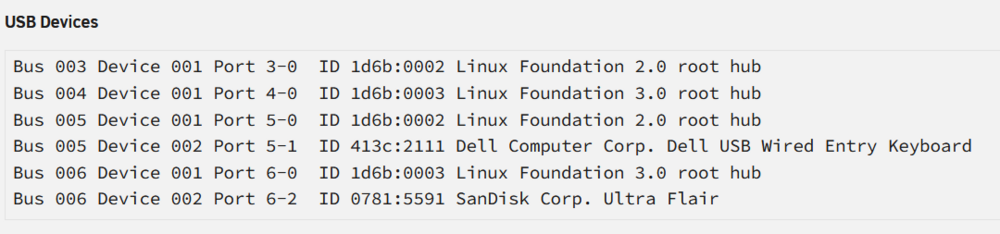
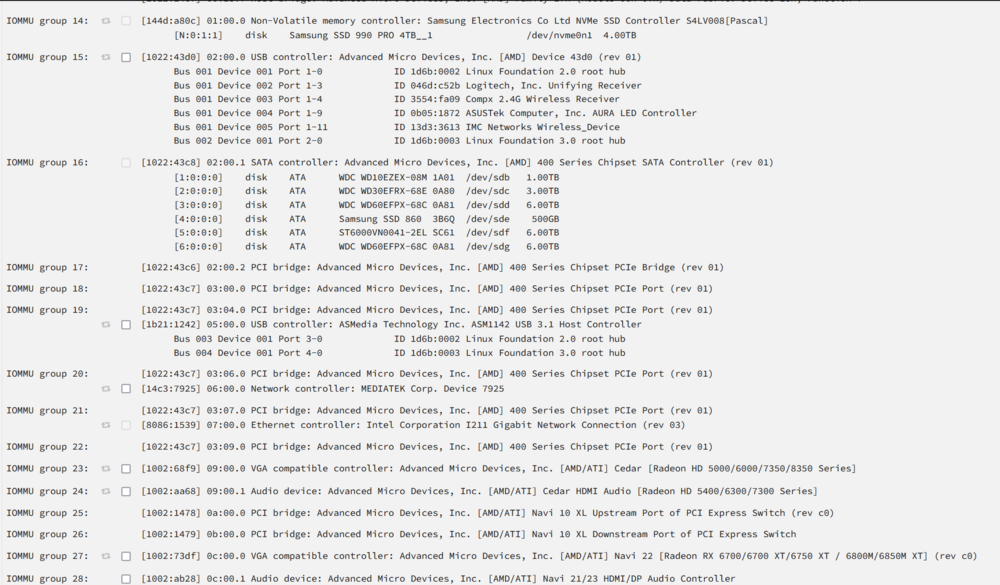
I went ahead and attached Group 15 and upon reboot, the devices in group 15 no longer show up (see screenshots). Further, when I go to passthrough a device to the vm, the devices are no longer listed out, it just shows up as a 'usb controller' (see screenshots)


-
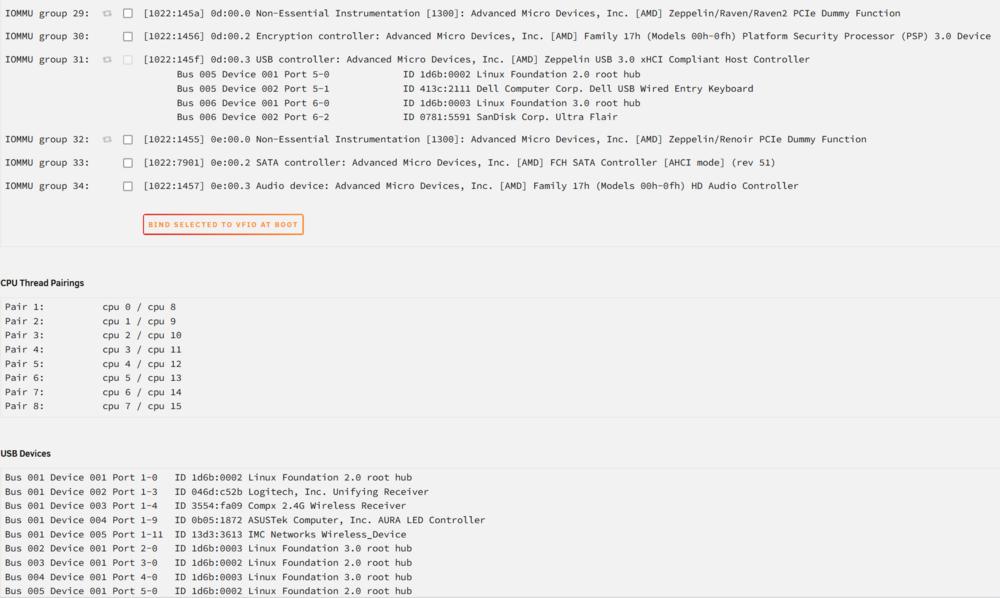
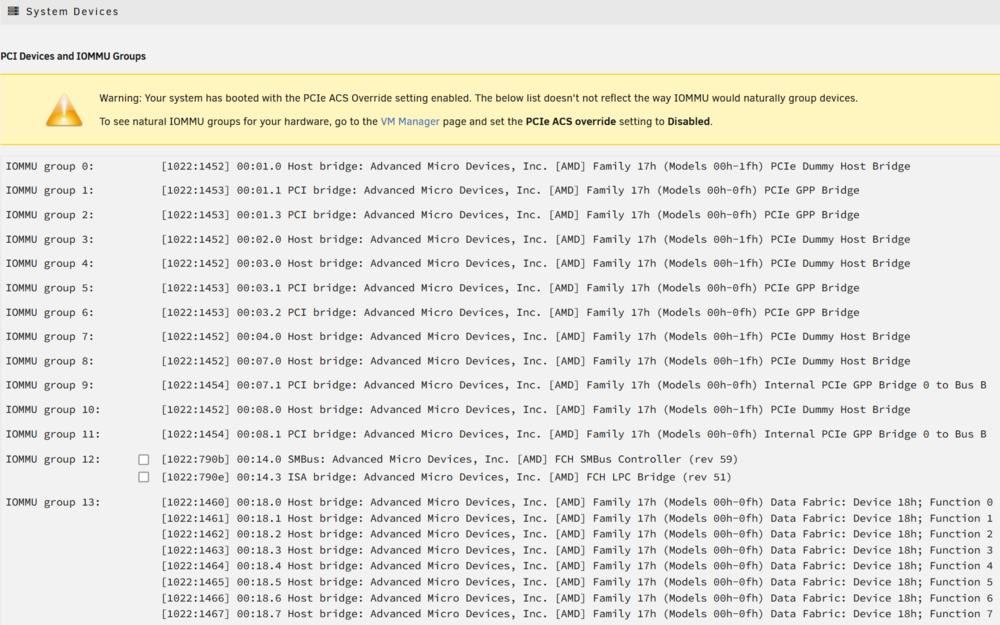
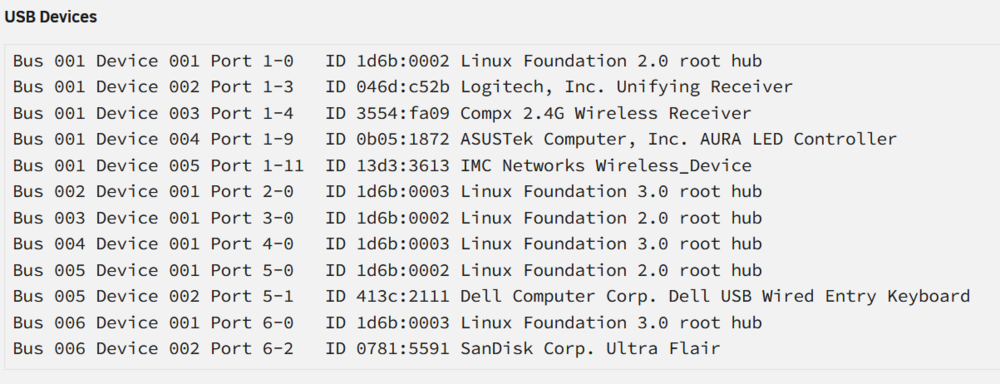
@bmartino1 Thanks for the reply. You are correct, I am trying to pass a dual wifi/Bluetooth device to a vm I unbound everything and set PCIe ACS override to 'Multi-Function'/ and VFIO allow unsafe interrupts to 'Yes' Even with Multi-function on, I am still only seeing the device (IMC Networks Wireless Device) listed once under Group 15. Should these be listed out in their own groups? I've attached screen shots of all of the groups, usb devices, and vm settings. Thanks again!

-
UnRaid Version: 6.12.10 This is a bit long winded, but I'm just trying to be clear about what lead to this issue. Let me know if I can provide more context. Bear with me, I'm still learning about these IOMMU groups😁 What I was trying to do: I was attempting to install a Tp-Link BE6500 to have dedicated wifi and bluetooth for streaming a gaming VM to a Quest3. What I did: I found a post about this very topic where it was recommended to set -> PCIe ACS override: Multi-function I found the device in IOMMU, enabled it, and restarted the server I added it to the VM, but the VM only picked up the bluetooth, not the wifi device I wanted to start over and see if I'd missed anything. I set -> PCIe ACS override: Disabled When I rebooted, the IOMMU groups got really messed up It looked like a lot of the IOMMU devices got renamed to generic things like "Linux Foundation 3.0 root hub" and most of the plugged in devices didn't show up at all. I should have stopped there, but I saw an group not being passed through with the wifi card in it. I selected the group and restarted. That killed the server😶 On boot, the output was spitting out all sorts of things about not finding devices I ended up restoring the vfio-pci.cfg file from the vfio-pci.cfg.bak and, thank the Maker, the server came back What have I done? I've attached screen shots of some of the IOMMU groups in question. The IOMMU groups and USB look a lot different now. For example, Group 15 has the devices that I normally pass in for the gaming VM, including the wifi card. However, I am unable to select the group for passthough. Further, I am pretty sure all of those Linux Root Hub devices were not listed before I effed it all up. What should I do? How bad did I screw up here? At this point I'd just like to get the groups back to some sort of UnRaid 'default' state. Any advice on how to fix what I'm not even sure is broken😄? monarch-diagnostics-20250203-1920.zip

-
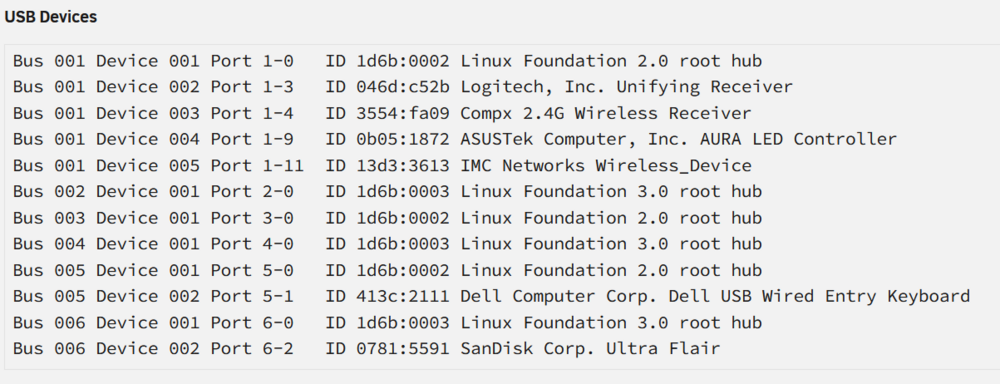
UnRaid Version: 6.12.10 Bear with me here, I'm still learning about these IOMMU groups😁 What I was trying to do: I was attempting to install the Tp-Link BE6500 to have dedicated wifi and bluetooth for streaming a gaming VM to a Quest3. What I did: I found a post about this very topic where it was recommended to set -> PCIe ACS override: Multi-function I found the device in IOMMU, enabled it, and restarted the server I added it to the VM, but the VM only picked up the bluetooth, but not the wifi device I wanted to start over and see if I'd missed anything. I set -> PCIe ACS override: Disabled When I rebooted, the IOMMU groups got really messed up It looked like a lot of the IOMMU devices got renamed to generic things like "Linux Foundation 3.0 root hub" and most of the plugged in devices didn't show up at all. I should have stopped there, but I saw an group with the wifi card in it that was not being passed through. I selected the group and restarted. That killed the server😶 On boot, the output was spitting out all sorts of things about not finding devices I ended up restoring the vfio-pci.cfg file from the vfio-pci.cfg.bak and, thank the Maker, the server came back What have I done? I've attached screen shots of some of the IOMMU groups in question. The IOMMU groups and USB look a lot different now. For example, Group 15 has the devices that I normally pass in for the gaming VM, including the wifi card. However, I am unable to select the group for passthough. Further, I am pretty sure all of those Linux Root Hub devices were not listed before I effed it all up. What should I do? How bad did I screw up here? At this point I'd just like to get the groups back to some sort of UnRaid 'default' state. Any advice on how to fix what I'm not even sure is broken😄? monarch-diagnostics-20250203-1920.zip

-
Bingo-bango-bongo! That did the trick. Thanks heaps for the explination.
-
Yeah, I was kind of picking that up from the linux/arm64/v8 bit of the error message, and started trying different tags because of it. For example I've tried this one: docker pull python:alpine3.13 and it gets me to the same error. From what I can tell, and please tell me if I'm wrong, this image is for amd64, yes?
-
I wanted to post this is in the Docker Containers forum but it looked like that is more aimed at Community Apps? Let me know if this is in the wrong place. Anyhow, I've got me this docker image that runs a python app. It works just fine on my local machine, but when I pull it down to my unraid server I can't get it to run. Here is the log that the container spits out: WARNING: The requested image's platform (linux/arm64/v8) does not match the detected host platform (linux/amd64) and no specific platform was requested standard_init_linux.go:219: exec user process caused: exec format error I'm using the official python docker hub image for the base containers. In trying to troubleshoot I've rebuilt with a few different ones: rc-alpine3.13, alpine3.13, and am currently using python:3 I've gotten the same error message with all base images. Here is the current Dockerfile FROM python:3 WORKDIR /cord COPY requirements.txt requirements.txt RUN apt-get update RUN apt-get install libffi-dev -y RUN apt-get install build-essential -y RUN apt-get install ffmpeg -y RUN pip3 install -r requirements.txt COPY . . CMD ["python3","bot.py"] I'm all out of google searches and any help is appreciated, thanks!





