





morytox
Members
-
Joined
-
Last visited
-
Hi Folks, i just updated my Jellyfin to the latest version 10.11.1 from there on i have big performance issues. Jellyfin is loading quite slow in browser, all apps (finamp/fintunes/jellyfin app) have struggles to even playback a single audio track. Not loading anything. It was just working fine before and now it seems to be totally stuck...
-
Found my issue. Fan behind the disks did hit something, stoppt turning and retried 2sec later again...
-
Hi All, i just bought 4 New 12TB WD Red Drives. I installed them in my NAS. It seems that one of them has a a ticking or knocking in a repeated pattern every 2 Seconds or so, i just recorded that sound in a yt Video: Youtube Video of Ticking Noice All disks just passed the short smart test in unraid. I do not know if that is a kind of idle sound that is normal, or if that is rather unusual. Did anyone of you had experience with such kind of sound? Best moRy
-
Thanks a lot @JorgeB & @itimpi, that solved it! Last question: Does this setting now limit me doing something or disables some functionality?
-
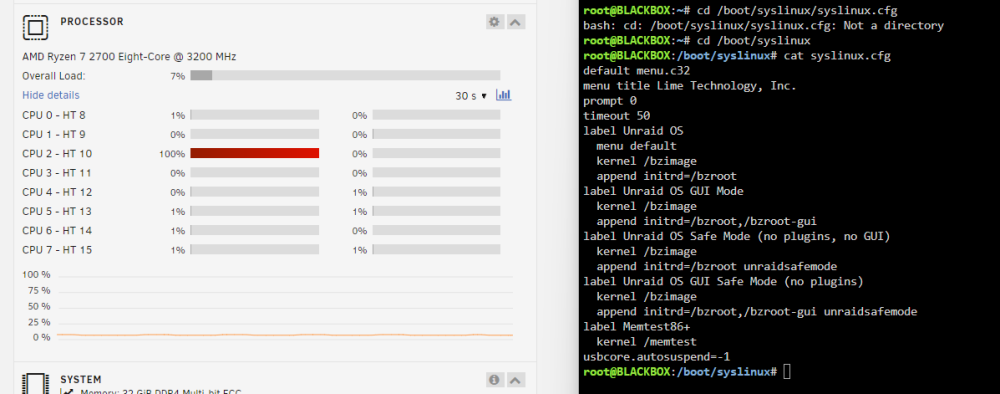
Do you have an example ? I am not really sure and cannot finde a specific example, probably as such:? label Unraid OS menu default kernel /bizimage append initrd=/bzroot, usbcore.autosuspend=-1 label Unraid OS GUI Mode kernel /bizimage append initrd=/bzroot, /bzroot-gui, usbcore.autosuspend=-1
-
Hi JorgeB, yes sorry forgot to mention: i found this one as well and did try it out as well. I edited /boot/syslinux/syslinux.cfg using the cli in popupbrowser window and appended it using vi to the bottom of the file. No change after reboot. btw: there is another user havig similar symptoms: (heimdall-one quoted you in a topic: One Core is always at 90-100%) Don't know if that's relevant.
-
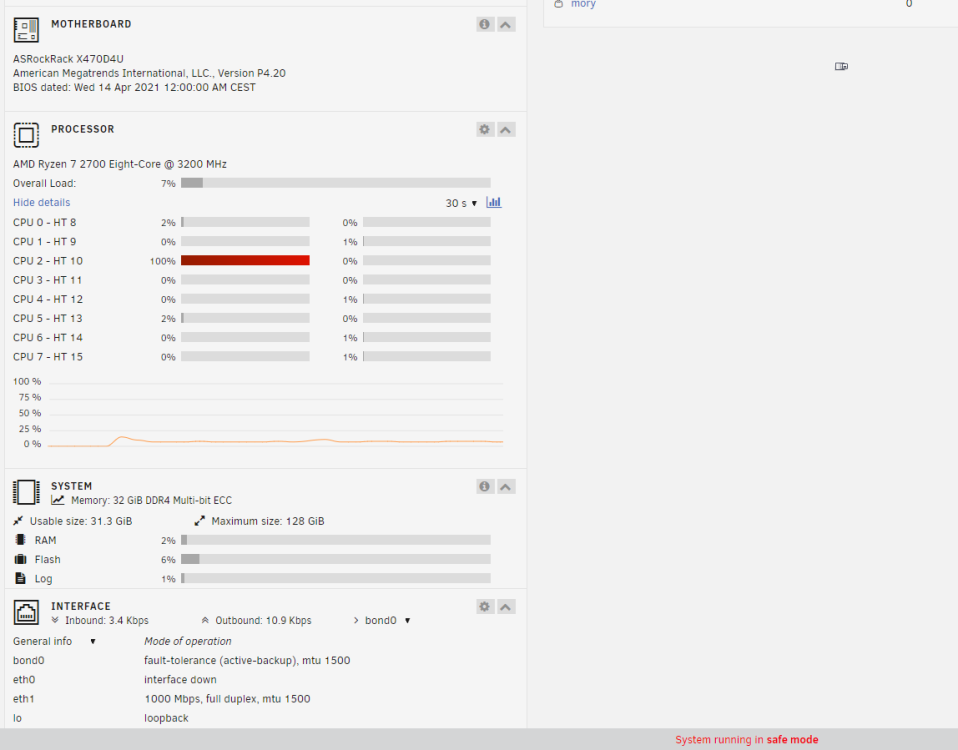
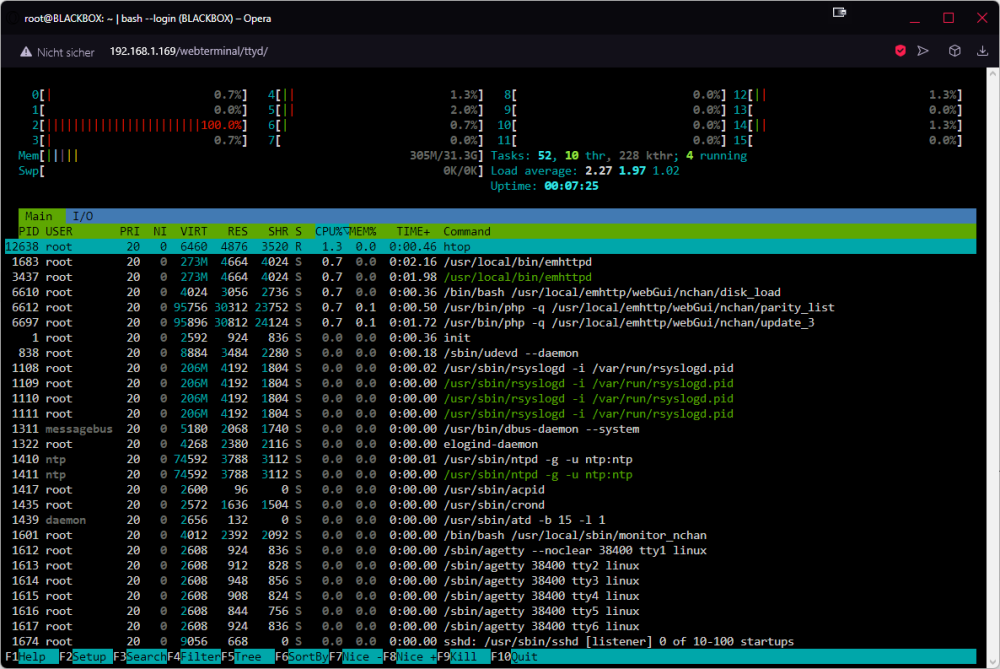
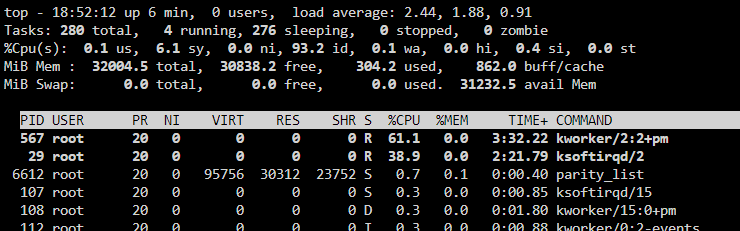
Hi JorgeB, so i restarted in safe mode, still pegged core at 100% Array Stopped obviously no docker or vm running. Samba WSD disabled. Also out of ideas from web research.
-
looks more like this thread, maybe it helps. https://askubuntu.com/questions/7858/why-is-ksoftirqd-0-process-using-all-of-my-cpu
-
can you go to command line and enter top my highes cpu utilization does go to kworker and ksoftirqd 293 root 20 0 0 0 0 R 61.1 0.0 47:08.86 kworker/3:1+usb_hub_wq 35 root 20 0 0 0 0 R 38.9 0.0 30:05.82 ksoftirqd/3 Do you have a similiar issue ?
-
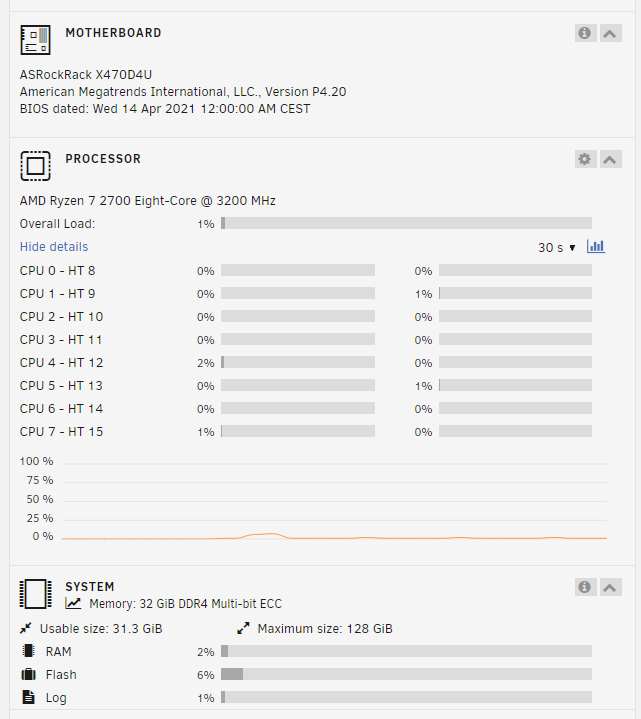
exactly same with me. It's not even similar hw. (Ryzen 2700, x470d4u) With your system it was right after a fresh install ?i seem to have a similar issue after update to 6.12.6 =(. Did you get any help or resolution in the meanwhile ?Dear Unraid Team, today i was working on my unraid applications and did an unraid update from 6.12.1 to 6.12.6. At some point i figured that one core was stuck at 100% utilization permanently. Even after restart before even starting the array, instantly 100% usage on one core. In HTOP i could not see anything unusual aside emhttpd doing things sporadically. But i cannot find the culprit of using one core constantly. it also drives me crazy since cpu cooler now is always turning on and off due to load and probably power consumption is also significantly increased I added the diagnostics output as attachment. The stuck core changes with every reboot to another, but than that core stays at 100% constantly. Hope someone could help. blackbox-diagnostics-20240107-1557.zipOk, resolved it. Firewall rules != portforwarding rules... next time should check my router better ^^ Thank you anyway! Your server works like a charm.i also tried Custom Bridge with own IP-Address (adjusted forwarding to new ip address), same behavior. Can connect via LAN, bot not connection to the online listed server version... Seems that it lacks some additional information/config ...


