





IMI4tth3w
Members
-
Joined
-
Last visited
-
please pull latest version from https://github.com/Jackett/Jackett/releases blutopia is not working currently. Thank you!
-
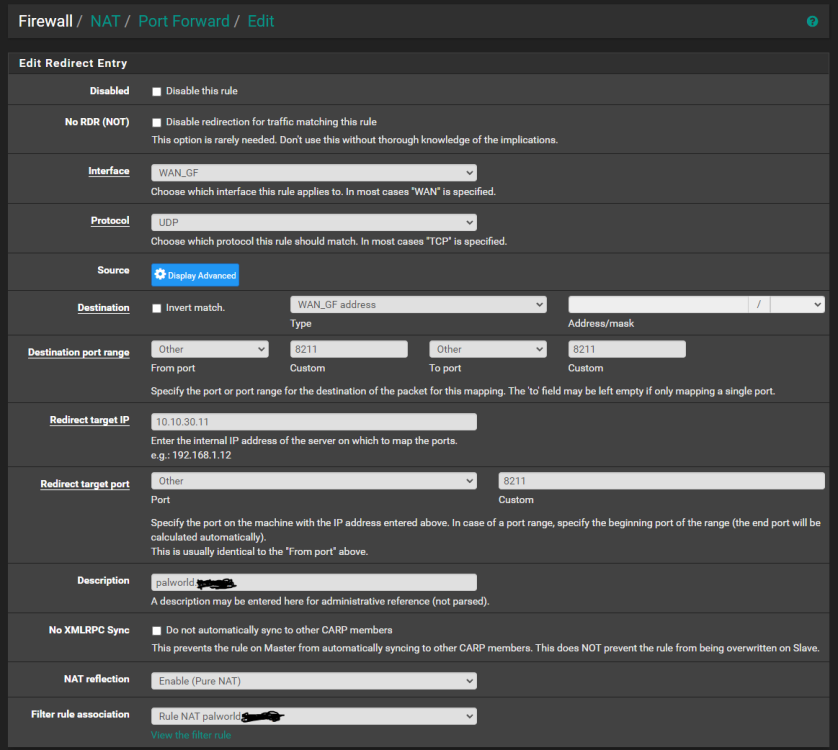
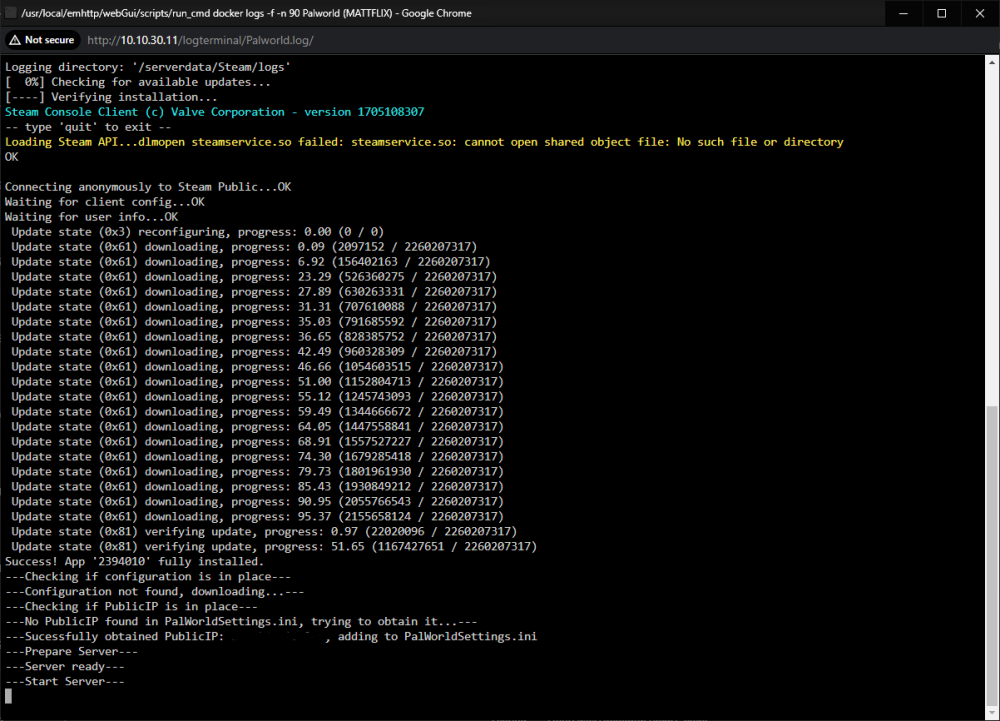
tried just about everything i can think of to get palworld server to work. can connect just fine locally but no chance over the internet (just says connection timed out). all ports are forwarded same as other game servers i've set up. only thing i've changed to the docker config is the rcon port (25575 is used by minecraft) and the folders for steamcmd and server files (to an ssd i have mounted using unassigned devices at /mnt/disks/.) port 8211 is port forwarded UDP in my pfsense router. google fiber doesn't block ports. i do have a domain setup but testing using public ip just to rule that out with no change. domain also pings to my public ip anyways. anyone have any ideas here?

-
Figured it out. My mover-ignore.txt had the wrong directories in it.. old /mnt/user/data/downloads/ fixed /mnt/cache/data/downloads/ replaced user with cache... dumb mistake. But i did find out that adding the * to the end of the directory is not needed. grep is effectively looking at the strings of the file name looking for matches. obviously "/mnt/user" wasn't going to match to anything that is "/mnt/cache" thank you again for the help!
-
Thanks for the quick reply. This is exactly what I am doing currently but I don't believe it is working how I intend, but it also might not be working at all. Here's a snippet of my syslog Jul 8 20:51:00 UNRAID root: mvlogger: Adding Skip File List Jul 8 20:51:00 UNRAID root: mvlogger: Skip File List Path: /mnt/user/data/mover-ignore.txt Jul 8 20:51:00 UNRAID root: mvlogger: Skipfiletypes string: find "/mnt/cache/data" -depth | grep -vFf '/mnt/user/data/mover-ignore.txt' Jul 8 20:51:00 UNRAID root: mvlogger: Expected Size of all files for this cache to be moved: Jul 8 20:51:00 UNRAID root: mvlogger: find "/mnt/cache/data" -depth -type f -print0 | grep -vFf '/mnt/user/data/mover-ignore.txt' | du -shc --files0-from - | tail -n1 Jul 8 20:51:00 UNRAID root: grep: (standard input): binary file matches Jul 8 20:51:00 UNRAID root: 0#011total Jul 8 20:51:00 UNRAID root: mvlogger: Running in Test Mode: find "/mnt/cache/data" -depth | grep -vFf '/mnt/user/data/mover-ignore.txt' after the last line it outputs the lists of files that it is assumingly going to move. Included in this list is all the files in the directory i specified in the mover-ignore.txt as well as a file i specified just as a test. I'll keep digging and let you know what I find. Thank you
-
First, I wanted to say thank you for this awesome plugin. Next, I wanted to ask if there was a way to use the "Ignore files listed inside of a text file:" feature to ignore an entire directory instead of just a couple specific files? If not, is this possible in some other way? Thank you!
-
IMI4tth3w joined the community
-
Just upgraded from 6.8.0 nvidia to 6.8.2 nvidia. It seems this update changed my network settings and re-enabled bonding (which i am not using) turning off bonding in the network settings for eth0 fixed my issue. Hope this helps. Anyone know why this might have happened?


