Dradder1
Members
-
Joined
-
Last visited
-
I started my arrary, checked the contents of the emulated disks and they look fine. I stopped the array, unassigned the two disks, started array, stopped array, re-assigned, started array, and am rebuilding now. Will provide an update when the rebuilding is done. Thanks
-
Both drives are mounting so that part looks good. How would I verify the contents look correct? Would that be by starting the array as is and checking the two disabled drives contents via the Unraid gui? Currently I have the system online but have not started the array. Assuming the contents are fine, I can rebuild both disks per the previously stated steps.
-
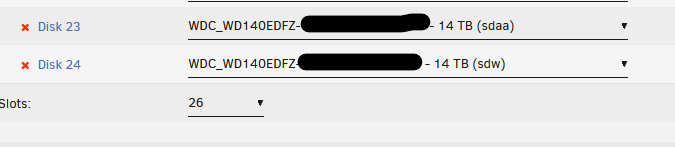
Hello, I recently had read errors on some drives. There were 8 drives impacted which led me to believe my internal SAS was the issue. I attached diagnostics to this post and have an excerpt from the log entries below when the SAS card first reported issues. Mar 16 04:30:01 Tower root: Checking for patches for OS version 6.12.6 Mar 16 04:30:02 Tower root: Skipping 20250118234506-pr239.patch-- Already installed Mar 17 00:33:54 Tower kernel: mpt2sas_cm1: SAS host is non-operational !!!! ### [PREVIOUS LINE REPEATED 5 TIMES] ### Mar 17 00:33:59 Tower kernel: mpt2sas_cm1: _base_fault_reset_work: Running mpt3sas_dead_ioc thread success !!!! Mar 17 00:33:59 Tower kernel: sd 18:0:0:0: [sdv] Synchronizing SCSI cache Mar 17 00:33:59 Tower kernel: sd 18:0:0:0: [sdv] Synchronize Cache(10) failed: Result: hostbyte=0x01 driverbyte=DRIVER_OK Mar 17 00:33:59 Tower kernel: sd 18:0:1:0: [sdw] Synchronizing SCSI cache Mar 17 00:33:59 Tower kernel: sd 18:0:1:0: [sdw] Synchronize Cache(10) failed: Result: hostbyte=0x01 driverbyte=DRIVER_OK Mar 17 00:33:59 Tower kernel: sd 18:0:2:0: [sdx] Synchronizing SCSI cache Mar 17 00:33:59 Tower kernel: sd 18:0:2:0: [sdx] Synchronize Cache(10) failed: Result: hostbyte=0x01 driverbyte=DRIVER_OK Mar 17 00:33:59 Tower kernel: sd 18:0:3:0: [sdy] Synchronizing SCSI cache Mar 17 00:33:59 Tower kernel: sd 18:0:3:0: [sdy] Synchronize Cache(10) failed: Result: hostbyte=0x01 driverbyte=DRIVER_OK Mar 17 00:33:59 Tower kernel: sd 18:0:4:0: [sdz] Synchronizing SCSI cache Mar 17 00:33:59 Tower kernel: sd 18:0:4:0: [sdz] Synchronize Cache(10) failed: Result: hostbyte=0x01 driverbyte=DRIVER_OK Mar 17 00:33:59 Tower kernel: sd 18:0:5:0: [sdaa] Synchronizing SCSI cache Mar 17 00:33:59 Tower kernel: sd 18:0:5:0: [sdaa] Synchronize Cache(10) failed: Result: hostbyte=0x01 driverbyte=DRIVER_OK Mar 17 00:33:59 Tower kernel: sd 18:0:6:0: [sdab] Synchronizing SCSI cache Mar 17 00:33:59 Tower kernel: sd 18:0:6:0: [sdab] Synchronize Cache(10) failed: Result: hostbyte=0x01 driverbyte=DRIVER_OK Mar 17 00:34:00 Tower kernel: sd 18:0:7:0: [sdac] Synchronizing SCSI cache Mar 17 00:34:00 Tower kernel: sd 18:0:7:0: [sdac] Synchronize Cache(10) failed: Result: hostbyte=0x01 driverbyte=DRIVER_OK Mar 17 00:34:00 Tower kernel: mpt2sas_cm1: mpt3sas_transport_port_remove: removed: sas_addr(0x4433221103000000) Mar 17 00:34:00 Tower kernel: mpt2sas_cm1: removing handle(0x000a), sas_addr(0x4433221103000000) Mar 17 00:34:00 Tower kernel: mpt2sas_cm1: enclosure logical id(0x500605b00471aaa0), slot(0) Mar 17 00:34:00 Tower kernel: mpt2sas_cm1: mpt3sas_transport_port_remove: removed: sas_addr(0x4433221100000000) Mar 17 00:34:00 Tower kernel: mpt2sas_cm1: removing handle(0x0009), sas_addr(0x4433221100000000) I shutdown and reseated the SAS card and all SATA, SAS-to-SATA, and power cables to all drives in my array. All drives came up fine and I tried to run a parity check without selecting fix errors. I went to bed and woke up the next morning and the parity checked stopped and there were more read errors on the same drives. I decided to turn off my server for the week until the weekend where I have time to troubleshoot. I took a look today and see two drives disabled but the contents are being emulated. I shut down my server various times, reseating SATA and power cables but the two drives still show disabled. I swapped known working cables (Power and SATA) with these two drives and the other drives are fine but these two still show disabled. The two disabled drives are healthy per checking the SMART logs. I was thinking of rebuilding the drive onto themselves after searching online but the link below is no longer valid. https://wiki.unraid.net/Manual/Storage_Management#Rebuilding_a_drive_onto_itself I did some more digging and found these steps. Are they correct? "You can do a rebuild by doing the following: Stop array Unassign disk to be rebuilt Start array with disk unassigned Stop array Reassign disk to be rebuilt Start array to begin rebuild " NOTE: My system has two parity drives, and I upgraded both to larger drives in the past 2-3 months. The drives that are disabled are the former parity disks. Wanted to share if that matters at all. Thanks in advance. tower-diagnostics-20250318-0750.zip
-
I re-seated the PCIE card and I see the device appeared under System Devices whereas before I shutdown it did not. The drives look fine and I can see the missing media shares that were not there pre-reboot and re-seating of both the PCIE card and sas-to-sata cables. I hope this is a one off but I will continue to monitor. Is it worth a parity check on my array? I may have had some media added to the array before I noticed the errors. There were no errors in the last parity check a month back.
-
I was looking at the diagnostics and see the following entries: Feb 2 13:43:33 Tower kernel: mpt2sas_cm1: SAS host is non-operational !!!! ### [PREVIOUS LINE REPEATED 5 TIMES] ### Feb 2 13:43:38 Tower kernel: mpt2sas_cm1: _base_fault_reset_work: Running mpt3sas_dead_ioc thread success !!!! Feb 2 13:43:38 Tower kernel: sd 18:0:0:0: [sdv] Synchronizing SCSI cache Feb 2 13:43:38 Tower kernel: sd 18:0:0:0: [sdv] Synchronize Cache(10) failed: Result: hostbyte=0x01 driverbyte=DRIVER_OK Feb 2 13:43:38 Tower kernel: sd 18:0:1:0: [sdw] Synchronizing SCSI cache Feb 2 13:43:38 Tower kernel: sd 18:0:1:0: [sdw] Synchronize Cache(10) failed: Result: hostbyte=0x01 driverbyte=DRIVER_OK Feb 2 13:43:38 Tower kernel: sd 18:0:2:0: [sdx] Synchronizing SCSI cache Feb 2 13:43:38 Tower kernel: sd 18:0:2:0: [sdx] Synchronize Cache(10) failed: Result: hostbyte=0x01 driverbyte=DRIVER_OK Feb 2 13:43:38 Tower kernel: sd 18:0:3:0: [sdy] Synchronizing SCSI cache Feb 2 13:43:38 Tower kernel: sd 18:0:3:0: [sdy] Synchronize Cache(10) failed: Result: hostbyte=0x01 driverbyte=DRIVER_OK Feb 2 13:43:38 Tower kernel: sd 18:0:4:0: [sdz] Synchronizing SCSI cache Feb 2 13:43:38 Tower kernel: sd 18:0:4:0: [sdz] Synchronize Cache(10) failed: Result: hostbyte=0x01 driverbyte=DRIVER_OK Feb 2 13:43:38 Tower kernel: sd 18:0:5:0: [sdaa] Synchronizing SCSI cache Feb 2 13:43:38 Tower kernel: sd 18:0:5:0: [sdaa] Synchronize Cache(10) failed: Result: hostbyte=0x01 driverbyte=DRIVER_OK Feb 2 13:43:39 Tower kernel: sd 18:0:6:0: [sdab] Synchronizing SCSI cache Feb 2 13:43:39 Tower kernel: sd 18:0:6:0: [sdab] Synchronize Cache(10) failed: Result: hostbyte=0x01 driverbyte=DRIVER_OK Feb 2 13:43:39 Tower kernel: sd 18:0:7:0: [sdac] Synchronizing SCSI cache Feb 2 13:43:39 Tower kernel: sd 18:0:7:0: [sdac] Synchronize Cache(10) failed: Result: hostbyte=0x01 driverbyte=DRIVER_OK I think these drives are connected to the same SAS card. I found some forum posts dealing with the same diagnostics log entries. I'll power down and try to re-seat the card. I don't believe I have an available PCIE slot to use but do have a much newer board/cpu combo I meant to swap in to replace the old hardware running this system. I'll try those steps out.
-
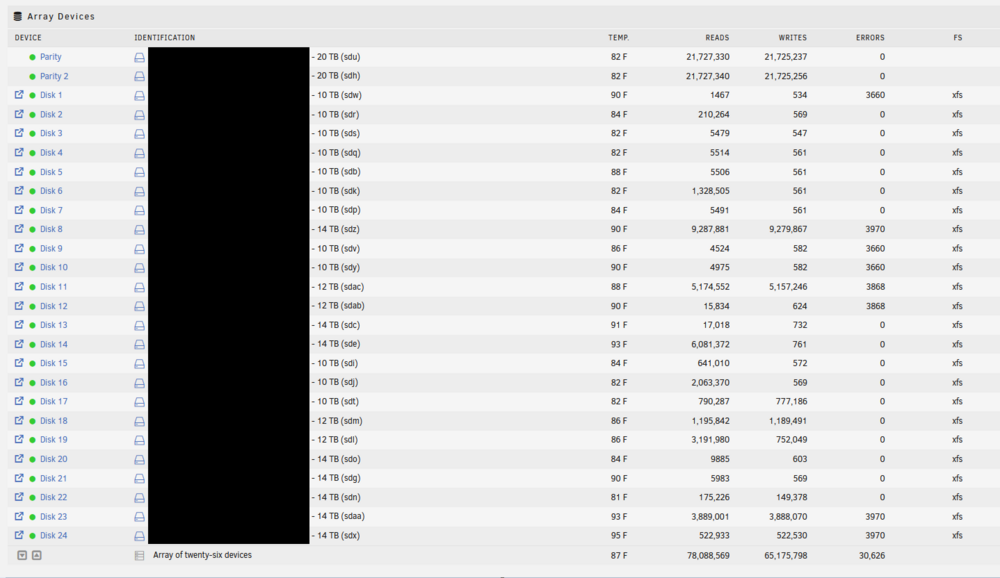
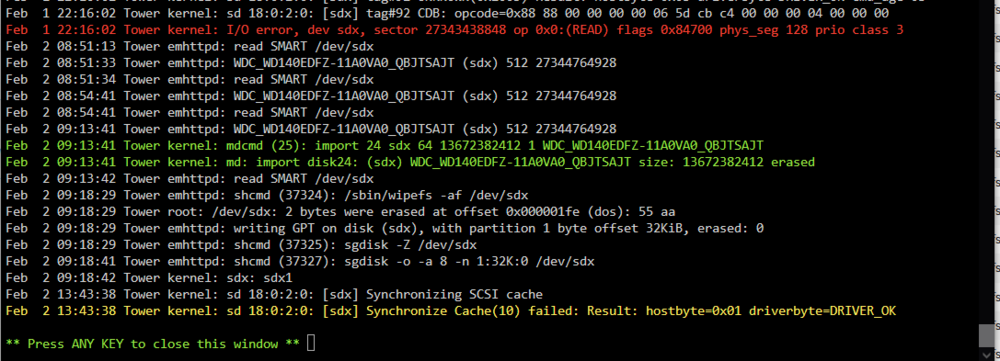
Hello, I recently added two 20TB drives to my array to server as parity. I replaced the existing 2 x 14 TB parity drives. I replaced one by one. No problems after both new parity drives were upgraded. I added one 14TB drive (former parity) to the data array and no issues for about three days. I precleared the second unassigned 14TB parity drive. I added to the data array within the past 24 hours. I noticed when trying to update some missing media that some of my media folders were missing from the shares. I checked drive health and all are fine but eight are showing read errors. When I check the disk logs on one of the drives with errors I see the following: I see the same "Synchronize Cache[10] failed" error on the eight drives with errors. Only this one drive shows I/O errors. I thought I may have over-passed the 30 drive limit but believe I should be fine. 2 x parity 24 x array 2 x cache pool 1 x usb = 29 drives I have a main case and a DAS. I don't believe this is a hardware issue related to that. I haven't stopped the array yet but did stop running dockers. Can someone please help me review? Attaching diagnostics logs. Thanks tower-diagnostics-20250202-1437.zip
-
My system has been working fine since repairing the scrub. I've been able to add media to my shares and use some dockers without issue. I will continue to monitor and will look into incorporating the pool monitoring. Thank you!
-
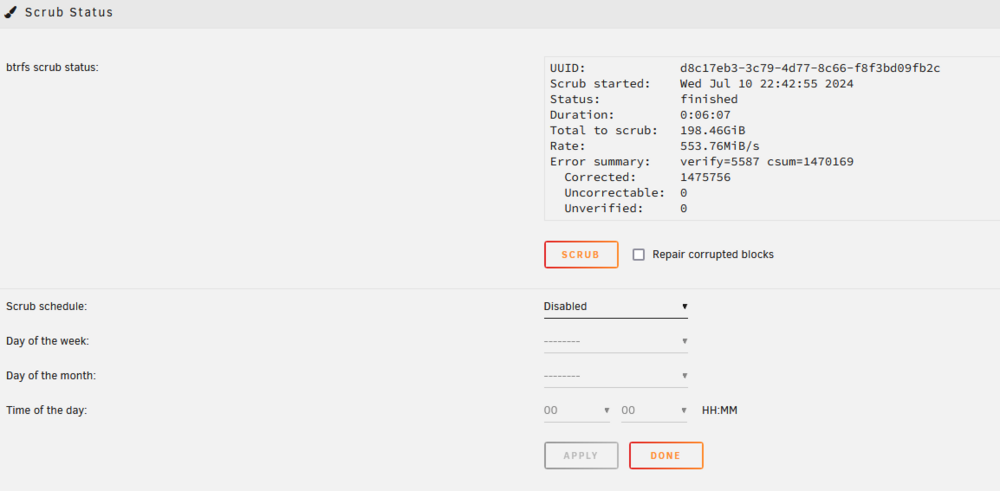
I started the array and ran the scrub on the pool and it repaired corrupted blocks. The system is running a parity check and corrected some sync errors. I'll let it finish then will test my system again and follow-up here. Thanks,
-
Thanks for the quick reply. A couple of questions. Should I start the array and if so do I do it in maintenance mode? A parity check is currently set to start because I did not shut down properly. I disabled the Dynamix Trim plugin and now see it listed in the Plugin File Install Errors. Can I run the scrub from the terminal per the instructions here? https://docs.unraid.net/unraid-os/manual/storage-management/#scrub btrfs check --readonly /dev/sdX1 btrfs check --repair /dev/sdX1 Thanks again

-
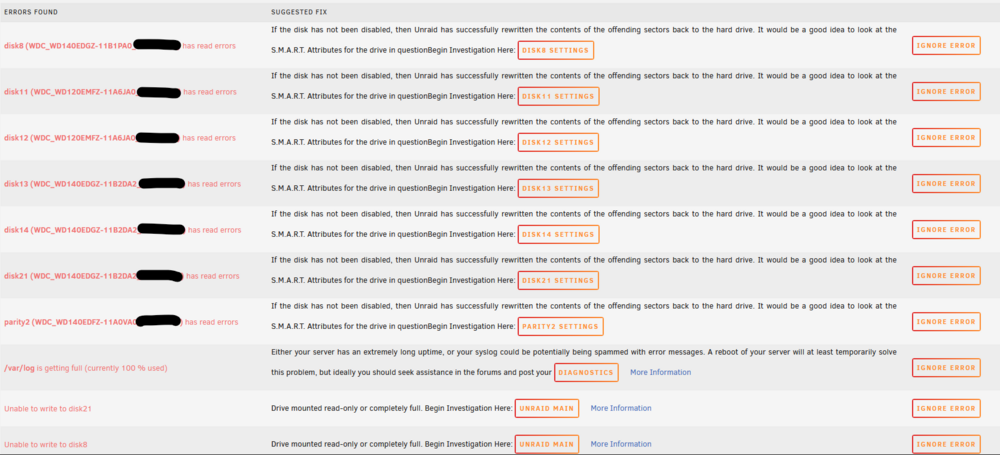
Hello, I recently ran into issues with my 10 year old Unraid server after updating the OS. Current Version: 6.12.6 Previous Version: 6.11.5 I had many issues after the update, most notably seeing lots of BTRFS errors in the logs on my two SSD drives in my pool, with some entries referencing some drives in my array. I did some research online and saw some posts mentioning faulty RAM or loose SATA cables. Multiple times I powered down my system and made sure all cables were securely plugged in, both SATA and power. I have an internal and external SAS card running to a second case with more drives. Everything was connected properly. My system would work for a couple hours after turning back on before the BTRFS errors returned. When this happened some of my media shares would go offline while some would stay online. Sample of some errors I saw during this time. I decided to replace my i7-2600K/ASUS MB system with a i7-12700K/MSI bundle from Microcenter. I swapped in the new hardware, CPU, MB, RAM, PSU and put in my SAS cards. I had some issues with getting the flash drive to Boot but some old forum entries helped me fix that. I booted up the system and all the drives were detected. I started the array and launched Plex and started streaming some items to test. Things worked for 15-20 minutes before my stream froze. I checked Unraid logs and saw more BRTFS errors referencing the two SSD drives in my pool. The GUI became unresponsive and I had to forcibly shut down my system. I had to cycle the power a couple of times for Unraid to boot. My array wants to run a Parity check but I'm anxious to do so as I'm afraid I may get more errors during the process as my array is pretty large. I'm posting logs before (2024/07/04) and after (2024/07/09) I replaced the internal hardware to show the logs. My two SSDs are different brands but the same size. I am planning to swap those out for NVME drives since my new MB has multiple onboard slots to accommodate. I appreciate some help reviewing my diagnostics and helping me pinpoint the issues. Thanks tower-diagnostics-20240704-1118.zip tower-diagnostics-20240709-0138.zip
-
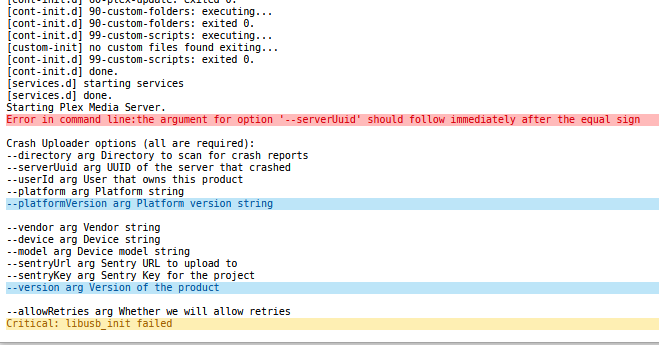
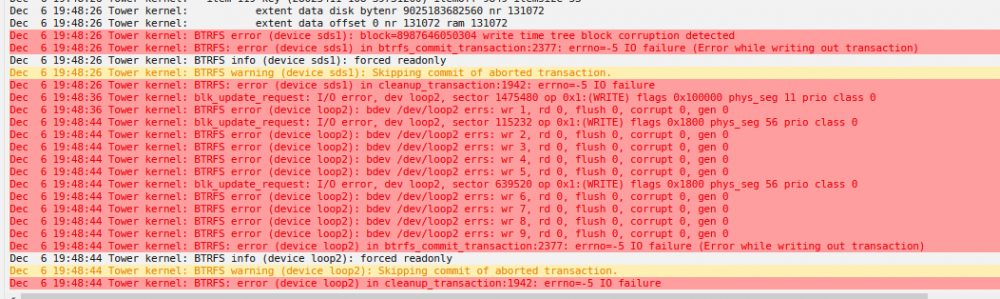
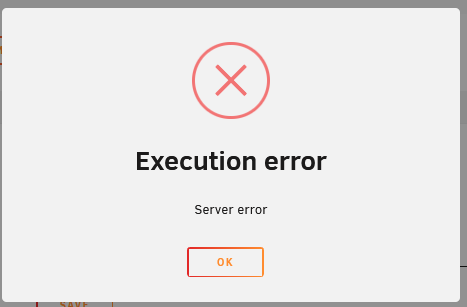
I deleted the appdata folder and restarted my server. I reinstalled the plex docker and set all media paths (I appended a V2 to the plex path make sure no old data was being used) When trying to launch I still get the XML error. Docker logs after launch. Looking at other posts on this forum for similar issues I found a suggestion to add '/manage' to the end of the plex docker URL to gain access. My URL looks like this: http://x.x.x.x:32400/manage and it did load. I was then able to create the Plex instance/server name and it's started adding libraries. I could access my media that has been scanned so far from a client system via a test stream. I then tried to relaunch the Plex docker and after going through the initial setup/configuration it did load. No tricks needed. Thought I was almost done. I was in the Plex GUI, not Unraid, and set transcode to use RAM in settings. Another step closer to being finished... When I was streaming from my backup Plex instance I noticed the new server shares showed offline. The Plex Server was offline. I checked logs and see BTRFS serrors. I tried to restart the docker and it failed. This is the message I got. Looking at other similar posts on the forum seems to indicate bad memory. I will attempt to run a memtest to see the results. Attaching latest diagnostics after running into these last issues. Thanks tower-diagnostics-20211206-2023.zip

-
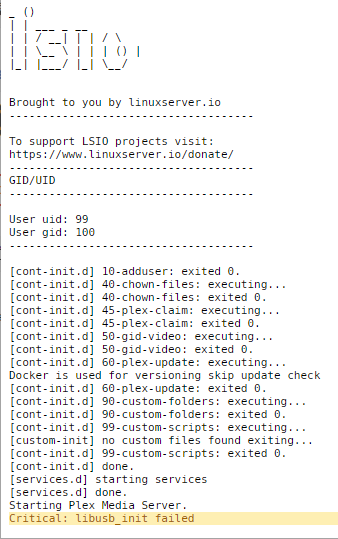
It appears that my Plex instance on Unraid is running. I simply cannot reach the WebUI directly from the docker page. I have an older system with another Plex instance that I booted up. I saw my Plex shares available on my Unraid system and am able to view the media. I tried to launch from a different browser on the same system and received the following message: When I view the docker logs this is what I see? Is this more a docker-provider issues versus Unraid? If so I can go that path. Thanks

-
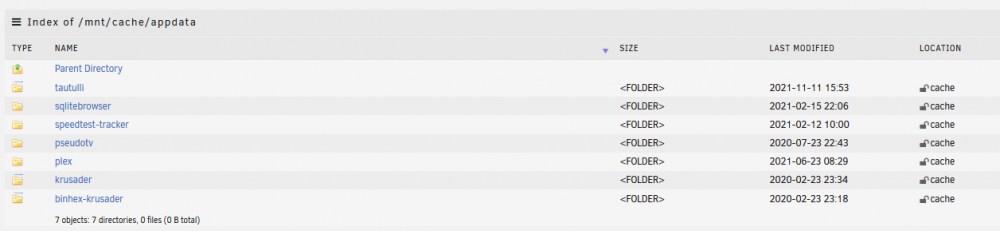
Instead of using the Previous Apps feature I reinstalled the same linuxserver Plex docker from the Apps page. I had it point to my media shares. Installation is fine and the docker is started per the GUI. When I go to launch the docker it is unable to connect. I then checked the cache appdata folder and see a Plex folder there with an older timestamp. Do I need to remove this old plex folder from the cache drive then try to reinstall? If so is Krusader a viable option to do so via GUI? Attaching latest diagnostics. tower-diagnostics-20211203-1007.zip Thanks,


-
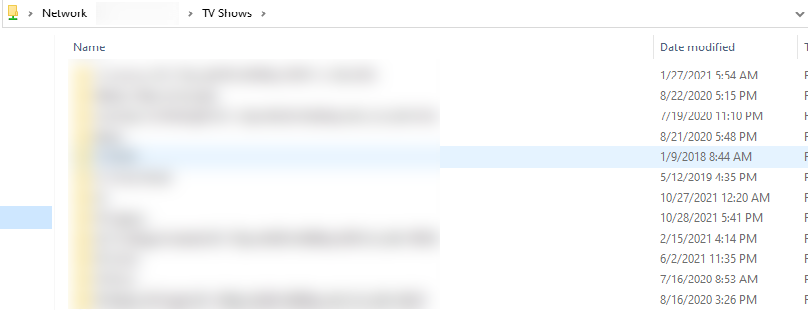
I ran the xfs_repair command sans arguments and it completed quickly. ***** Check Filesystem Status xfs_repair status: Phase 1 - find and verify superblock... Phase 2 - using internal log - zero log... - scan filesystem freespace and inode maps... Metadata CRC error detected at 0x43cfad, xfs_bnobt block 0x2ffffffd8/0x1000 btree block 6/1 is suspect, error -74 bad magic # 0 in btbno block 6/1 Metadata CRC error detected at 0x43cfad, xfs_bnobt block 0x27fffffe0/0x1000 btree block 5/1 is suspect, error -74 bad magic # 0 in btbno block 5/1 . . . resetting inode 7018382593 nlinks from 14 to 8 resetting inode 72238548 nlinks from 6 to 4 resetting inode 7018382623 nlinks from 17 to 11 resetting inode 72238576 nlinks from 11 to 6 done ***** After running the command I received the message that Disk 11 has returned to normal utilization level. Disk 11 now shows more free data than before but I can view folders and files there. There is a lost+found folder now but I can view files under the TV Shows folder. I confirmed in Windows that I can now view files in the TV Shows share. I have plenty of content in the lost+found directory but no big worries. I have the original drives I replaced and may try to recover some data from them. I don't have any dockers installed even though I can see the folders and files in my cache drive at /mnt/cache/appdata I will proceed to reinstall those. I'm attaching the latest diagnostics logs for reference. Thanks all for your help. I really appreciate it. tower-diagnostics-20211202-2310.zip



-
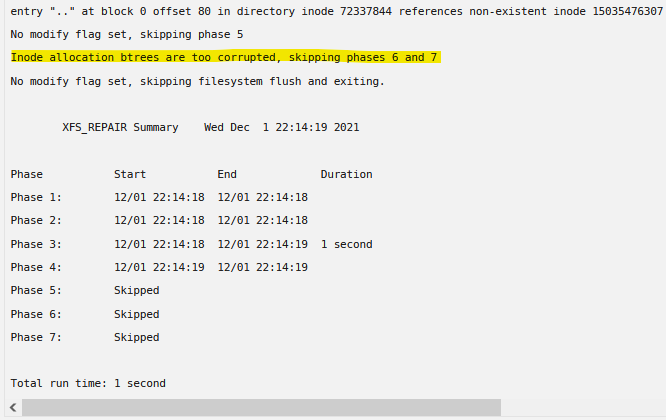
I ran the xfs_repair -nv command from the webGui and this is the results. Diagnostics are attached. tower-diagnostics-20211201-2222.zip Per this article running xfs_repair without the -n argument was suggested and worked. Should this be my next step?