





Normand_Nadon
Members
-
Joined
-
Last visited
-
Sorry for the delayed response, I somehow did not get the notification. This plugin has worked for me on my array for several years now... partitions are BTRFS of course, and I had my snapshot creation/expiration schedules all created on that interface. I noticed one of my drive was not getting snapshots correctly (entirely my fault, misconfiguration) but I could not manage Snapshots from that plugin's UI anymore. I disabled the plugin for now and reverted to using a script to run the snapshots... But it is not as convenient! Have a nice day!
-
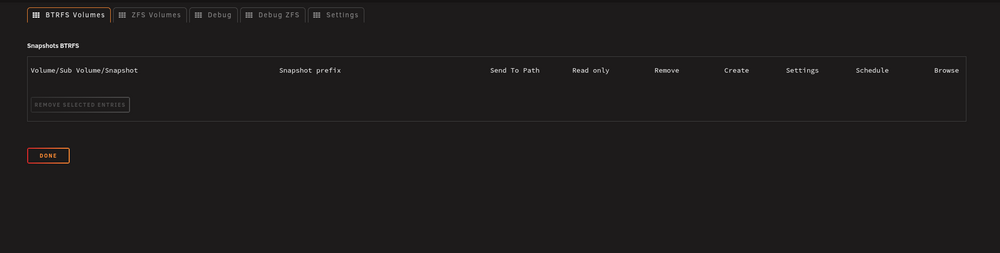
Am I the only one for whom the interface for Snapshots does not work at all in Unraid 7.2.3 ? I can't see the usual options, everything is empty.
-
Well... thanks for your answer! I am not completely giving up yet... I am running low lever hex scans on the drive to try and find remnants... But I mostly made my mind that this data is gone forever! From stuff that I read, there might be backup headers scattered around the drive because it was active for 5 years... But is that legends?
-
Long story short... I f-ed-up! My Unraid server is a 5yo buddy that has ran without a hickup all this time... (minor stuff, user errors, nothing too bad) Last week, I upgraded to 7 from 6.13 and sh!t hit the fan! My array would not mount, keys were not getting recognized, all sorts of fun stuff... All that to realise that for some reason my config had an entry for keys in /boot and I don't use keys, I use a passphrase... (LUKS+BTRFS) Anyways, after a couple of hours of this, panic started to kick-in, I made stupid mistakes, and I did it... I clicked on "format" on a mounted non-responding drive... Why the hell does that button even exist on the main page in the first place when a drive becomes unmountable? I don't know! All that to say, my parity got updated my drive was borked, I followed wrong guides to save myself and did worst (ended-up deleting LUKS headers on the drive that could have saved my butt!) So yeah... I learned a lot about LUKS and encryption this week, I slept a couple of rare hours, I lost critical data that had not been correctly backed-up because life, kids, no time TLDR: --- SO the question... is there somewhere where Unraid stores backup LUKS headers that could save my butt? I made exact copies of the array at some point using ddrescue and stopped using the Unraid server altogether until I could explore my thin options but the headers were already gone... Testdisk and various forensic scripts have been running for a week on those img files, I am out of ideas... Tell me the truth... I need to know... this data is gone forever?
-
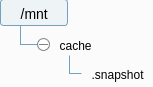
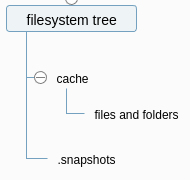
I will admit that I did not understand it all at first... My brain is not collaborating this week, I am sick! Re-reading it a couple times helped and it made a lot of sense! Do I understand it right that Unraid shows me: But in reality, this is all smoke and mirrors created by the sorcery of symlinks and in fact it is structured as such behind the scene Am I right to see it that way?
-
To save time, I activated the "root" option and it works fine I created a subvolume called ".snapshot" For some reason, it works... The full volume gets it's snapshot inside the .snapshot subvolume, and the .snapshot folder exists inside the snapshot, but is empty... maybe there is something in Unraid or BTRFS that keeps it from making snapshots of snapshots... can't tell!

-
I think I just answered myself
-
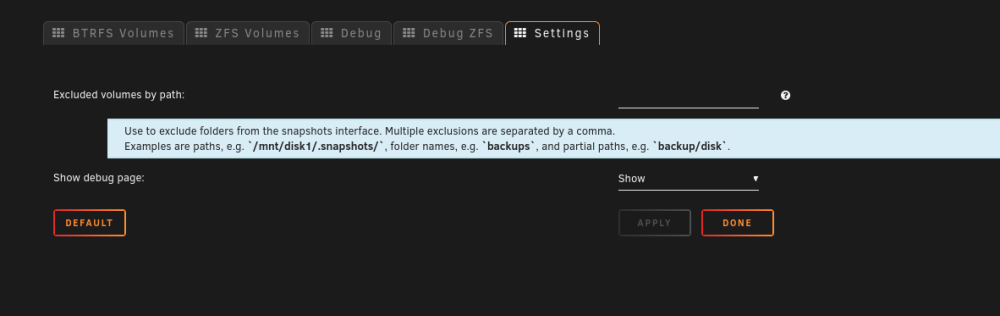
Ooooooooh! Thanks! Will the snapshot exclude the snapshot folder? (I don't want to snapshot the snapshot!)
-
Oooooooh! Thank you @primeval_god and @JorgeB !!! That is what I was telling you... Snapshots have been around for millennias, so all the documentation I could find was assuming I knew what a snapshot was from the beginning, from other types of filesystems! You can clearly see that I don't Would you mind pointing me to a clear procedure on how to that? My guts tell me this: rename all the shares as [SHARE'S NAME]_OLD, create subvolumes named as [SHARE'S NAME], move the data inside those subvolumes (should be near instantaneous as it is just re-mapping the location) delete the old share... Does it make sense ? EDIT: Oh... and how will Fuser manage that? I have shares that are splitted between the cache and on the array
-
I can't help you get less confused! I have no idea what I am doing! Here is what I want to do: I want to take hourly snapshots of the entire drive, and be able to recover if ever I make a stupid mistake... I know snapshots don't replace backups, but I don't want to make as many backups as I take snapshots, if it makes sense
-
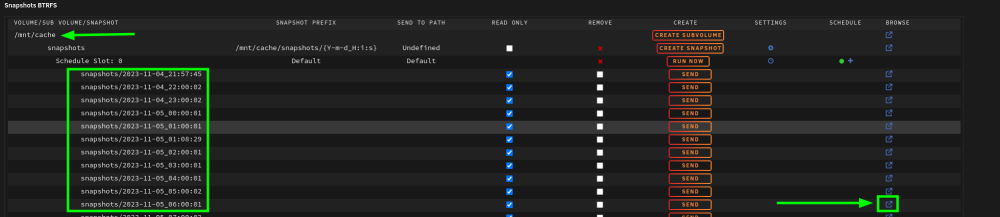
@primeval_god, I don't know what I am missing, but when I navigate to the individual snapshot folders (either from the plugin, or from the terminal) all I see is all the preceding snapshots, but no file... I really don't get how it works!

-
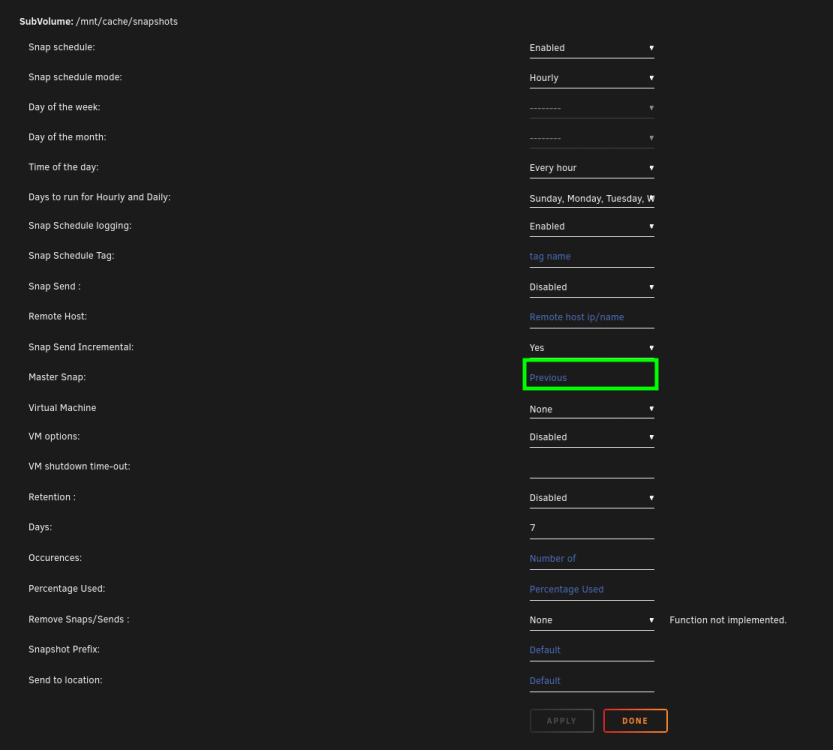
First of all, thank you @primeval_god, in 12 or so lines, you made this a million times simpler to understand for me! I have been trying to understand the concept for days! (I will admit I need to google COW and what it means... but 95% of you explanation was clear to me!) But what is the meaning of this then? Does it apply only to remote sends ? Amazing! I will experiment on this and report if I still need help!
-
First of all, thanks for the amazing work on this plugin! Here is my question now (with context): I have been using Unraid for several years now, but I just got interested in BTRFS snapshots (after destroying a lot of data due to an error I made... A noob error that should never have happened!) All the documentation I could find is aimed at people who already know what filesystem snapshots are and how they work... I don't! My use-case is: To be able to roll back a few hours in case I screw-up... the rest is managed by daily replication of data with rsync on another server and some other backup strategies. There is a lot of movement in the week on this server as it syncs with work related stuff, so hundreds of files might change/be created per week. When I create snapshot on a schedule, the default value is to base it on the previous snap. What am I supposed to do if I want to only keep a week worth of hourly snapshots, with auto-deletion of older snaps? Won't deleting a previous snap destroy data? How does one roll back a file, folder, or a state of the file system on unraid? We don't have Timeshift or other cool GUI stuff like that of which I am aware. Can it be done while the server is running? Do I need to mount the disk on a live boot and use Timeshift? Feel free to send me obvious guides that I might have missed (Esspecially in the form of videos if available) Have a nice day EDIT: All my snapshots are directly on the filesystem from which they originated for the moment. I don't send them to a remote. The goal is to roll-back files if I screw-up something, not back-up the entire drive on a server on the moon for preservation.
-
if the mongo container is on the same network as the rocketchat container, you can also do: mongodb:27017 (you have to write it exactly the same way you named the mongodb container... avoid capitalisation and special characters... it sometimes causes issues)
-
why do you add mongodb:// before the ip? Normally you would just set the ip and port...


