





cromwell
Members
-
Joined
-
Last visited
-
I didn't install any other plugins. I did activate a few that came with the container.
-
following up, i haven't seen xmrig show up since removing this container
-
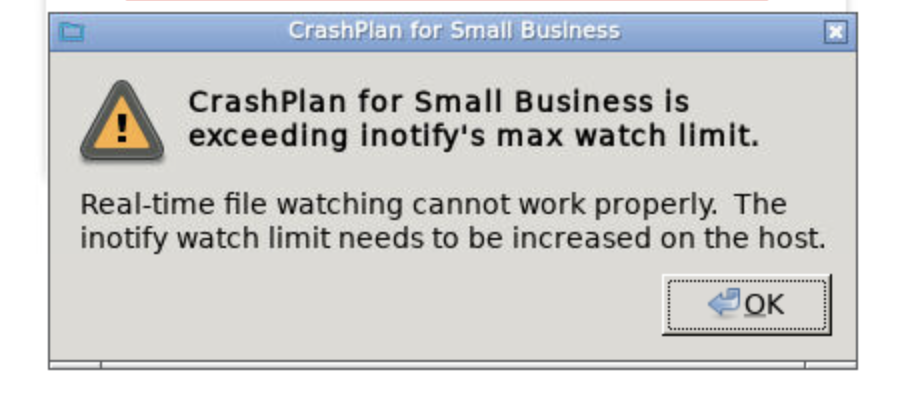
I got this error when trying to log in to container today. not sure if it's related to the above mentioned issue, but I increased inotify to 750000 from about 524000. hopefully that helps...
-
has anyone else had any issues with xmrig recently? a week back I found xmrig on my system, so I was effectively hacked. after searching and found that xmrig may have been related to this container and a malicious plugin. I don't remember installing any deluge plugins, but I've had it running for years so I can't be sure. anyway, I removed the container and the image. then I deleted the binhex-delugevpn folder in /appdata/. a few days ago I reinstalled binhex-delugevpn and this time I made sure not to install any plugins aside from activating a few of the ones that came stock. today, I see xmrig running AGAIN and using 100% of my cpu. I removed binhex-delugevpn completely and will see if xmrig returns. very important - I am not certain that this container is at fault. I only thought this because deluge is the only one that seems to have had some issues in the past when googling "unraid xmrig" it seems to be the main candidate. figured I'd start here.
-
it did, but see my previous comment
-
Yes, however yesterday it did something different. It managed to finish the block sync and started backing up files again (yay!). but after maybe 60 minutes it started doing a block sync again and has been doing it since
-
Can confirm that 6.10.1 fixed the issue and I upgraded just fine.
-
I'm having a similar issue with "Syncronising Block Information". I am backing up 11.9TB It seems to take a while to complete, but after it completes it seems to restart doing the "Syncronising Block Information" thing again. This started on May 15th and I've been getting warnings that my server is not being backed up since. Any idea how to fix this?
-
just flashed my usb disk to the last backup version and booted. will wait for 6.10 to be out for a while before upgrading
-
server wont boot after doing the upgrade. what can I do?
-
same here. what's the story here?
-
Great new interface but this update was a wild ride! This fixed it for me after force updating!
-
My SSH has some issues after installing this plugin. Before this I would manually enable/disable SSH as I needed it through the Unraid GUI. I wanted to leave SSH on and figured I could do it with this plugin but now I can't connect. I get the following error when using a SFTP client to connect [email protected]: Permission denied (publickey,password,keyboard-interactive). SSH seems to work fine through a command line, but I didn't change anything with the client. Does anyone know what the issue here can be? I'm a noob so please dumb it down for me Edit - nevermind, fixed itself somehow...
-
Yes on my desktop but not on my unraid box. I thought the VPN client was bundled with this docker. That totally fixed it for me. Thank you!!!
-
the weird thing is I'm able to ping and connect to the same vpn node from my laptop. so not sure why it's not working with deluge...
