





Maggi0r
Members
-
Joined
-
Last visited
Everything posted by Maggi0r
-
Hello I have installed the plugin but where can I find the settings. I don't find anything under Settings. There were also no errors during the installation. However, if I look again after the installation and apps, I can reinstall it, normally there should be a gear there. However, I do not have this. If I look under Installed Apps it doesn't show up there either, but I look and there are plugins inside. Regards Maggi
-
Thanks I posted it in the other forum. Regards Maggi
-
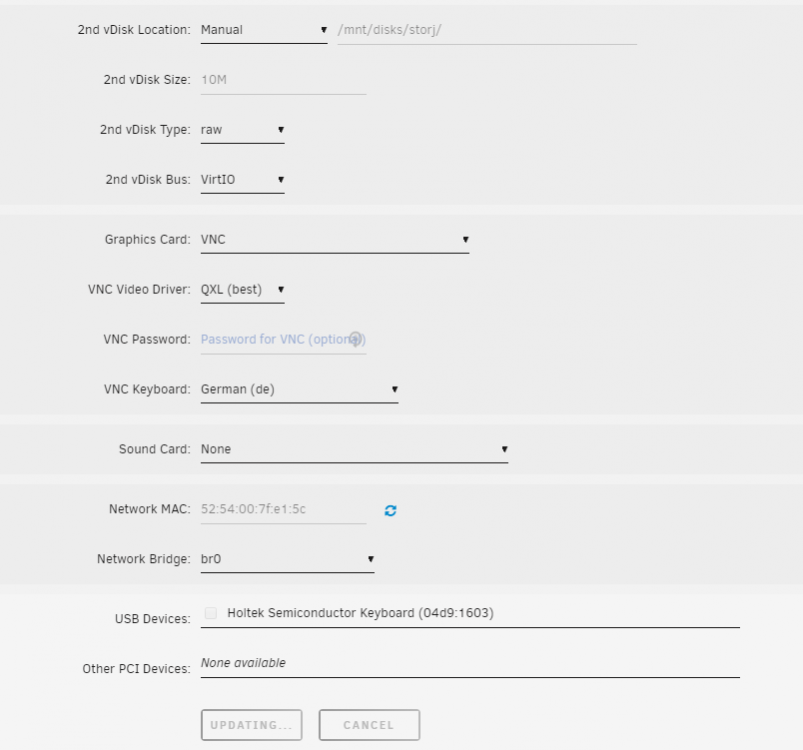
Ah thanks now I got it done thanks. I created the SMB again and now I could mount it. However, this is not possible now. I had thought that I would create a Windows VM where the VDISK is on the unRaid and then I create another VDISK which is then on the share. If I add the VDISK to the VM and click on Update it says Updating all the time but nothing happens. If I look at the SMB share then the VM is also created but with 0 KB. Regards Maggi tower-diagnostics-20200409-1343.zip

-
Good morning, that was a good tip. With the accessibility via ping or ICMP. This works now I can press the mount button but it is not attached. After a short time it is back on Mount. Again briefly to the question about or in the future the SSDs. I would love to use the SSDs only for the VMs because of the speed. What is the best way to proceed? Regards Maggi tower-diagnostics-20200409-0709.zip
-
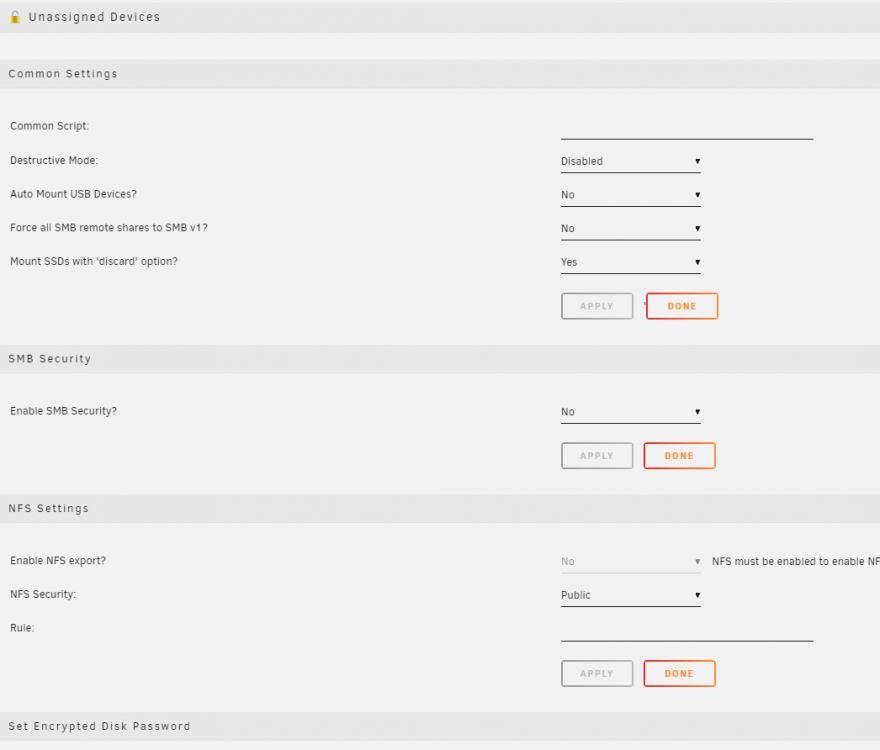
Here is a picture from the main page of UD. Greets Maggi

-
Yes that's what I'm trying I can't click this button it's gray. When I click on it nothing happens. Regards Maggi
-
Hmm, I don't really get it. Unfortunately, I don't know why he doesn't log this. I don't really understand the SSD either. So would like to stop that the VMs do not put on a conventional plate. Or what solution is there faster? Regards Maggi
-
So I have now deleted the SMB again and added new. And it says auto-mount. But then I don't press the button for Mount and the lamp is gray in the front Thanks for the info with the SSD, that was clear to me but at the moment only my test system. In the later system, the SSD or the one intended for it comes in as a cache. There is one question you can not operate SSD in the array. I would like to put my VMS there later. Regards Maggi Turmdiagnostik-20200408-2006.zip
-
Thanks for the feedback, I tried to mount it manually but without any changes. Here is the log with auto-mount. I have only been testing unRaid for a few days and then switch completely from Proxmox. Real good software. Regards Maggi tower-diagnostics-20200408-1958.zip
-
Oh that was quick. I assume you mean the diagnosis zip file. Sorry I'm still new to unRaid. Regards Maggi tower-diagnostics-20200408-1935.zip
-
Good evening, I have the following problem. I would like to integrate my SMB share coming from my Sysnology NAS into unRaid. I had read that this is possible with this plugin. Reaching and investing works, but I cannot mount it. So I can't get it into my array. The user in Synology has full admin rights for the test, but it just doesn't work. I hope you can help me along with that. Regards Maggi


