





fastassonic
Members
-
Joined
-
Last visited
-
I've gotten in and now trying to figure out how to run gyser mc on it however it seems the ports refuse to open. I've added the bedrock port and configured the ip table but i still can't connect
-
I'm having trouble trying to find the directories those scripts are in. Do you mind sharing
-
I've been Having an issue where i can't get into the web ui. I'm not exactly sure what other info I can provide but I will get a refused to connect error every time
-
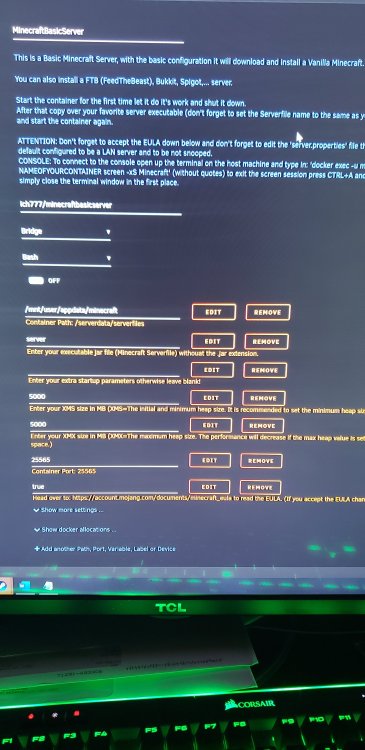
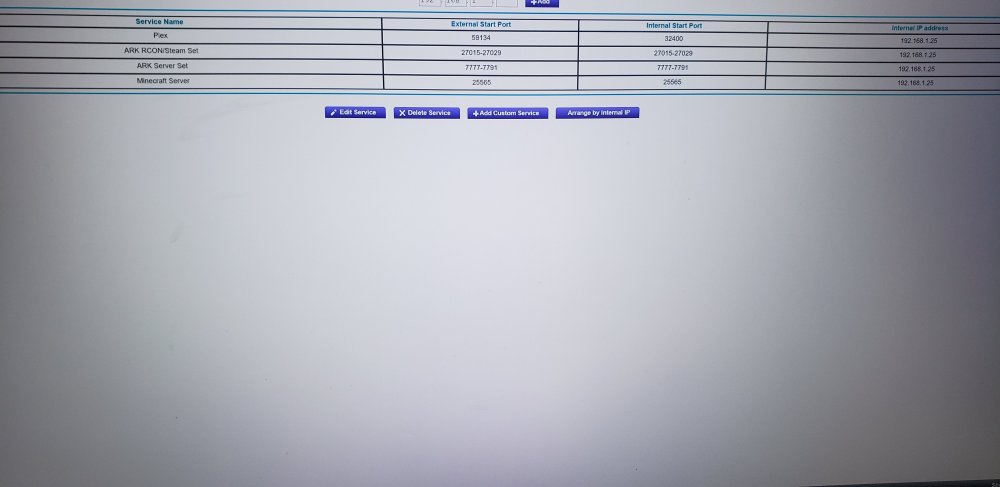
So I got the pictures you asked for but I had to take them from a phone since this isn't my computer. It's my roommates. Also I set the online mode to true in server.properties
-
fastassonic joined the community
-
Hello,so I'm running the minecraftbasicserver docker on uneaid and even though the port is open and I can connect locally on another computer. My friends can't connect. Is this a known bug or is this an issue with feed the beast Ps love your stuff man.

