





pupmeister
Members
-
Joined
-
Last visited
-
I have been searching everywhere that I can think of, and I cannot find anything about 4k HDR content and how you can transcode it. Any help in this area would be appreciated.
-
Did you ever find out the reason and a solution for this problem?
-
I am just going from the description in the Github Page "Gaps searches through your Plex Server or local folders for all movies, then queries for known movies in the same collection. If those movies don't exist in your library, Gaps will recommend getting those movies, legally of course." I did try and get the windows version from the Github page working, but could not figure it out.
-
To quote the previous question, any update on this or the ability to just scan my movies folders.
-
Yes Linux FFmpeg NVENC binary (3.4.5 for unRAID compatibility) is on. I actually found a solution that seems to work in thread on handbrake on Reddit, and was not mentioned in the posts that I read or needed for the other containers that use the GPU. Add a variable NVIDIA_DRIVER_CAPABILITIES and set the value to all . Seems to be working now. Thanks for trying to help me.
-
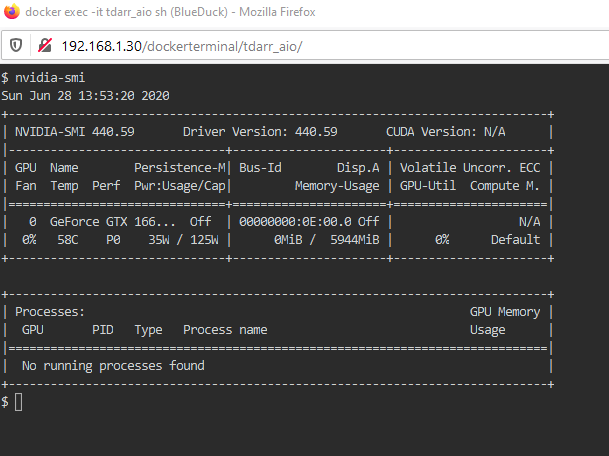
I have answered your questions in blue above to the best of abilities. I know that the GPU is working, because I can get it to pass through to Emby and unmanic. I did stop both these dockers during my testing to ensure that I did not interefere. Thanks Stephen

-
Has anybody been able to sort out this problem with the conversion not been able to load libnvcuvid.so.1? I have tried all the options quote above, and am running the latest 6.8.3 Nvidia Build, the AIO version of the docker.
