Mkultra
Members
-
Joined
-
Last visited
Everything posted by Mkultra
-
Thanks, seems like the best option!
-
Thanks for the advice! I dont currently have any spare sata ports. Is there a way of doing the parity swap whilst the empty data drive is removed and the new parity drive in its place, im guessing not?
-
Hi I want to upgrade to a larger parity drive then replace the current bad data drive with the old parity drive? will it be ok leaving the bad drive in during parity rebuild? Is there a better way of doing this? Thanks

-
i know i sound like an amateur, but is it safe the move the data from the disk without damaging the files with a rebuild etc?
-
ok, thanks for the advice!going to try and make that happen. is unbalanced still a good option?
-
ok, thought so. the idea of buying a new 4tb drive doesnt fill me with joy!
-
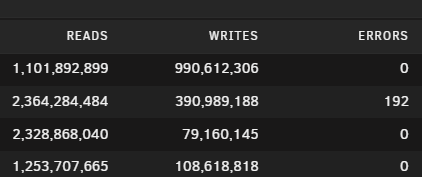
Hi I've got a server with 4tb drives or smaller and having read errors on one of my data disks. would it be possible to replace the parity with a new 12tb drive, then once the parity has been rebuilt on the new drive, replace the bad data drive with the old parity drive? Thanks in advance!