





DMills
Members
-
Joined
-
Last visited
Everything posted by DMills
-
Ahh, didn't realize the Calculate did that for me (I have to start clicking more), now I can move the files so it stops complaining, thanks Squid, much appreciated! D
-
I recently added a cache drive to my unraid server, and changed my appdata share to be cache-only, as instructred by Fix Common Problems. Now however, it has come up with a new warning: OK, but I have no idea what files / folders it is talking about. The suggested fix is no real help either: Change them to what? It already mentioned it should be set to cache-only. What offending files? Before I remove the cache drive and snap it in half, does anyone know what should be done here? TIA D
-
Switched to hotio/plex and it's working fine, weird! Thanks for the help everyone! D
-
I have a Plex Pass as well. What network type are you using? I tried creating a new container, no luck. I might try one of the other ones and see if that fixes it
-
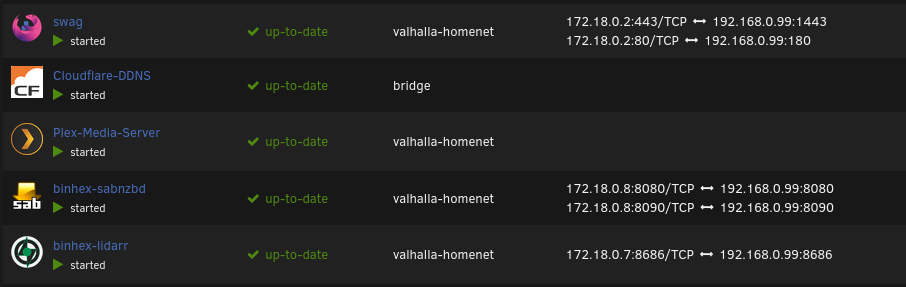
I recently switched over my containers to their own custom network, and all of them are running fine and fully accessible, except the Plex server. I am using the plexinc/Plex-Media-Server. It is showing up as having no IP address. I tried several times to add a fixed IP but it refuses to start if I do that. I literally didn't do anything but change the network type on the other containers and they all work fine, but not this one. Any ideas on what is going on and how to fix it? TIA!
-
Perfect, thank you so much!!
-
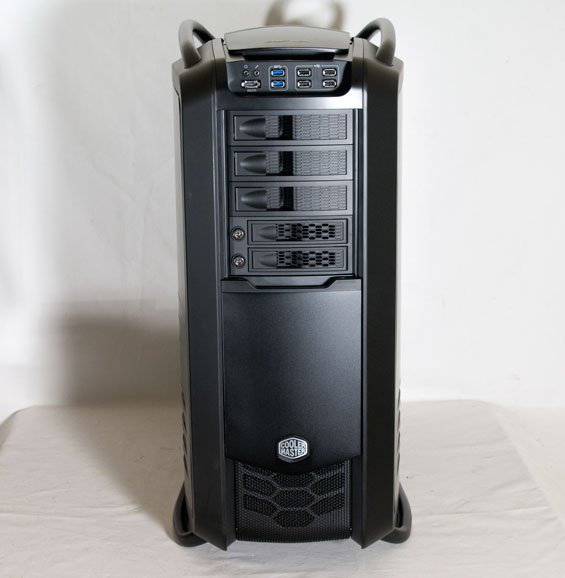
Hoping you can make one for the Cooler Master Cosmos II?
-
I actually hadn't got to the LetsEncrypt/Reverse Proxy video before stopping due to this issue, so they were both on the host network. I'm going to wipe everything and try again from scratch. I know it's something I am doing wrong or forgetting to do, but it's also sometimes confusing when the videos are made on older versions of Unraid as well as the containers, some things just don't match or make sense anymore. But without the videos I'd be just floundering around in the dark, so I am still very thankful for them!
-
Yes, I tried that one already, it actually timed out with a 504 error I might just go back to that one and try again.
-
I'm trying to install Nextcloud and use MariaDB with it, but have hit an issue. I have linuxserver's MariaDB container installed and running fine. I'm trying to install and configure the nextcloud nextcloud container, but when I set everything up on the first page of the WebUI and click Finish setup, after a few seconds I get this error: Error while trying to create admin user: Failed to connect to the database: An exception occurred in driver: SQLSTATE[HY000] [2002] No route to host I have confirmed the address and port are exactly what is being reported by the MariaDB container, which is also the IP of the Unraid server, so I'm not sure why I thinks there is no route to host. Any ideas? Let me know if you need any configs or logs or whatever.

