Skip to content
View in the app

A better way to browse. Learn more.

Unraid

A full-screen app on your home screen with push notifications, badges and more.

To install this app on iOS and iPadOS
  1. Tap the Share icon in Safari
  2. Scroll the menu and tap Add to Home Screen.
  3. Tap Add in the top-right corner.
To install this app on Android
  1. Tap the 3-dot menu (⋮) in the top-right corner of the browser.
  2. Tap Add to Home screen or Install app.
  3. Confirm by tapping Install.

wxf870517

Members
  • Joined

  • Last visited

  1. wxf870517 started following ich777
  2. 就是看到正式版推送说修复了,我昨天刚更新,但事实是webgui打不开的问题依旧
  3. 我更新了 过段时间依旧还是打不开webgui
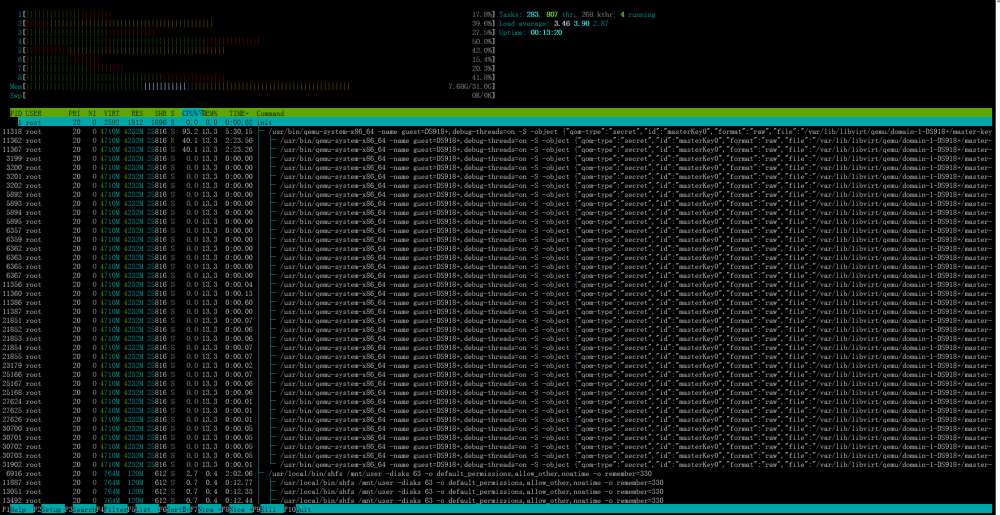
  4. 看了一下 是群晖的虚拟机占用最高 这不知道是啥问题啊
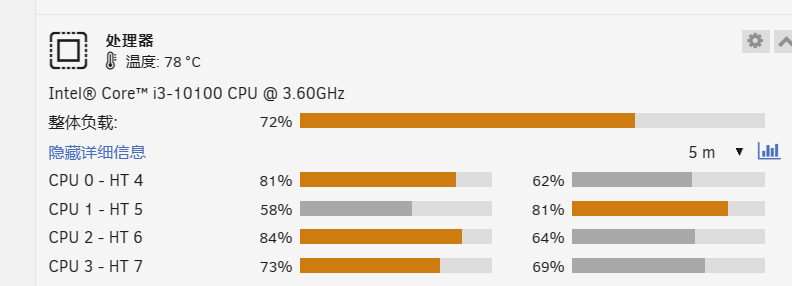
  5. 升级到了6.12.2 发现CPU占用从原来的10%左右——80% 功耗翻了一般,CPU温度狂高
  6. wxf870517 changed their profile photo
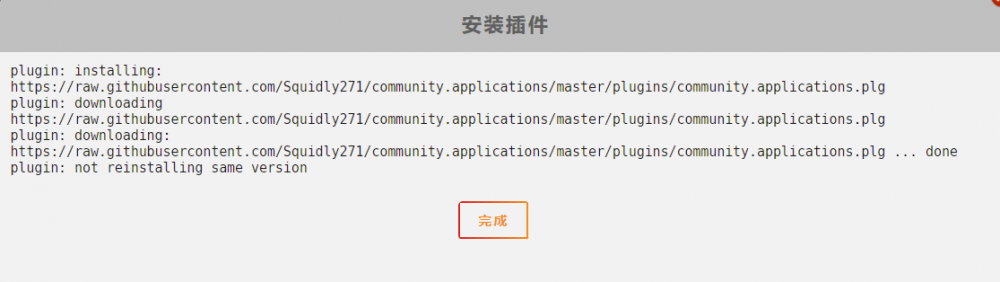
  7. plugin: installing: https://raw.githubusercontent.com/Squidly271/community.applications/master/plugins/community.applications.plg plugin: downloading https://raw.githubusercontent.com/Squidly271/community.applications/master/plugins/community.applications.plg plugin: downloading: https://raw.githubusercontent.com/Squidly271/community.applications/master/plugins/community.applications.plg ... done plugin: not reinstalling same version What should I do with this mistake?
Account

Navigation

Search

Search

Configure browser push notifications

Chrome (Android)
  1. Tap the lock icon next to the address bar.
  2. Tap Permissions → Notifications.
  3. Adjust your preference.
Chrome (Desktop)
  1. Click the padlock icon in the address bar.
  2. Select Site settings.
  3. Find Notifications and adjust your preference.