





RedZephon
Members
-
Joined
-
Last visited
Everything posted by RedZephon
-
I don't want to necro this, but I want to post my solution to those that may be having a problem similar and are searching via google or something My solution was to buy a more powerful power supply since my drives and graphics card were drawing too much power for my power supply to handle and were getting disconnected.
-
I've recently run into a problem with using this docker container... It started when my cache drive filled up from downloads. After I cleared some space, I was unable to login to my BitTorrent web UI. I did some google searching and some people recommended changing/removing settings in the .conf file, however the things they always say to change/remove in that file are missing. It seems like my file is messed up. If I try to delete the file it does not regenerate with all the info. Manually adding lines to change the password also doesn't seem to work. Ive tried to login with my old password and the default password and none work. I also tried reinstalling the docker container and I can't seem to get back in. Any help is appreciated.
-
And now the drive won't give me the green circle no matter what, even after reboots.
-
I swapped the cable and the port and it came back no problem, but still doesnt let me assign it as parity and gets kicked back to unassigned devices.
-
homeserver-diagnostics-20230129-1911.zipThe smart test was done after the last diagnostics. Here are the diagnostics post successful smart test.
-
When I reboot the server, the drive has a green circle. I can run a smart test and it says completed without error. Formatting still fails.
-
Extended Smart self test wont run. When you click start it doesnt do anything. Nothing in logs.
-
homeserver-diagnostics-20230129-1806.zip
-
Ok so I've tried a few things and the drive is just stuck in a "format" state in unassigned devices. Formatting it fails. I can reboot the server and get it to show back in as an assignable device but when I try to assign it, it goes back to an unassigned device. Im now starting to think that this drive is dead?

-
Tried to rebuild and now its in unassigned devices again

-
homeserver-diagnostics-20230129-1414.zip
-
Ok I swapped the power supply out for something better and all the drives immediately were recognized by unraid (including an immediate boot into unraid with no problems). I did a new config (because I had done one earlier and never got it working) and all the disks are working fine. The parity drive is showing disabled but I ran a parity check to see if it's just a rebuild issue. Unless theres something else im missing?
-
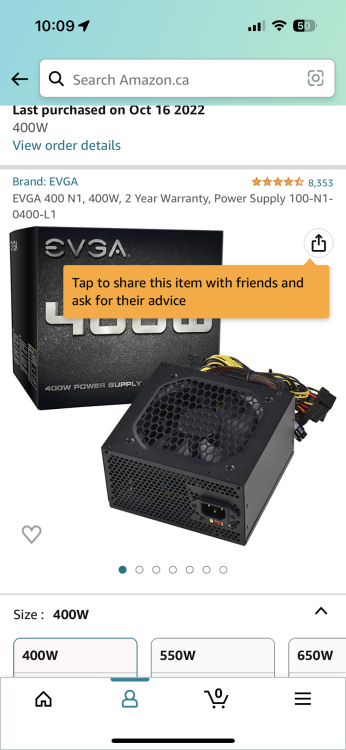
Evga 400w 100-n1-0400-l1
-
Yes with a splitter
-
I've quadrouple checked all the connections of all the drives so at this point if its still not working is it a power supply issue?
-
Diagnostics homeserver-diagnostics-20230128-1348.zip
-
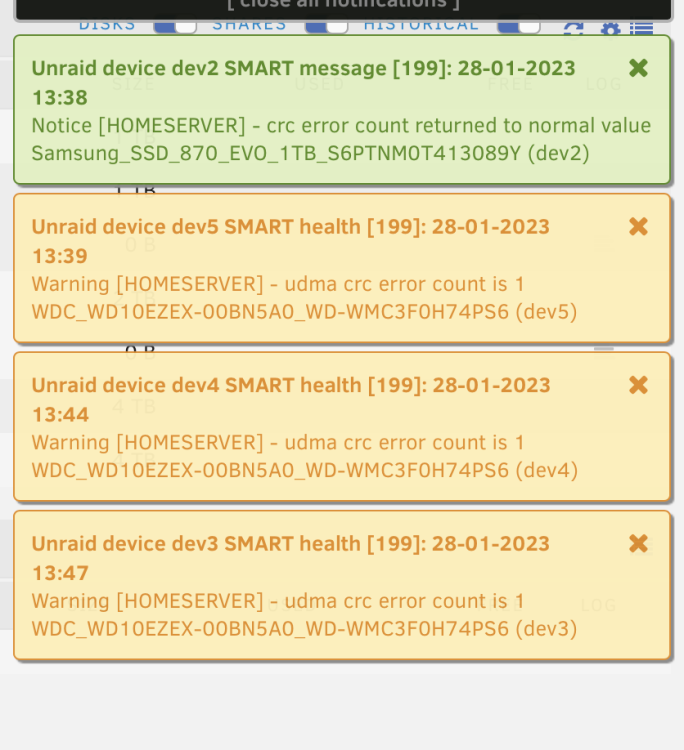
If I do a new config, every drive shows up as an option but then slowly become unavailable and return to unassigned devices. Diags coming in next post.
-
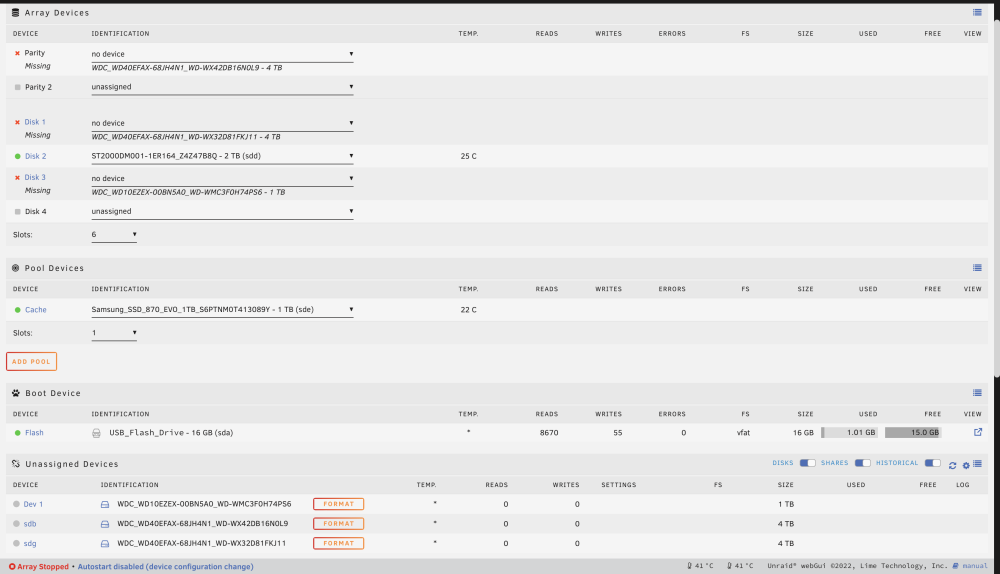
I got it to boot but the drives are not appearing again and I'm not sure why. If I go into BIOS I can see them all there.
-
So I started a parity check and it seemed to be going good. I could see it correcting errors. Then I had a brief power outage. What happens next has me totally stumped. First, the parity drive didnt show up in the array and was showing up as an unassigned device. Checked all connections and rebooted server. Then the parity drive plus 2 disks were showing as unassigned and missing from array. Shut down to try and check it again. Now the server won't even post to bios. If I disconnect all the hard drives, it posts. When I reconnect the drives, it doesnt post. I tried replacing cables but it still isnt posting.
-
When I reboot the server, the parity drive shows as running correct and the errors are gone now.

-
Done homeserver-diagnostics-20230126-1657.zip
-
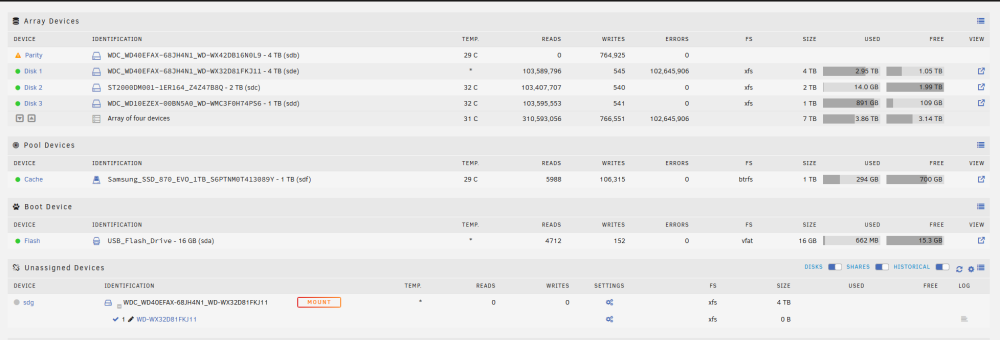
I had some issues with my previous array so I've been in the process of redoing it. I currently have the following drive setup: 4TB parity 4TB disk 1 2TB disk 2 1TB disk 3 The parity is currently building My 4TB drive that has the majority of my data right now is showing a ton of errors, but I just checked and it now is showing as an unassigned device even though the array is running. My docker containers also refuse to start. Can anybody help? https://imgur.com/a/9n2jcyZ
-
I am having the same issue. At first I was trying a different guide and experienced the same issue as DMills, then I tried following the video above but when I get to the bash it says my password is incorrect even though its not.


