





theoracle09
Members
-
Joined
-
Last visited
Everything posted by theoracle09
-
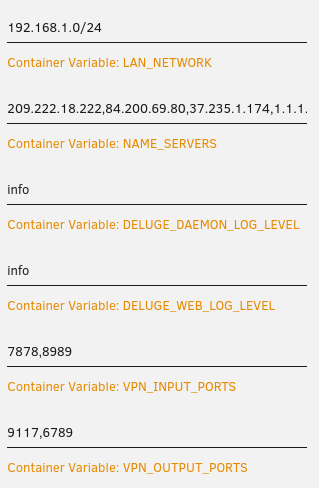
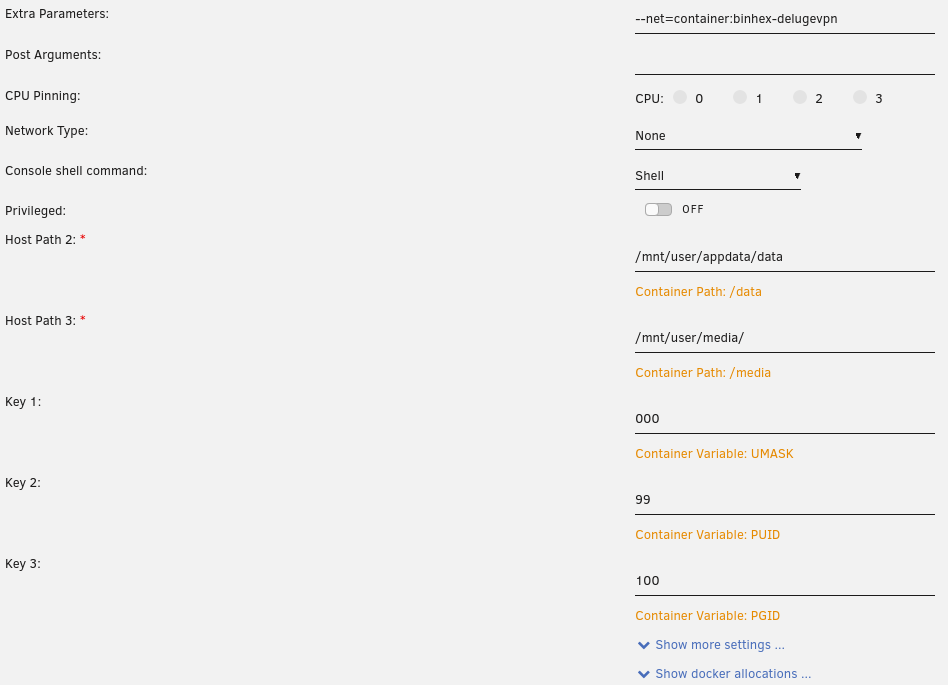
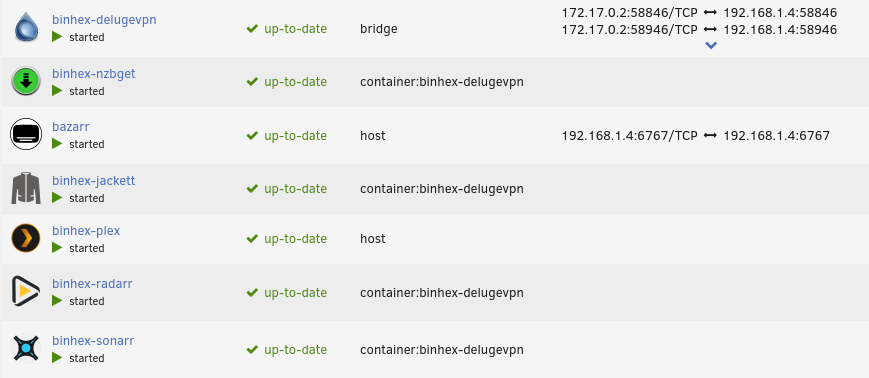
I'm finally getting around to updating and getting things working again after the tightening. I've followed the stickied post and spent hours in the FAQ trying to get this working, but I can not get other docker web GUIs to load. b-delugevpn settings: Lan Network is correct and been verified using the tool in Q4 on FAQ. I followed SpaceInvader One's video on routing through deluge and when typing "curl ifconfig.io" in each of the container's consoles I'm getting the IP from the vpn. Radarr's configuration: As you can see the extra parameters are set, the network type is set to none, and I've removed any port designations. One thing I noticed is when the container starts, there's nothing under Port Mappings in the main docker page. See below: I have never used NZB, I just downloaded it to see if the web gui would load, which it does not. I'm unable to get the web gui to load on any container going through delugevpn. I've changed ovpn files to try different servers, but still no web gui. Not using privoxy in Deluge. I've also made sure deluge was restarted then the other containers restarted once deluge is up and running, still no web guis. Radarr Log Output Deluge Log Output I've checked for spaces or weird line endings in the extra parameters box on each container, it's all correct. At this point I have no idea how to get the web guis to come back Thanks for any help!
-
This thread is a godsend honestly. When I search for Unraid and Home Assistant all results are from 2 years ago. Anyway, I used to have digiblur's hassio supervisor running and when it ran, it was great. Like you, I've had to restart it and add the letter in the description to get it working again. Sometimes I'd have to completely reinstall, and that got monotonous so about 3 months ago I deleted it all and every sensor box and LED strip sat dormant. Today I have some time so I'm trying to get it running on Unraid again to no avail. Simply adding the hassio_supervisor docker doesn't load the home assistant landing page. Logs show supervisor as running normally with no errors, yet I don't have an accessible page. I get an "err_connection_refused" error, and in searching that I get results from 2017. I deleted everything and installed the "home_assistant_core" docker image and had a usable home assistant instance. However, again like you, I was missing the addon store. I installed digiblur's "hassio_supervisor" along side the home assistant core image and restarted the docker, restarted the array, restarted the machine, and still no addon store. That all brought me to your thread. I don't really understand how to get this working like it used to. My next step is to try a VM and see if that goes anywhere. I'll report back if it works.
